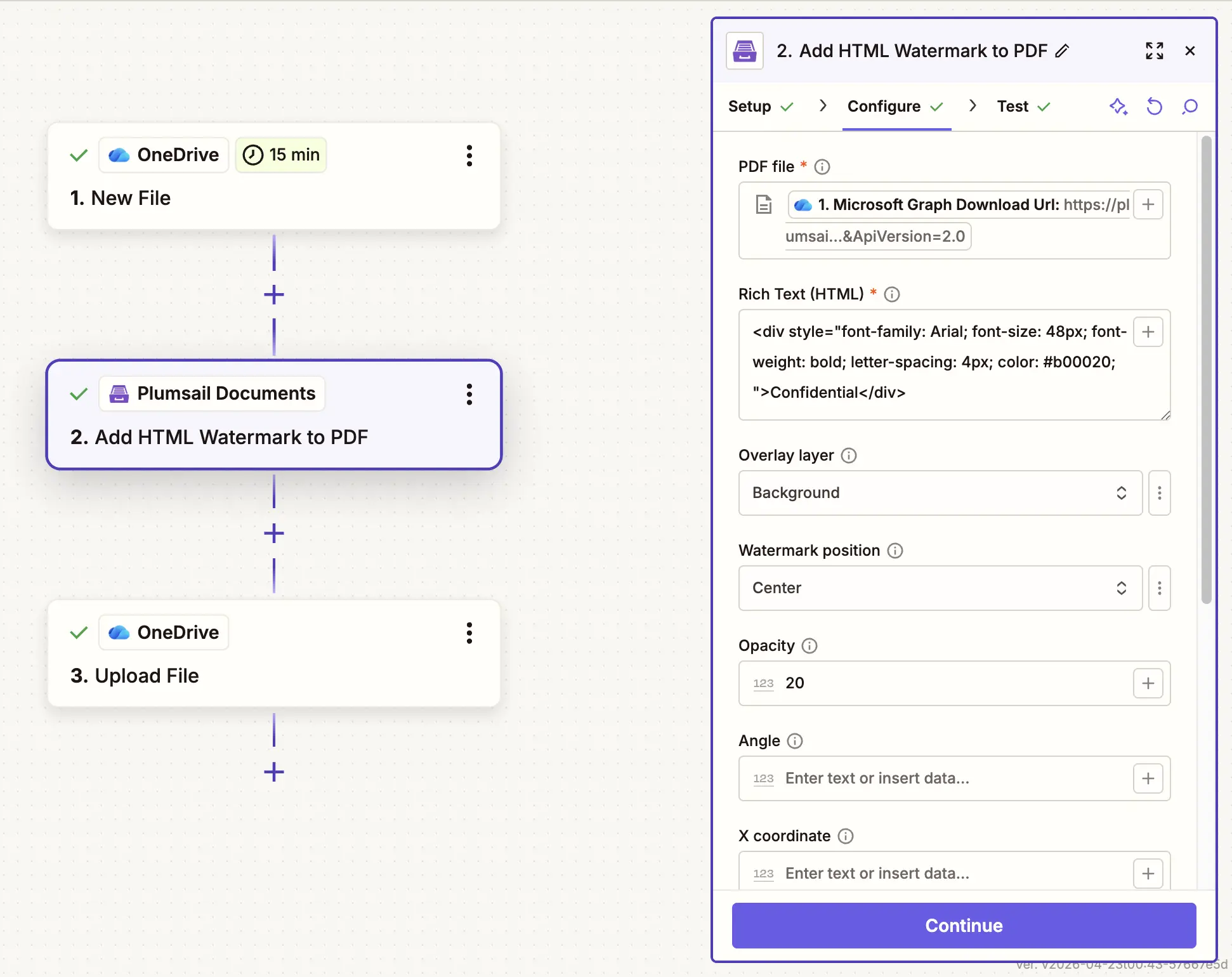
Add HTML Watermark to PDF in Zapier
Adds Html watermark to PDF with the help of Zapier.
Parameters
Output Parameters
Parameter |
Description |
Example |
|---|---|---|
File Content |
The content of the result PDF file. |
It is the content of the result file. |
Setup Parameters
Parameter |
Description |
Example |
|---|---|---|
App |
Select the app. |
Plumsail Documents |
Action event |
Select an action from the Plumsail Documents bundle. |
Add HTML Watermark to PDF |
Account |
To allow your zaps to get information from and send it to Plumsail Documents, you need to create a connection. |
For more information on how to create a connection to Plumsail Documents, see the online Help. |
Configure Parameters
Parameter |
Description |
Example |
|---|---|---|
PDF File |
Raw content of PDF document. |
You may get the content of the source PDF file from the OneDrive trigger or from some other app. Use this link to download a sample 10 pages PDF file. |
Rich Text (HTML) |
Raw content of the HTML markup. |
<div style="
    font-family: Arial;
    font-size: 48px;
    font-weight: bold;
    letter-spacing: 4px;
    color: #b00020;
">
    Confidential
</div>
|
Overlay layer |
The layer of overlay file. If set to “Foreground”, the watermark will be placed above the content of the PDF file. If set to “Background”, the watermark will be placed below the content of the PDF file. |
Background |
Watermark position |
You can select one of the predefined position of watermark on the page. Available preset positions on the document page:

|
MiddleRight |
Opacity |
The degree of transparency of the watermark image. This is a percentage value. |
20 |
Angel |
Angle of rotation in degrees. Works only for center and coordinates-based positions. |
45 |
X coordinate |
Absolute X coordinate value. If the predefined positions (see “Watermark position”) do not suit you, then you can set the desired location of the watermark using absolute coordinates. The origin in the bottom left corner. See the picture 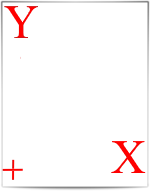
If set - “Watermark position” parameter will be ignored |
50 |
Y coordinate |
Absolute Y coordinate value. If set - “Watermark position” parameter will be ignored |
50 |
Start page |
The first page to start watermarking. |
2 |
End page |
The last page to watermark |
7 |
Pages |
A page range or a list of page numbers separated by ;. The watermark is added only to these pages. Use last and last(N) to apply the action to the last or last N pages. You can also use ranges with N-last to include pages up to the end of the document. |
|
Example
Download a PDF file, then use it in the Add HTML Watermark to PDF action. Enter the HTML markup directly into the Rich Text (HTML) parameter.