Update for Microsoft 365
This guide explains how to update Plumsail Org Chart in Microsoft 365 to access the latest features and improvements.
Depending on how the app was installed, you can update it either through the Microsoft Store or by uploading a package file.
Before updating, check your current version and compare it with the version history to determine if an update is required.
Note
You have to be a SharePoint administrator to complete the update process. If you don’t see some of the options mentioned below, most likely you don’t have the required permissions. Please contact your administrator for assistance.
Update using Microsoft Store
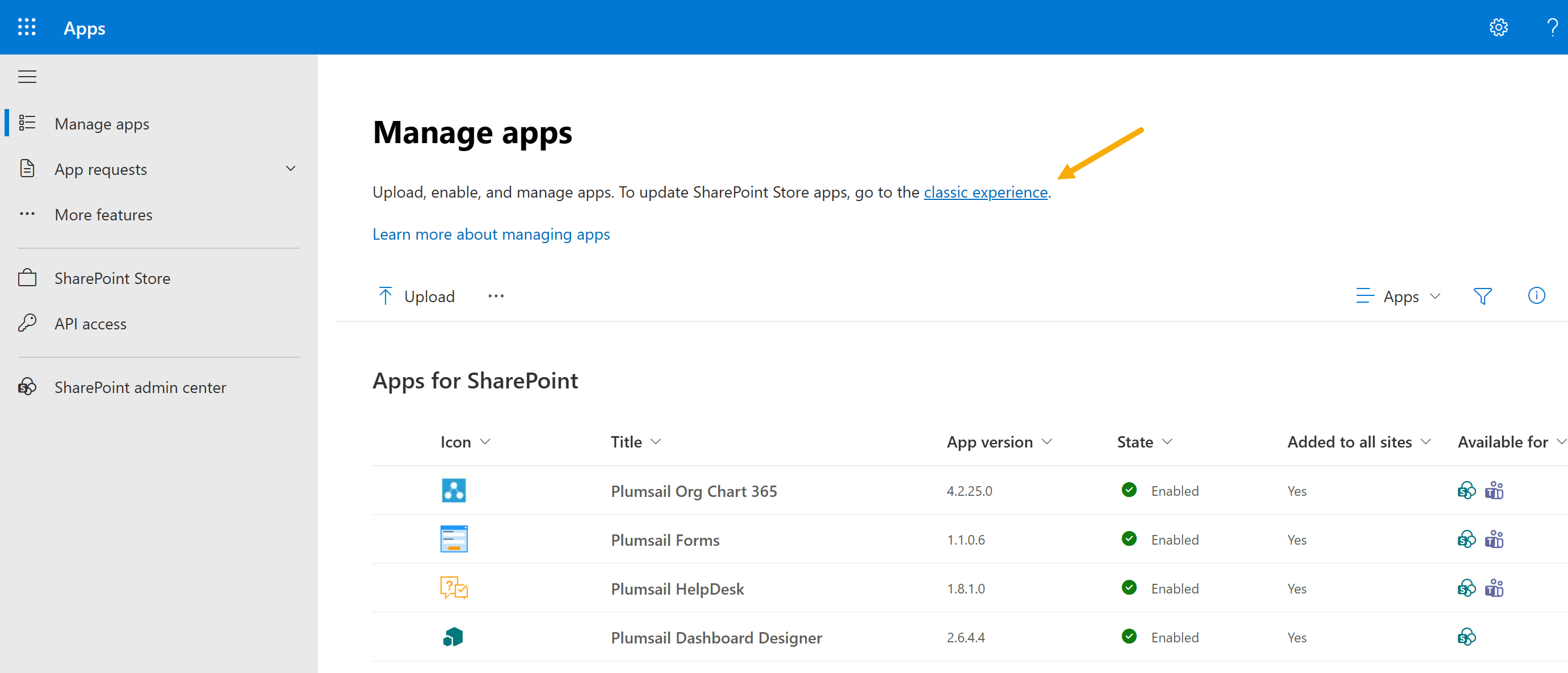
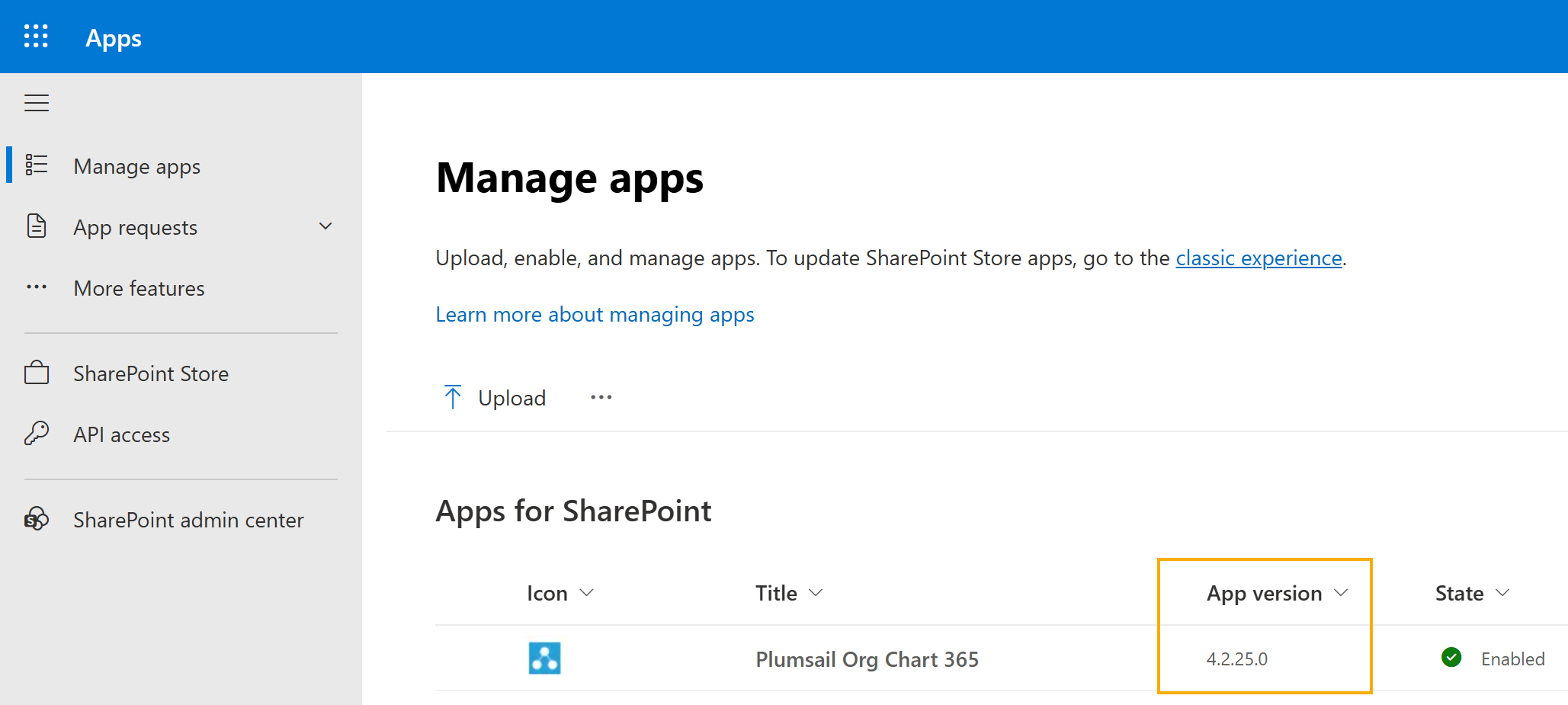
If you installed Org Chart from the Microsoft Store (formerly AppSource), check its version in Apps for SharePoint:
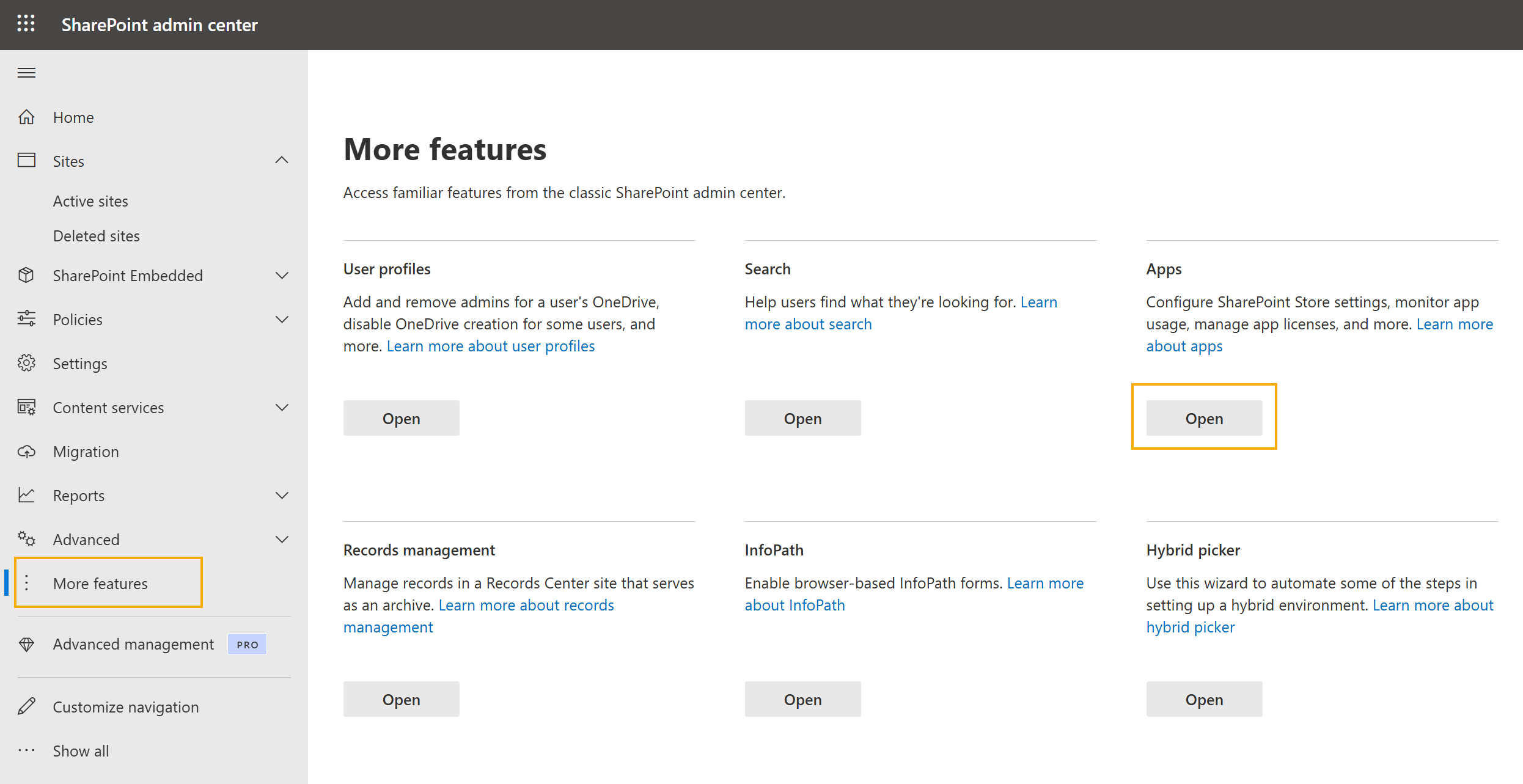
Go to SharePoint Admin Center → More features → Apps
Select Manage apps and click the classic experience link.
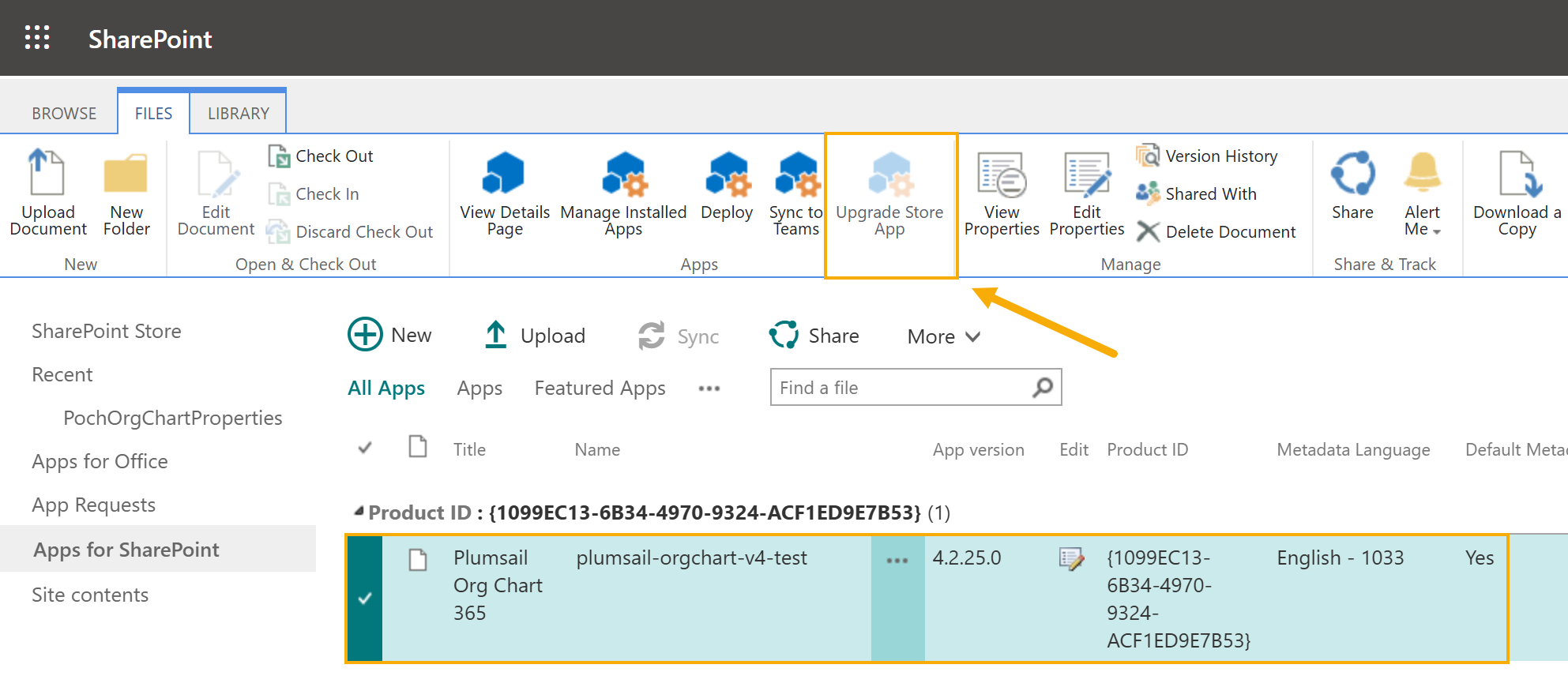
Find the app in the list. If needed, click Upgrade Store App in the File tab.
Update using package
If you manually installed Org Chart, you can verify your current version by navigating to SharePoint Admin Center, select More features, then Apps, and locate Plumsail Org Chart for details.
If an upgrade is needed, follow these steps:
Download the package file from our website. Select the Microsoft 365 version and enter your email address to download the file.
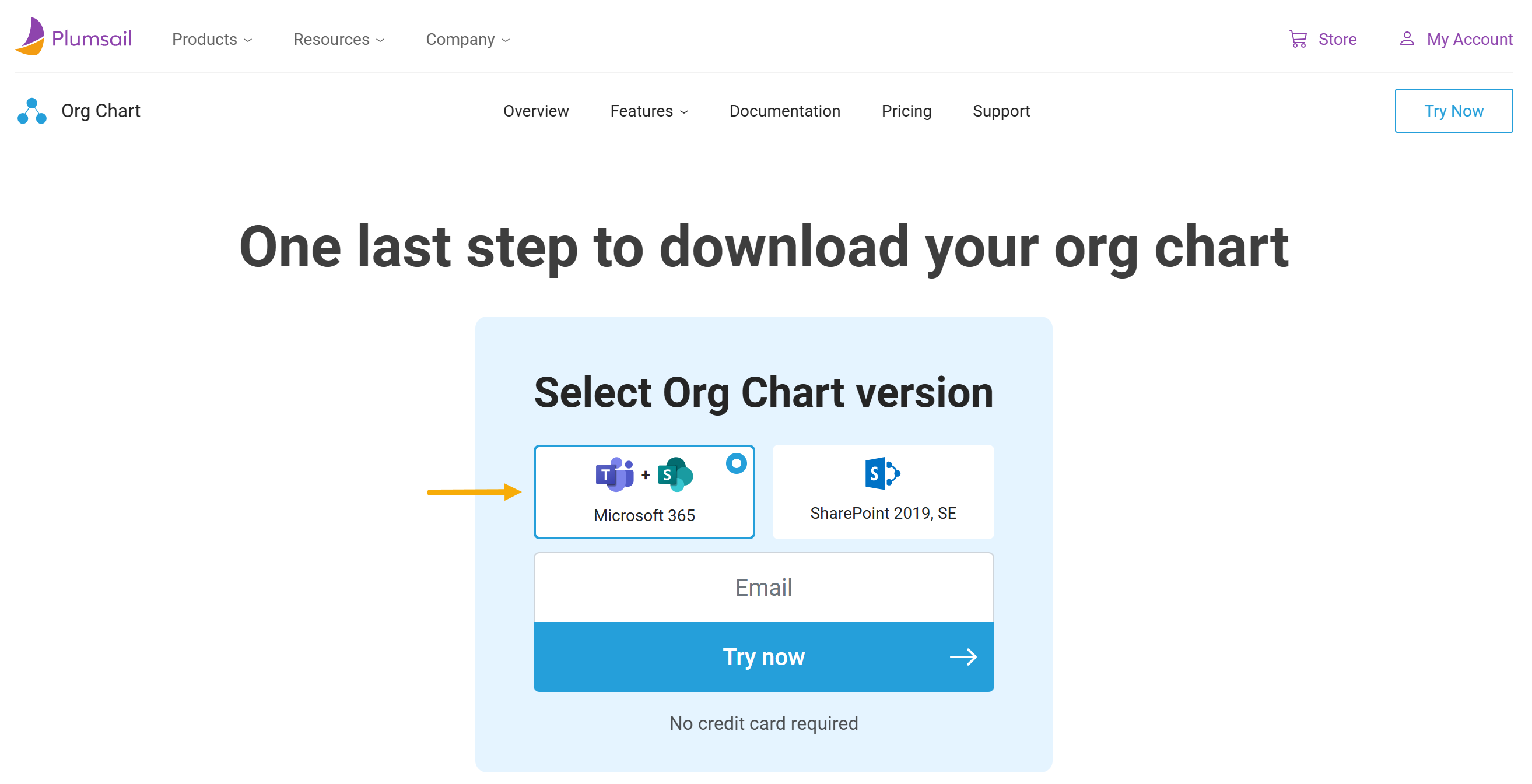
You can find the download link located at the end of the Installation section.
Navigate to Apps for SharePoint and remove the app from the list. Then empty the recycle bin to fully remove the app.
Note
Rest assured, your current progress and work are not impacted. The upgrade simply provides access to new features.
However, we always recommend reviewing the version history for details about changes and fixes.
Upload the
.sppkgfile you downloaded earlier (do not unpack it):
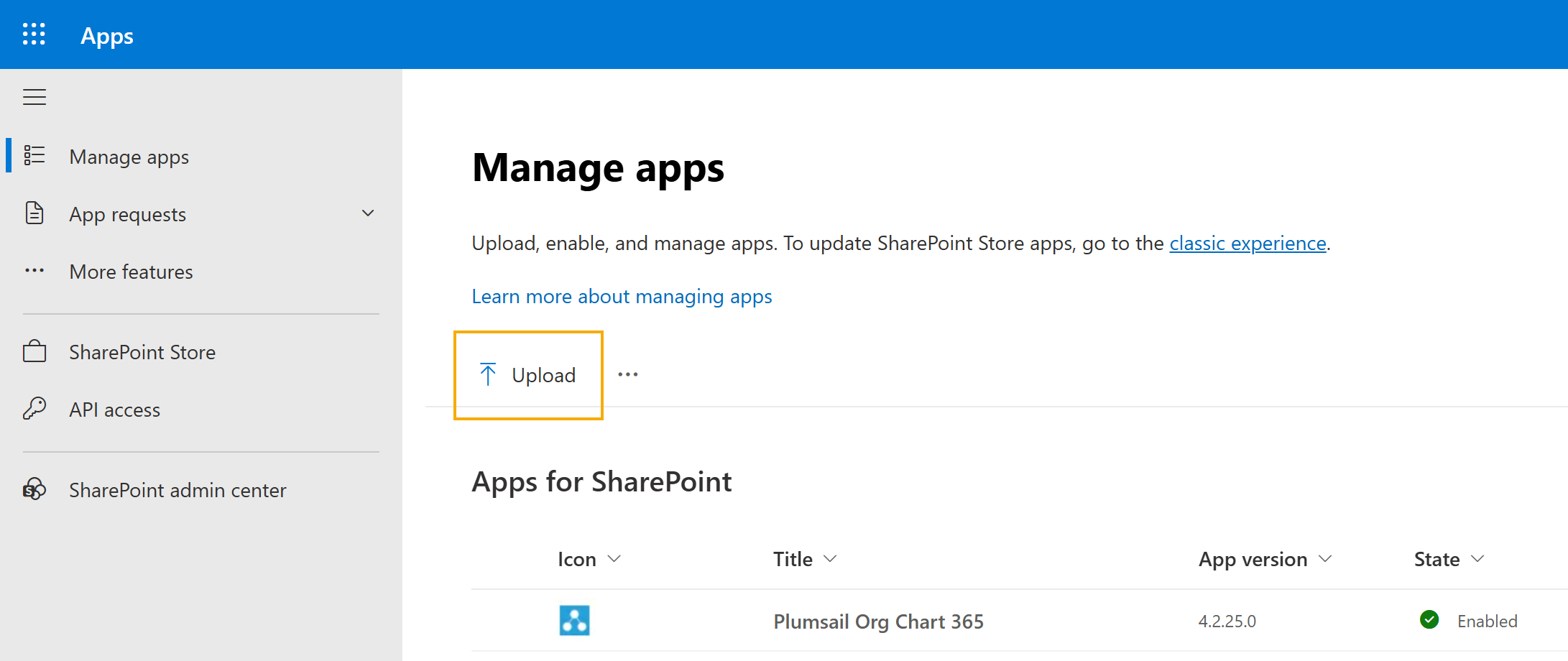
After uploading it, the app will be updated to the new version.
Migration from v3 to v4
If you are using version 3.x and want to migrate to version 4.x, follow the guide below to complete the migration: