Ticket reopen policy
Even after a ticket is set to Solved, requesters may still reply to it. Sometimes, they have additional information to share or a follow-up question. Other times, their reply is simply a thank-you note that doesn’t require further action.
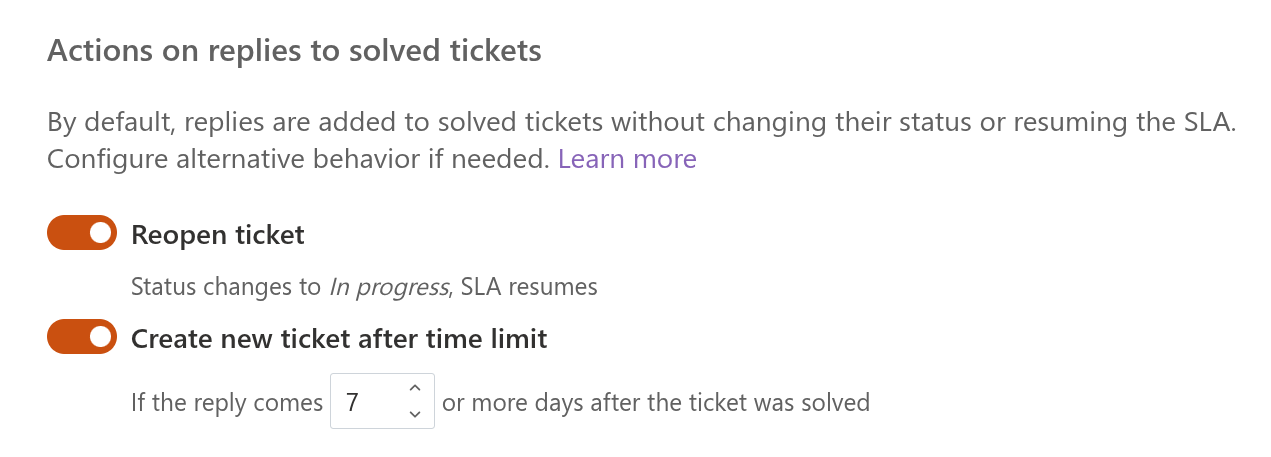
You can configure how HelpDesk handles these replies using Actions on replies to solved tickets. It lets you choose whether to reopen the original ticket or create a new one when a requester replies after a specified period.
Get started
You can configure the policy from the Advanced menu, within the Settings page:
Reopen ticket: When enabled, it automatically changes the status of a solved ticket to In progress when a new email reply arrives.
Create new ticket after time limit: When enabled, creates a separate ticket if an email reply arrives after the specified number of days since the original ticket was solved.
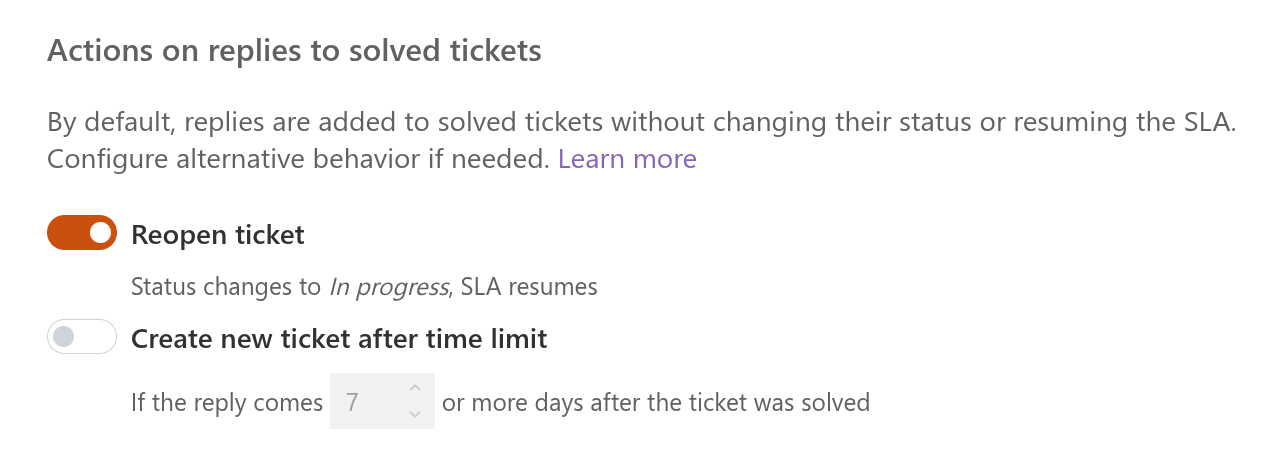
These are independent options, so you can enable either option or both. If both are enabled, the time limit is checked first:
If the reply arrives after the configured time limit, a new ticket is created.
If the reply arrives before the time limit, the Reopen ticket setting determines whether the original ticket is reopened.
Keep in mind that the policy applies only to tickets with the default Solved status; custom statuses are not supported. These settings affect replies received after the policy is modified. They do not retroactively change the status or handling of older tickets.
Reopen ticket
By default, this option is disabled. Email replies to solved tickets are added as comments, and the ticket remains Solved.
When enabled, a new email reply changes the ticket status from Solved to In progress. The reply is added to the original ticket, allowing your support team to continue working on the same conversation.
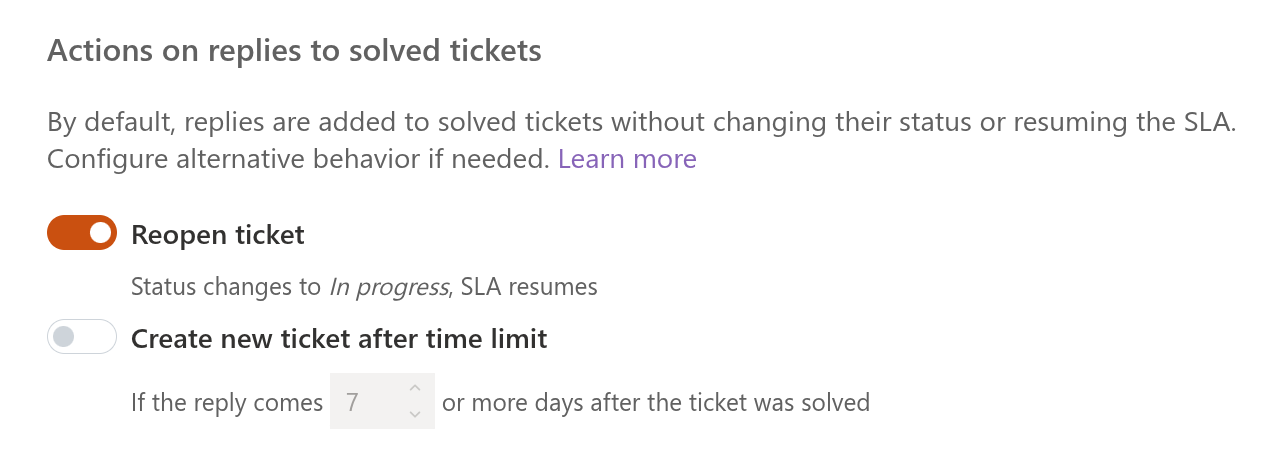
Since the ticket is reopened, SLA tracking resumes according to the applicable SLA policy.
Create new ticket after time limit
By default, this option is disabled. Replies to solved tickets are handled according to the Reopen ticket setting, regardless of how much time has passed.
When enabled, this option creates a new ticket if an email reply arrives after the configured number of days since the original ticket was moved to Solved.
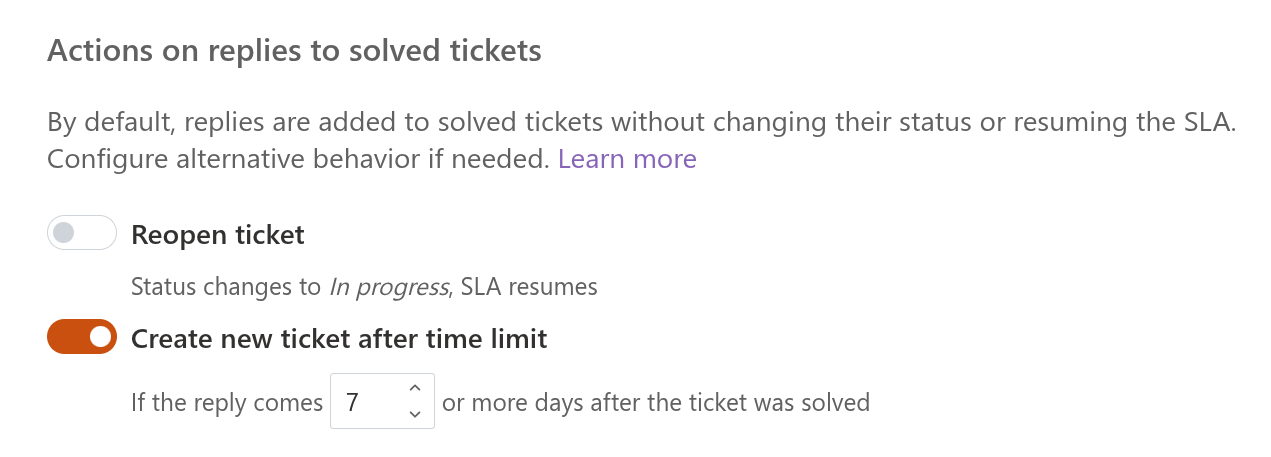
For example, in case you set the time limit to 7 days:
If a requester replies within 7 days of the ticket being solved, the reply is handled according to the Reopen ticket setting.
If a requester replies 7 days or more after the ticket was solved, a new ticket is created instead.
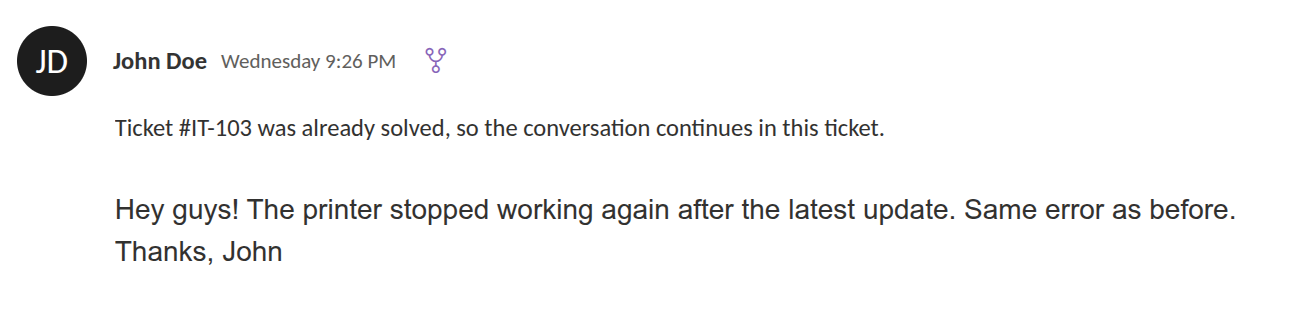
When the new ticket is created, the reply is added only to the new ticket. The original ticket remains Solved and is not modified. The new ticket follows the usual HelpDesk workflows, including applicable SLA policies, triggers, and schedulers.
This way, a late reply can be handled as a separate support request without affecting the original ticket.