 Forms
FormsLast updated: Jun 28, 2023
How to design Mobile-Friendly Online Forms
Elevate your web forms for mobile era! Follow these 7 simple tips to create mobile-friendly online forms that are responsive and easy to complete.
 Forms
FormsIf you're looking for an alternative to Paperform, you've come to the right place. In this article, we've stacked up Paperform against Plumsail Forms so you can decide which solution better suits your needs. We've compared form builders' features, pricing, customization options, integrations, and more.
Plumsail Forms offers a free Scooter plan that doesn't require starting a trial or a subscription. Create a Plumsail account and try all the features you will discover in this article.
Paperform is a well-known web form builder solution with some great features. It has many templates to start with, a modern and slick interface, a bunch of prominent features and capabilities that make it easy to create online forms to suit different requirements.
What are the major benefits of Paperform?
However, it also has drawbacks that may not fit your project.
Based on users' feedback, we've compiled a list of the primary drawbacks of the Paperform:
These limitations might be critical for some, especially at a higher price point.
Plumsail Forms can be a perfect alternative to Paperform for you. It has all the key benefits of Paperform that you might need, like its easy-to-use interface, a wide range of advanced features and integrations, and responsiveness.
You can design a responsive form from scratch in a few minutes or use one of the ready-made form templates. You can add dynamic logic to the form with the help of JavaScript.
In addition, Plumsail Forms pricing is very affordable. All features are available on any plan and there are no restrictions, such as monthly form views or total submission storage.
Let's take a closer look at what you can get by using Plumsail Forms instead of Paperform:
Both Paperform and Plumsail Forms have an interface that makes creating forms very easy, even for beginners. But unlike Paperform, Plumsail Forms has a more structured editor, making even complex forms easy to build:
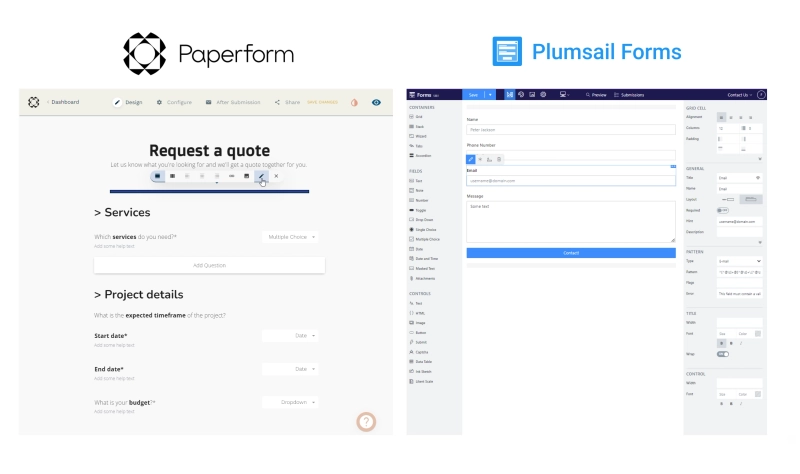
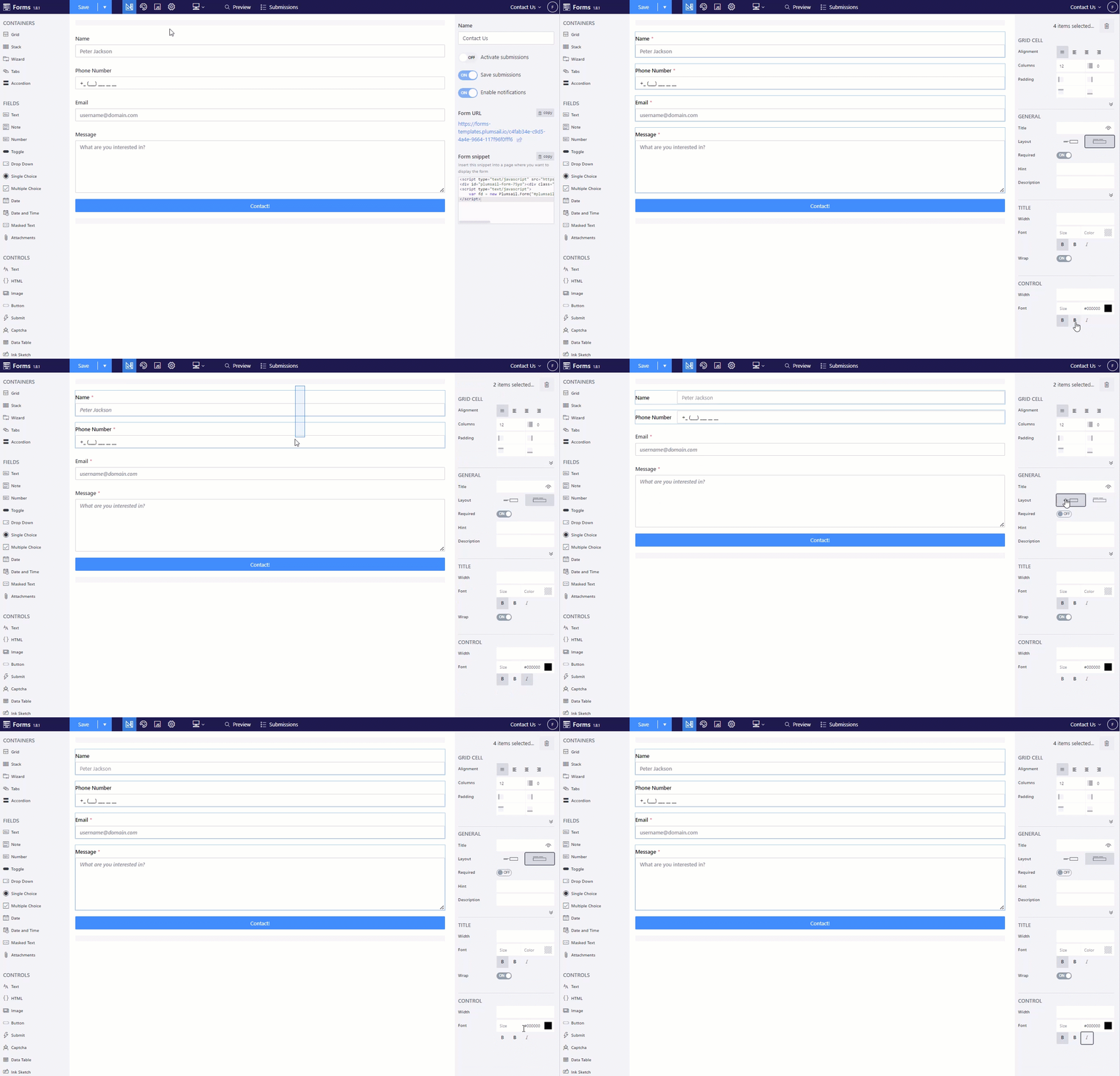
One of the key features of Plumsail Forms designer is the ability to select multiple elements to instantly adjust their common properties. It incredibly speeds up the design process.
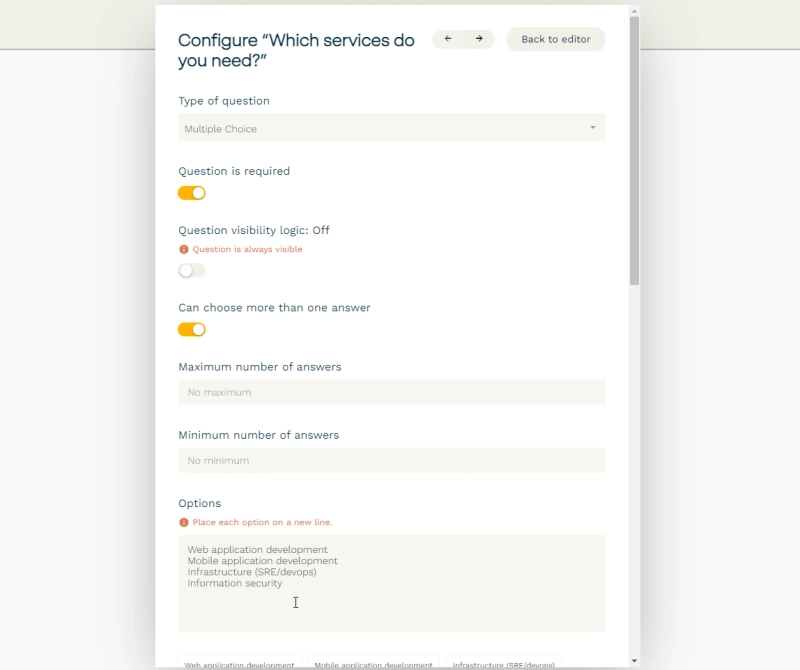
In Paperform, you need to select and adjust individual fields, field settings are often hidden in dialog menus which you have to open up each time you want to make a change. Paperform auto-save feature can also interrupt your work, and even lose your progress if it doesn't go well.
Plumsail Forms, on the contrary, places control over the form in your hands. Settings are easy to access, you save the form when you need to, export it when you want, and anything you might need to change is right in front of you.
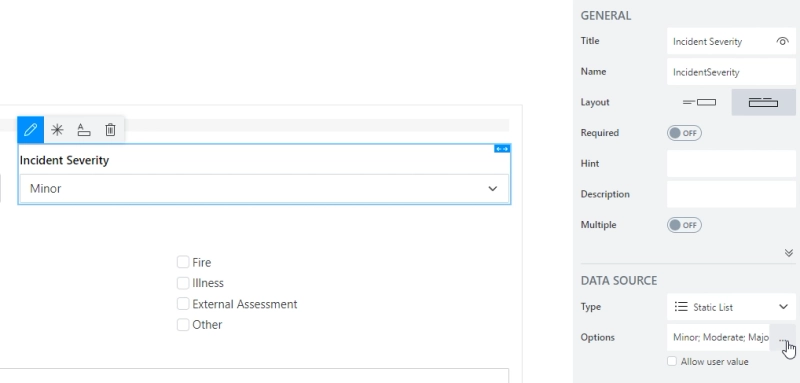
Designing forms with Plumsail Forms is easy, and if you have any questions, you will find detailed and clear instructions in the documentation, or you can contact support team, which responds within 24 hours.
One of the primary advantages Plumsail Forms has over Paperform is grids. By default, every form already has a grid. It allows you to place fields and controls side by side and decide how many columns each row has. Grid is used as a basis on every form and inside of other containers—Tab Control, Accordion, Wizard.
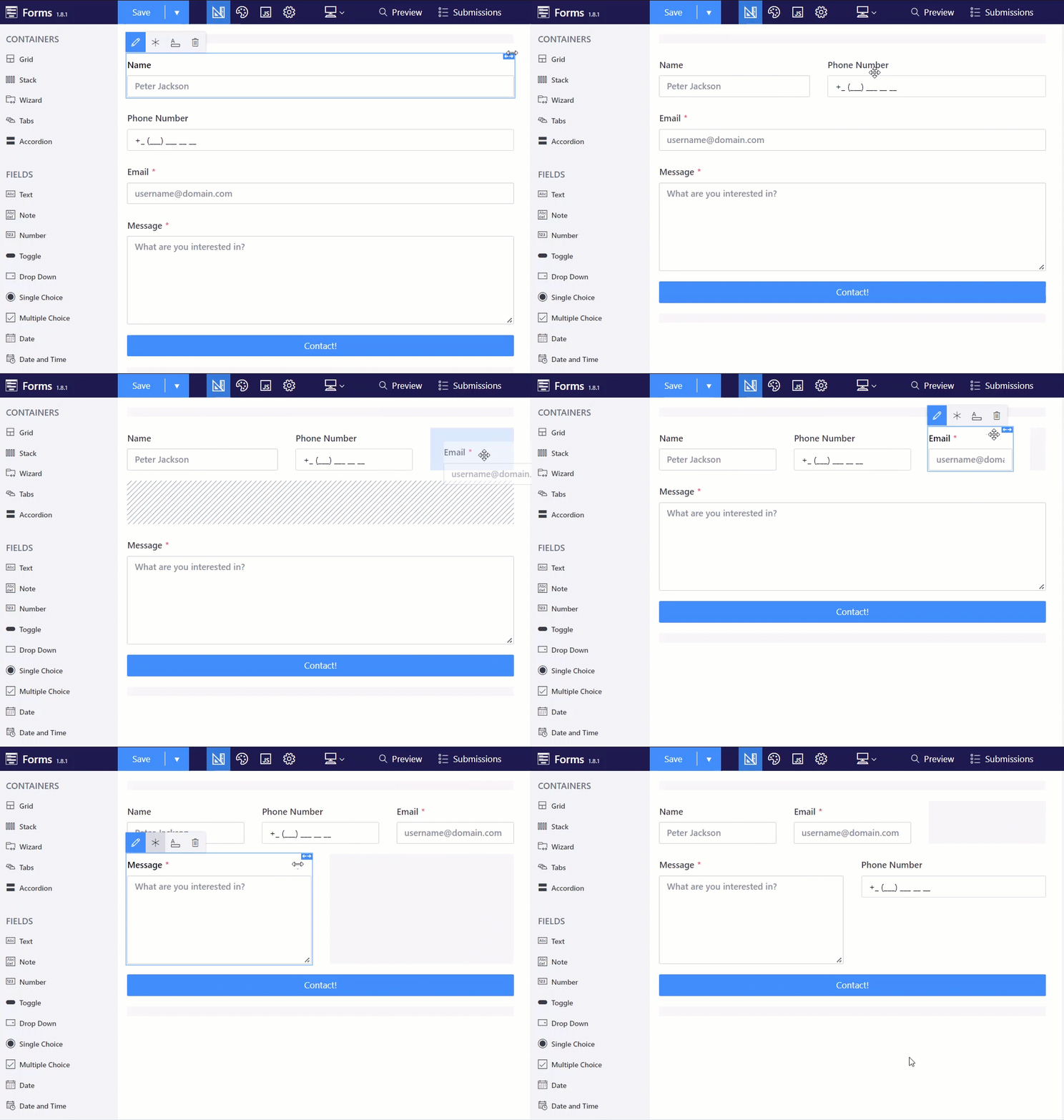
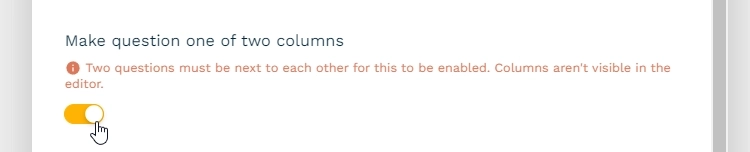
This contrasts with Paperform's layout, which allows at most two fields per row and doesn't show the column structure in the editor.
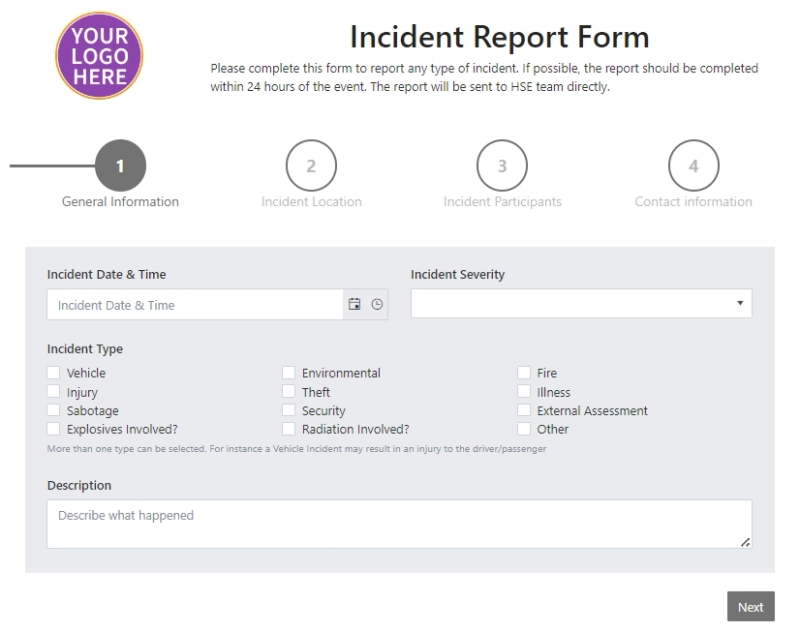
Also, the Wizard container is an alternative to Paperform's page breaks. You can create a multi-page form with many steps, and customize its appearance and logic — skip steps, add new steps, etc.
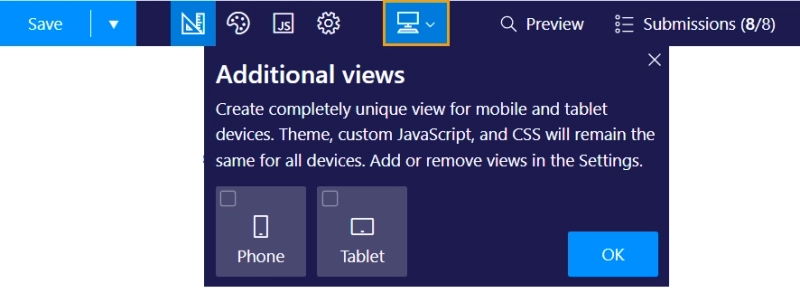
With Plumsail Forms you also have the ability to design unique layouts of the same form for phones and tablets:
Plumsail Forms has powerful and highly customizable elements.
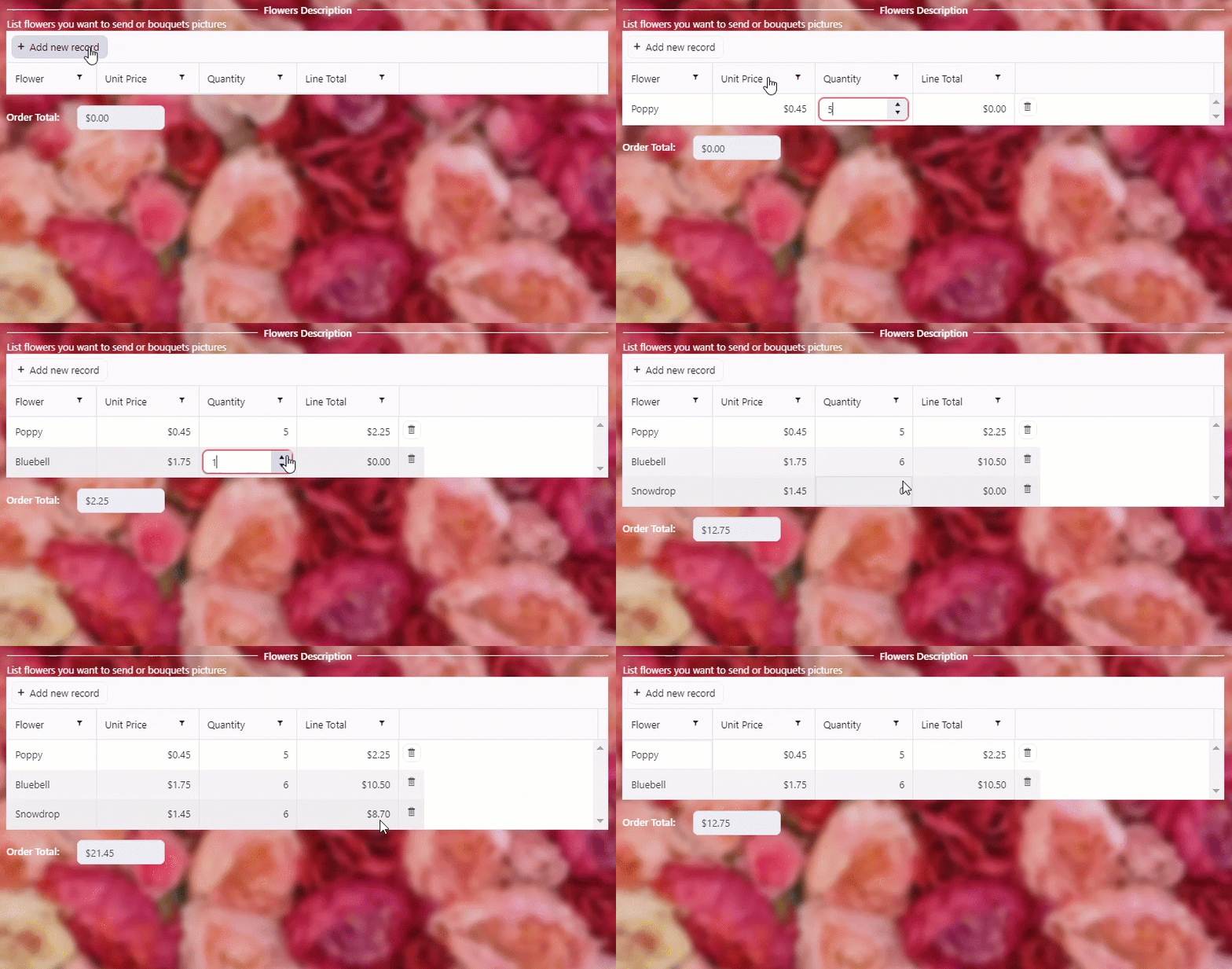
Data Table control allows you to create dynamic tables for collecting rows of data. It is very flexible: populate column values for a new row, add custom validation to the table or particular column, perform calculations.
Ink Sketch control is the alternative to Paperform's Signature field, but way more powerful. With the Ink Sketch control, you can collect not only signatures but also sketches and drawings, which can even be placed on top of an image.

Likert Scale control is similar to both Matrix and Scale controls of Paperform, allowing multiple rows of questions to be answered, useful for polls or other rating-based measures.
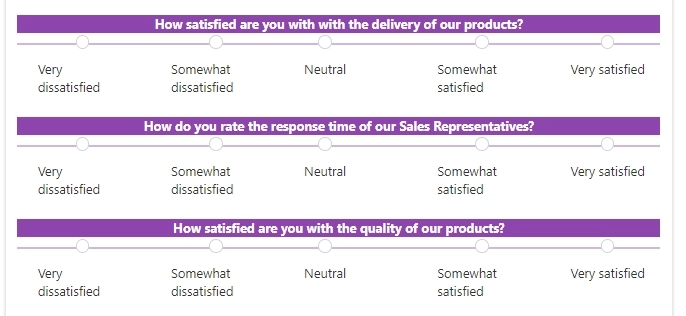
These are just some of the elements available in Plumsail Forms. Captcha, Masked Input, Image control, and other major elements are available in Plumsail Forms.
If you need to collect documents with your forms, create a Plumsail Form with the Attachments field. It lets users upload files such as photos, videos, documents, and more. You can store all files in your Plumsail Account or instantly upload them to Google Drive, Dropbox, OneDrive, SharePoint, and other cloud storage apps.
The free Plumsail Forms plan gives you 100 MB of storage space. But if you need more space, you can choose one of the available paid subscriptions or contact the support team to purchase additional storage.
Like Paperform, Plumsail Forms themes are highly customizable. You can choose one of the pre-designed themes or create a custom theme from scratch. Change the form's colors, borders and font style as well as add custom CSS.
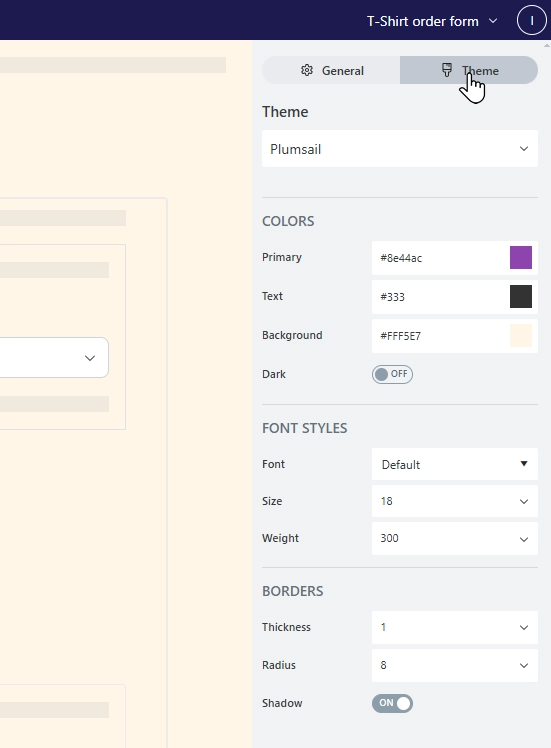
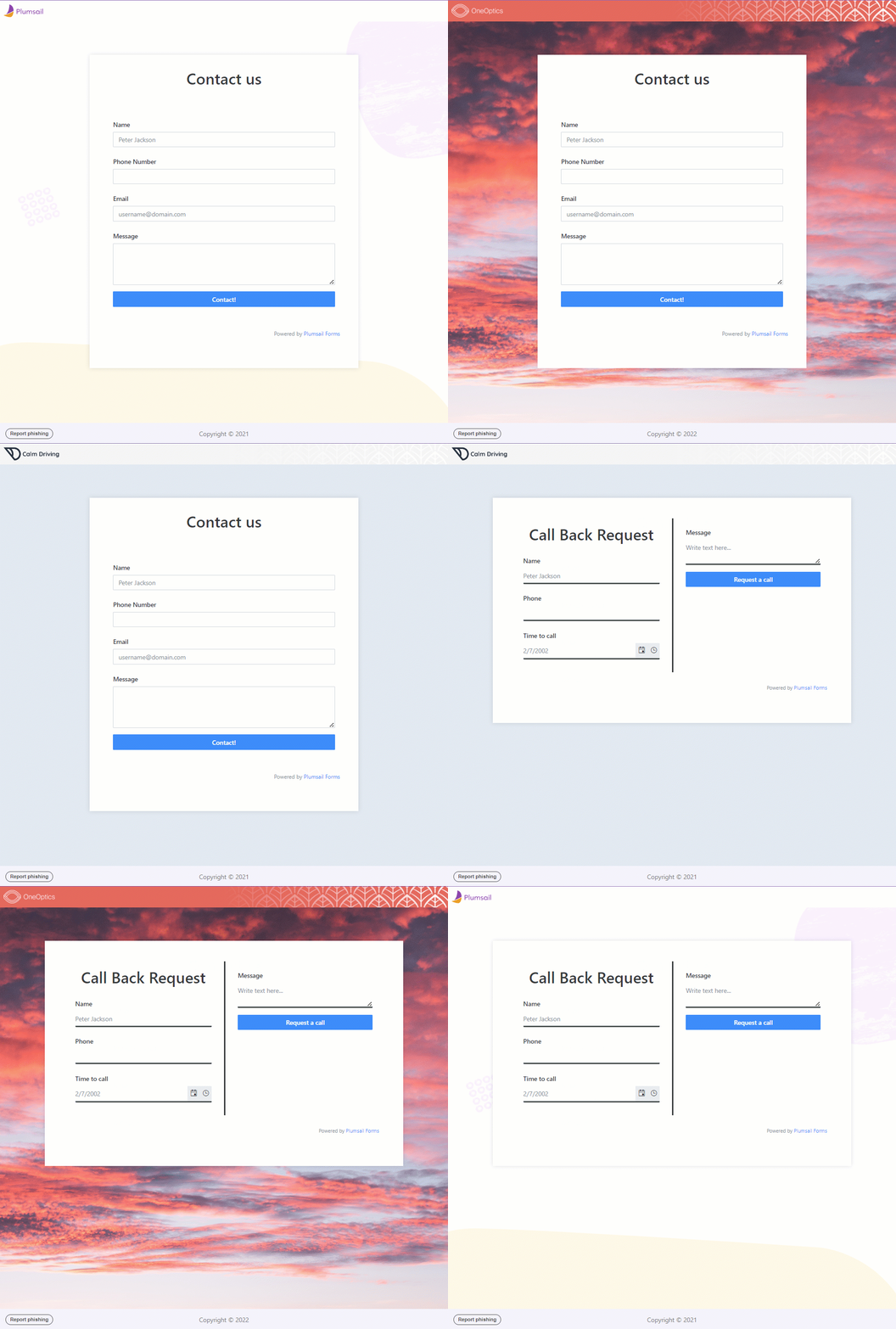
But besides that, you can forget about creating a theme for each form. You can design a Sharing page that matches your company's branding and use it for all forms by default. Change colors, background, add headers and logos. You can mix forms and page designs to make the form more engaging.
Paperform has no authentication options, but in Plumsail Forms, you can require users to authenticate first.
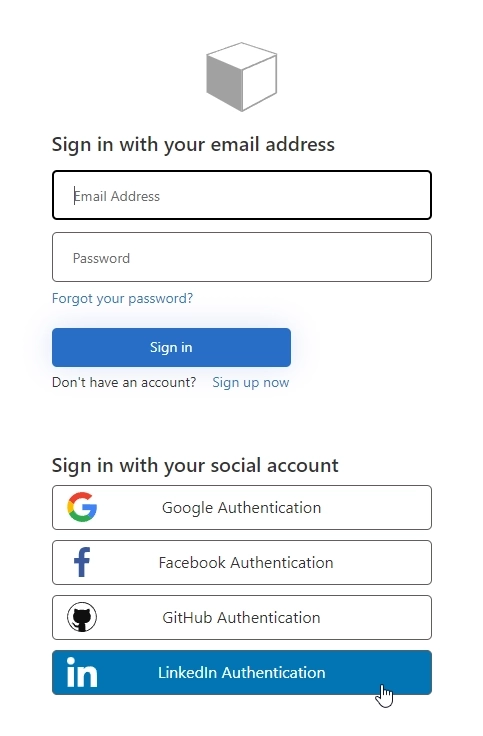
You can select either MS Account authentication, with the ability to limit access to certain Microsoft Entra ID groups or users, or provide Microsoft Entra External ID authentication, which would allow authentication via various social media platforms.

After the form is submitted, you'll see who submitted the form. Learn more about Managing forms users.
Plumsail form has two options for sharing the form: direct link and embedding form.
Sharing pages allow you to share forms directly with users — via the URL. As mentioned before, Shared Pages are highly customizable and can become a replacement for a landing page. Even on a free plan, you can customize the domain for your forms. For instance, change it to awesome.plumsail.io.
Also, embedding a Plumsail form into any website or platform is super easy. Copy the code snippet from the form settings and paste it into your website. Or, if you need guidance, follow step-by-step instructions for the most popular platforms like WordPress, Wix, Tilda, Shopify, etc.

Paperform and Plumsail Forms have integrations with the most popular email marketing providers, CRMs, and over 2,000 more platforms with Zapier and Power Automate. In just a few clicks, it is possible to generate documents, create SharePoint items, add rows to Excel or Google Sheets, and save data to OneDrive, Google Drive, or Dropbox on form submission.
The difference between the platforms is payment integrations. Plumsail Forms has no built-in payment integrations, but allows you to integrate payment buttons into any form using HTML code.
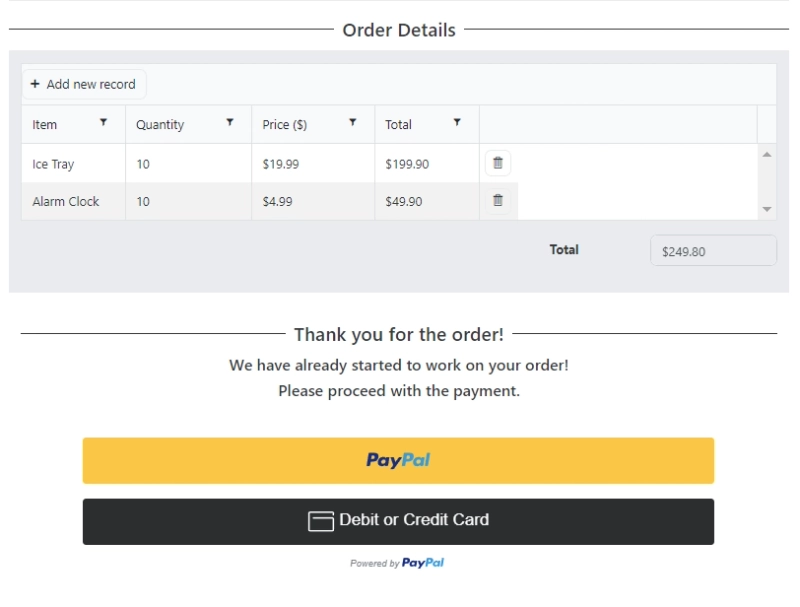
The primary advantage of this approach is that there are no limits on payment accounts.
Paperform has some conditional logic, but it's very basic and some of it, like the Calculations field is only available for more expensive plans. If you want to design advanced forms with custom logic, you may need an alternative.
Plumsail Forms features conditional rules for fields, controls, and containers, allowing you to hide or disable elements dynamically based on another field's value. This approach is best for simple scenarios with straightforward logic. For example, revealing a section only when a specific option is selected or making a field editable only under certain conditions.
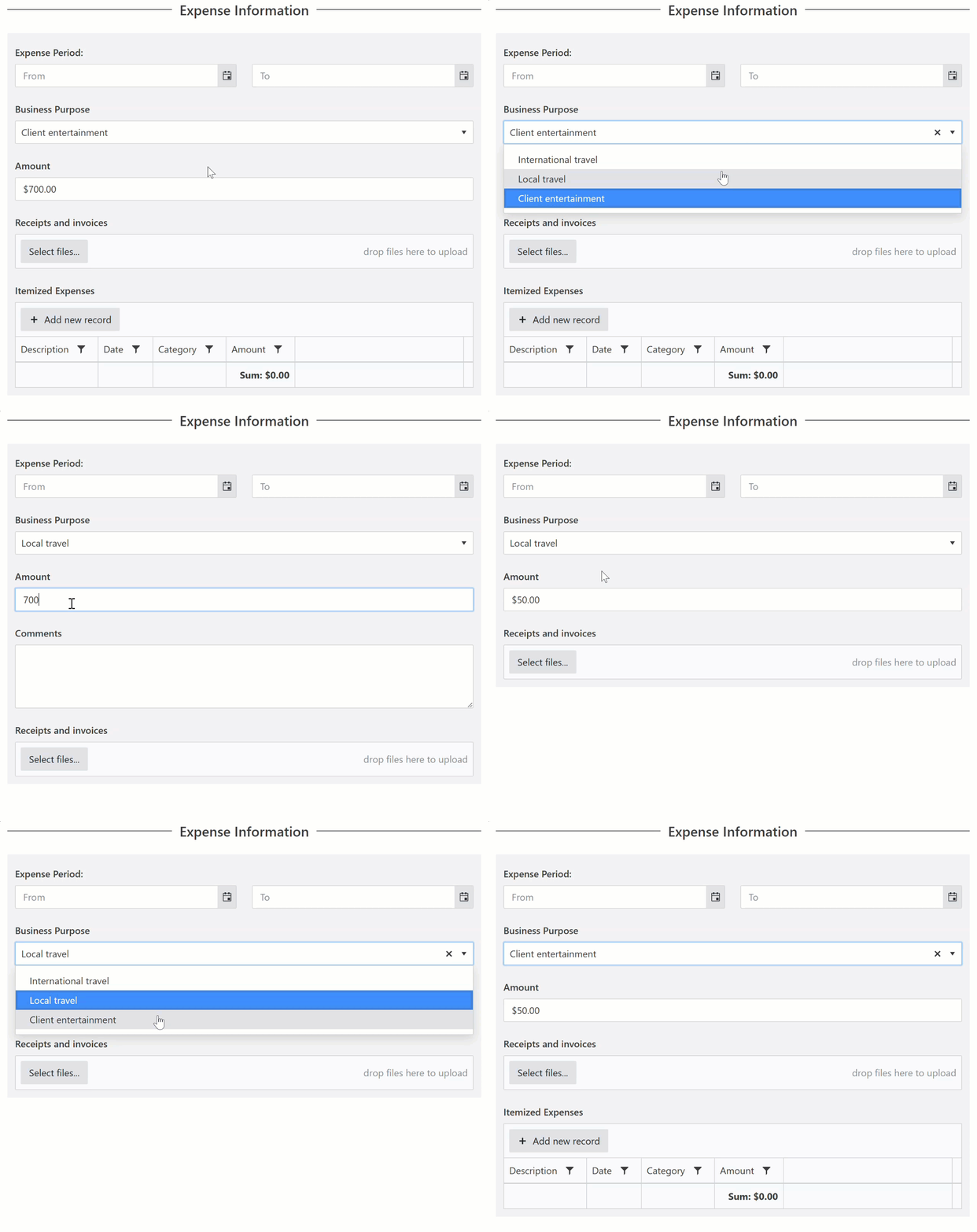
For advanced workflows, you can extend the form's functionality using JavaScript. This allows you to prefill fields based on a user's selection, populate forms from an external API, execute real-time calculations as a user completes the form, or add custom validation. Best of all, you don't need to be a coding expert to use it. Plumsail provides extensive, ready-made code snippets in the documentation, fast support, and an active community. Plus, you can always use the built-in AI chat available on Plumsail Forms Pickup and Van plans or ask any AI to write the code for you.
If you work in a team and want all users to have access to edit forms and manage collected data, in Plumsail Forms, you can invite other users as team members to collaborate on all available Plumsail services. The team members have access to all forms and submissions but still don't have access to manage the subscription or account settings. This functionality is available on all Plumsail Forms plans, including the free plan.
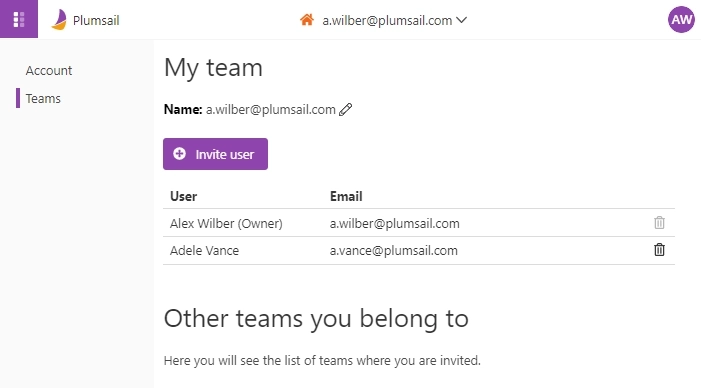
Paperform also offers collaboration options for editing, but only for the most expensive plan, only up to 5 users. There are no limits in Plumsail Forms, even with a free plan.
Both Paperform and Plumsail Forms are great form builders that offer many useful features for you and your business, but there is a big difference when it comes to price.
First of all, there is no free plan for Paperform at all, and in Plumsail Forms you get almost all the features for free with limited number of submissions.
Secondly, the price of Paperform is almost twice the paid plans of Plumsail Forms:
That's a huge difference, considering that many features of Paperform are hidden in the most expensive plan.
With Plumsail Forms you get more features for less, even if you use a cheaper plan or even a free plan, you still get all the features, and almost no limits.
Decide for yourself:
| Paperform | Plumsail Forms | |
|---|---|---|
| Free or has a free plan |

|

|
| Responsive forms |
|
|
| User friendly |
|
|
| Advanced fields and controls | Limited |
|
| Highly customizable |
|
|
| Separate layouts for mobile devices |
|
|
| JavaScript, CSS, HTML |
|
|
| Authorization & authentication options |
|
|
| Power Automate flow |
|
|
| Zapier automations |
|
|
Both form builders have their pros and cons. The main difference is the price and the number of features you get.
Try the Paperform alternative for free. Create a Plumsail Account, design your first form and make your decision.
FormsFormsElevate your web forms for mobile era! Follow these 7 simple tips to create mobile-friendly online forms that are responsive and easy to complete.
FormsPopular use cases of how to validate a particular field in a web form.
FormsPublic web forms for all your needs built quickly online