
Download Org Chart for SharePoint 2019/SE
Org Chart for SharePoint 2019/SE provides a free 15-day trial period. A paid license will be required to continue using the solution after the trial period expires. You can request an extension of the trial period if you need more time for evaluation.
By downloading, you acknowledge that you have read and agree to the License Agreement.
Installation
Download the setup file and run it on one of the servers in your SharePoint 2019/SE farm as a Farm Administrator.
Follow the installation wizard steps.
Once the installation is complete, navigate to the page where you wish to add an organizational chart.
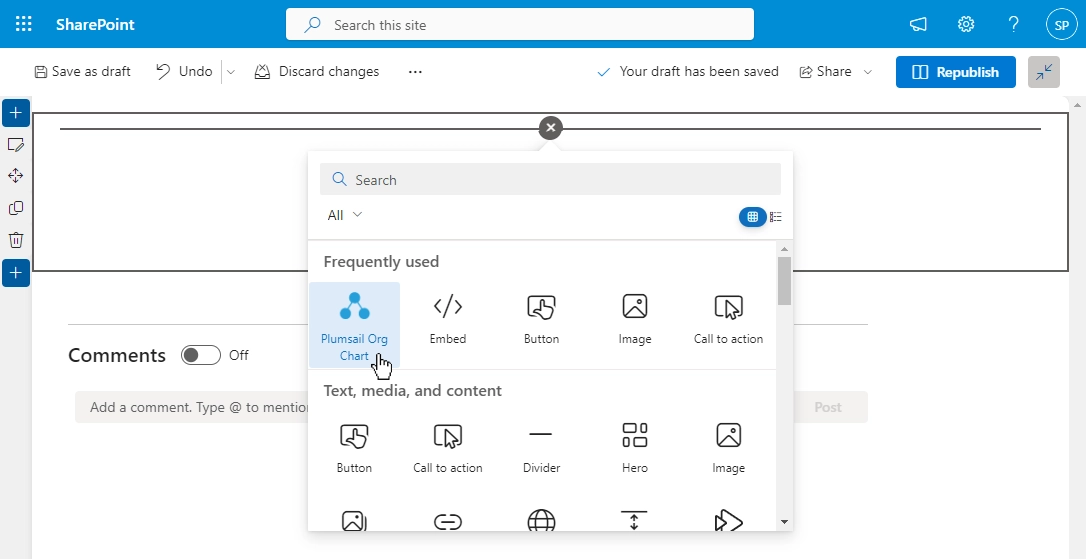
Enter the Edit mode and select Plumsail Org Chart in the available web parts list:
Follow the instructions outlined in this article for a quick configuration of your web part.
Alternatively, you can install Org Chart using wsp-package. Follow this instruction.
Notes:
- If you encounter any warning messages during the installation, refer to this article.
- If you use Classic SharePoint pages, follow these instructions to add web part to a page.
Support
Looking for installation details or troubleshooting steps? Check out our documentation.
If you have any questions, please feel free to contact our technical support team for assistance.