 DocumentsAirtable
Aug 06
Airtable form to custom PDF
Generate custom PDF documents from Airtable form submissions automatically. Connect Airtable Forms with Plumsail Documents to create branded proposals, quotes, and other business documents.

 FormsAirtable
The easiest and most basic way to add an Airtable form to your website is to create a form with Airtable and publish it, then add a link to the site. Unfortunately, this is only a half-solution, since there is no native embedding functionality in Airtable.
While tools like Zapier or Make allow you to set up an automation that processes submission data from your website and saves it to Airtable, a direct integration is always simpler, faster, and cheaper.
In this article:
Plumsail Forms allows you to build forms with a free plan and embed them on any site in a couple of clicks. Using the direct integration with Airtable allows you to instantly create or update Airtable records when the embedded form is submitted.
Even the more advanced features of Plumsail, such as collecting user signatures or attaching files to the form are supported with Airtable.
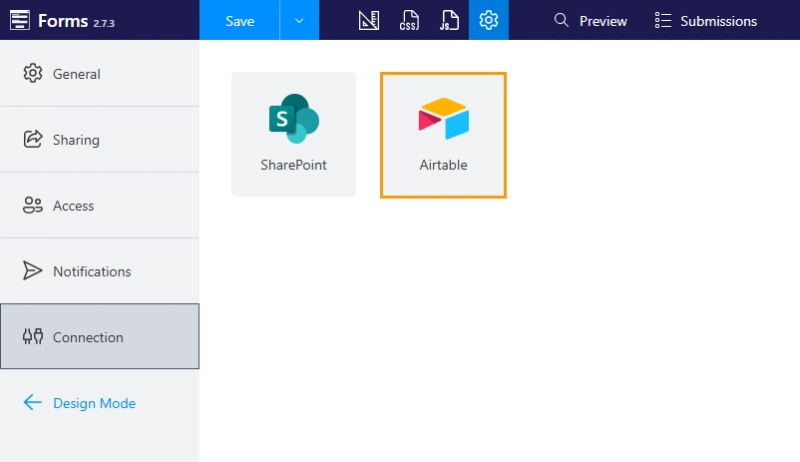
Open the Plumsail Forms designer and navigate to form's settings:
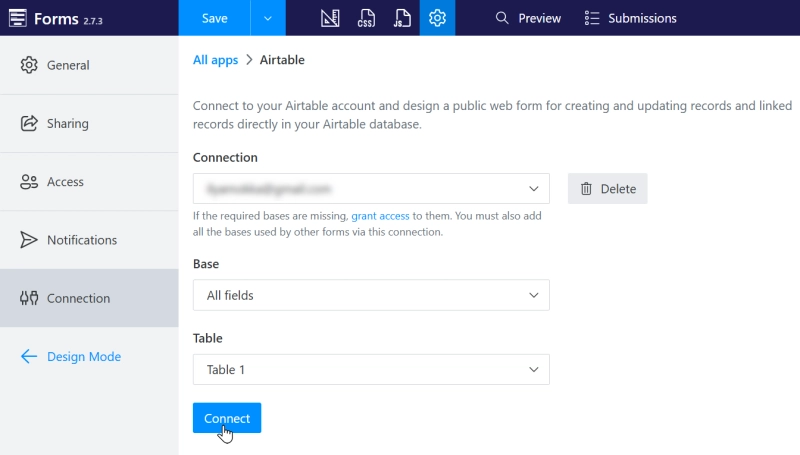
Connect to the Airtable workspace you'd like to edit with Plumsail. Make sure you select the right base for your form, and connect to the Table that you want to populate:
Build the form, adding the Airtable fields you need.
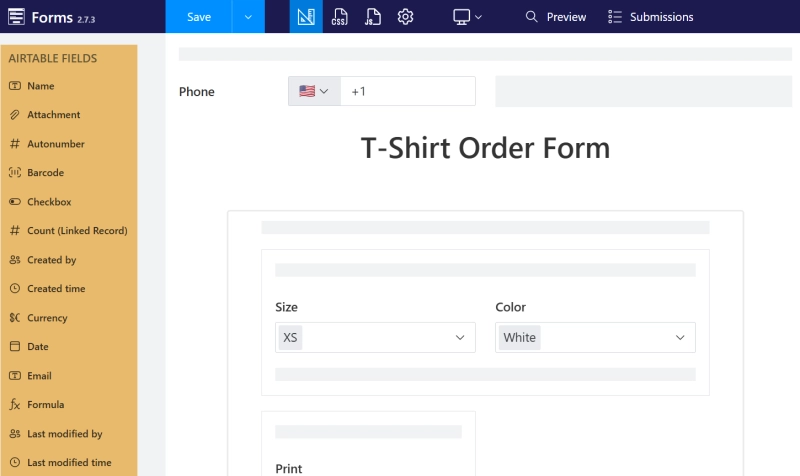
When the form is completed, you can share it with others to fill out:
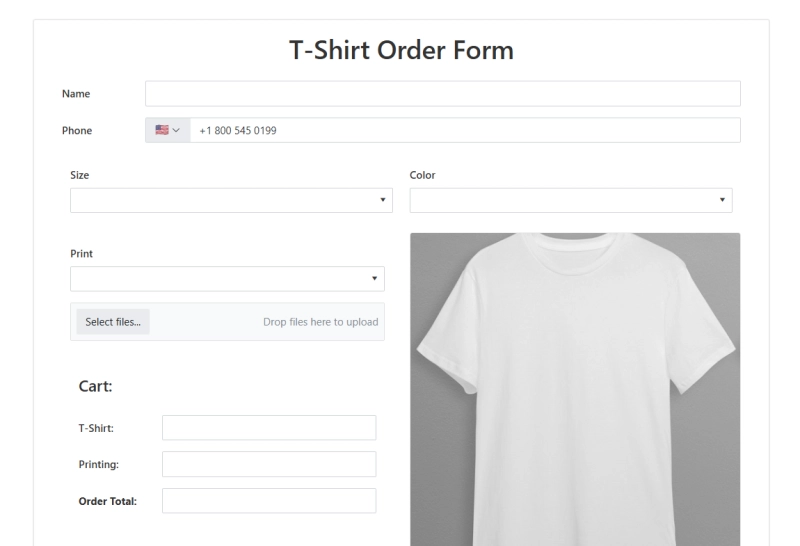
Once the fields are filled in and the form is submitted, data will automatically populate in Airtable.
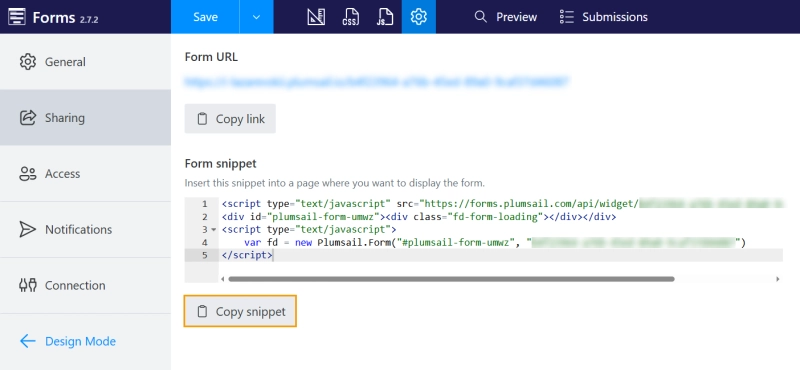
The rest is simple: embed your Plumsail form on any site by clicking the Copy snippet button in the Sharing section of the form's settings and adding it to your site as custom HTML:
Alternatively, you can follow our guides for embedding forms into Wix, WordPress, Squarespace, SharePoint, and dozens more.
Unlike using external tools to update data in Airtable, a direct integration with Plumsail processes user's submissions within seconds. There is no waiting for the flow to finish and no risk of submission being lost. You can access submission logs through your Plumsail account to check every step of the process:
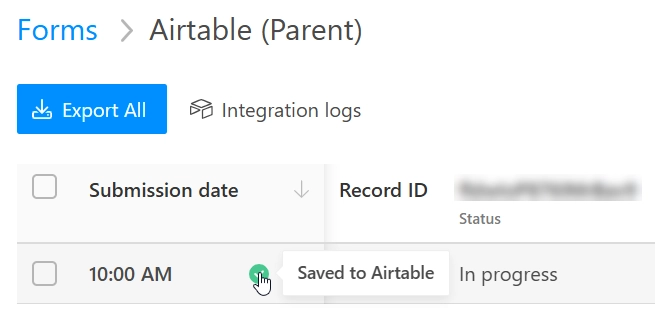
The data flow can't be interrupted by external factors, everything is logged, and no data is lost.
A direct connection also keeps the form layer separate from the Airtable interface. Studio Source Yearbooks uses this approach for customer order forms. Customers complete a dynamic Plumsail Form, while order data is saved directly to Airtable in the background. The form handles conditional options and pricing before the record is created in Airtable.
See the interview with Michael Sheasby from Studio Source Yearbooks for a detailed look at how their custom order form is set up:
Create an account to try Plumsail Forms with Airtable for free.
Yes, you can connect any number of Plumsail forms to an Airtable base.
Yes. You can edit existing Airtable records with Plumsail by adding a record ID to the form link and enabling the corresponding option in the Connection settings of your form like this.
Yes, the integration between Plumsail Forms and Airtable supports file uploads.
Yes, the Plumsail Forms allow you to collect user signatures and save them to Airtable text fields.
Sign up for a free plan with Plumsail and follow this guide to create your first Airtable form.
Happy automation!
FormsAirtableDocumentsAirtableGenerate custom PDF documents from Airtable form submissions automatically. Connect Airtable Forms with Plumsail Documents to create branded proposals, quotes, and other business documents.
FormsAirtableFind the Airtable form examples designed with Plumsail Forms and get inspired to create your own forms for Airtable bases.
FormsAirtableNeed clients or partners to update Airtable records without paying for extra seats? Explore practical workarounds, portal tools, and advanced forms to collaborate with external users.