 FormsZapier
Aug 15, 2018
Public Web Forms - Zapier Integration
Public Web Forms - Zapier Integration
 Forms
Forms Power AutomateZapier
In this article, we're going to take a look at Google Forms, their advantages and limitations. We're also going to compare Google Forms to Plumsail Forms, looking at available features and customization options.
Like Google Forms, Plumsail Forms is free to use with the Scooter plan which is available to everyone after creating an account. You can start designing your forms right away, trying all the features described in the article.
Google Forms are used to create surveys, quizzes, and polls, and to invite others to complete them. These forms are free to create and share for anyone with a Google account, and include many options for customization.
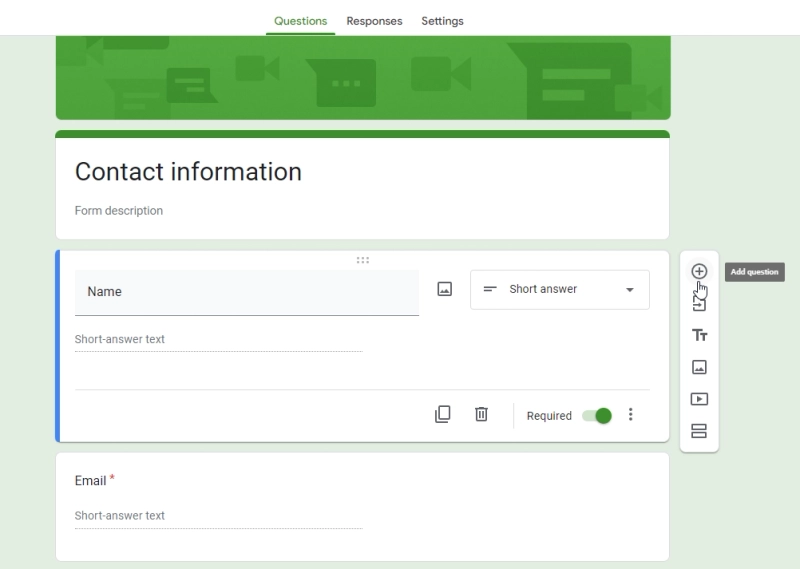
What are advantages of Google Forms?
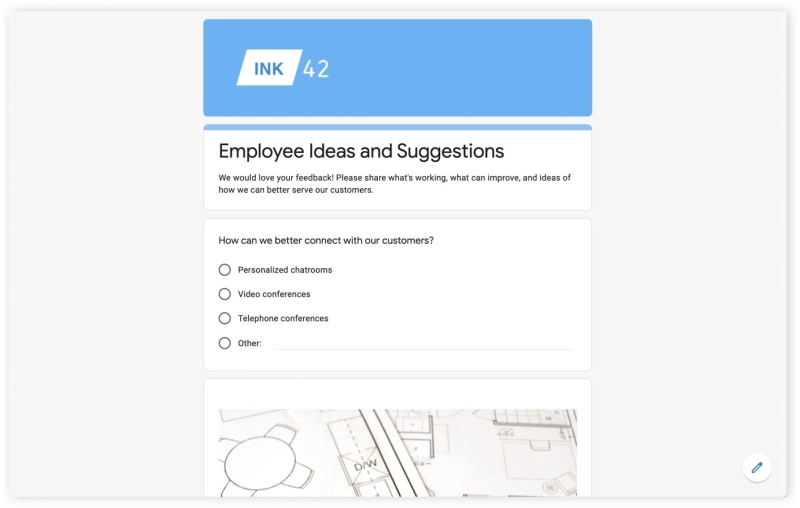
However, Google Forms functionality has limitations:
Plumsail Forms will also allow you to easily design web forms and share them, but you'll also have:

I used to use Google Forms, but I prefer Plumsail Forms as it's more customizable and I can easily keep everything in one place. The tool doesn't require intense training and is quite intuitive to learn.
When comparing the UI of both Google Forms web editor and the Plumsail Forms web editor, the difference is clear:
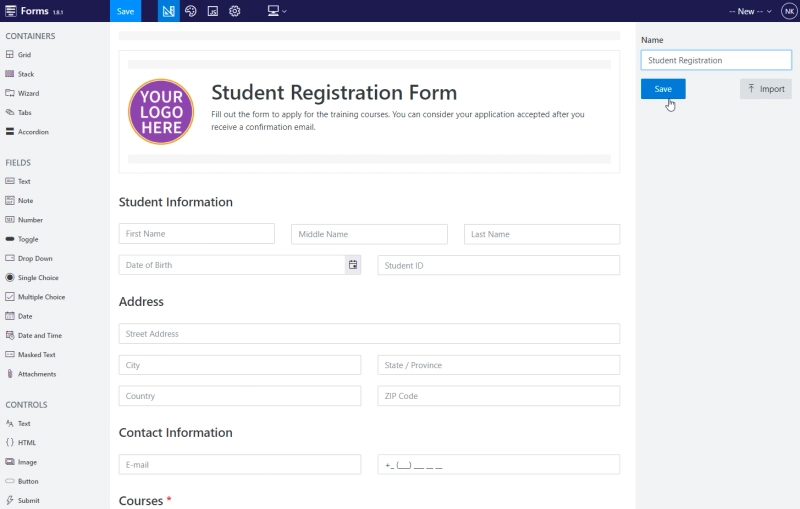
You just have many more options when it comes to fields, controls, containers, layout and individual field configuration. You can place fields side by side, split form into sections on the same page, add tabs or accordions to separate fields by groups, use Wizard container to divide form into parts completed step-by-step.

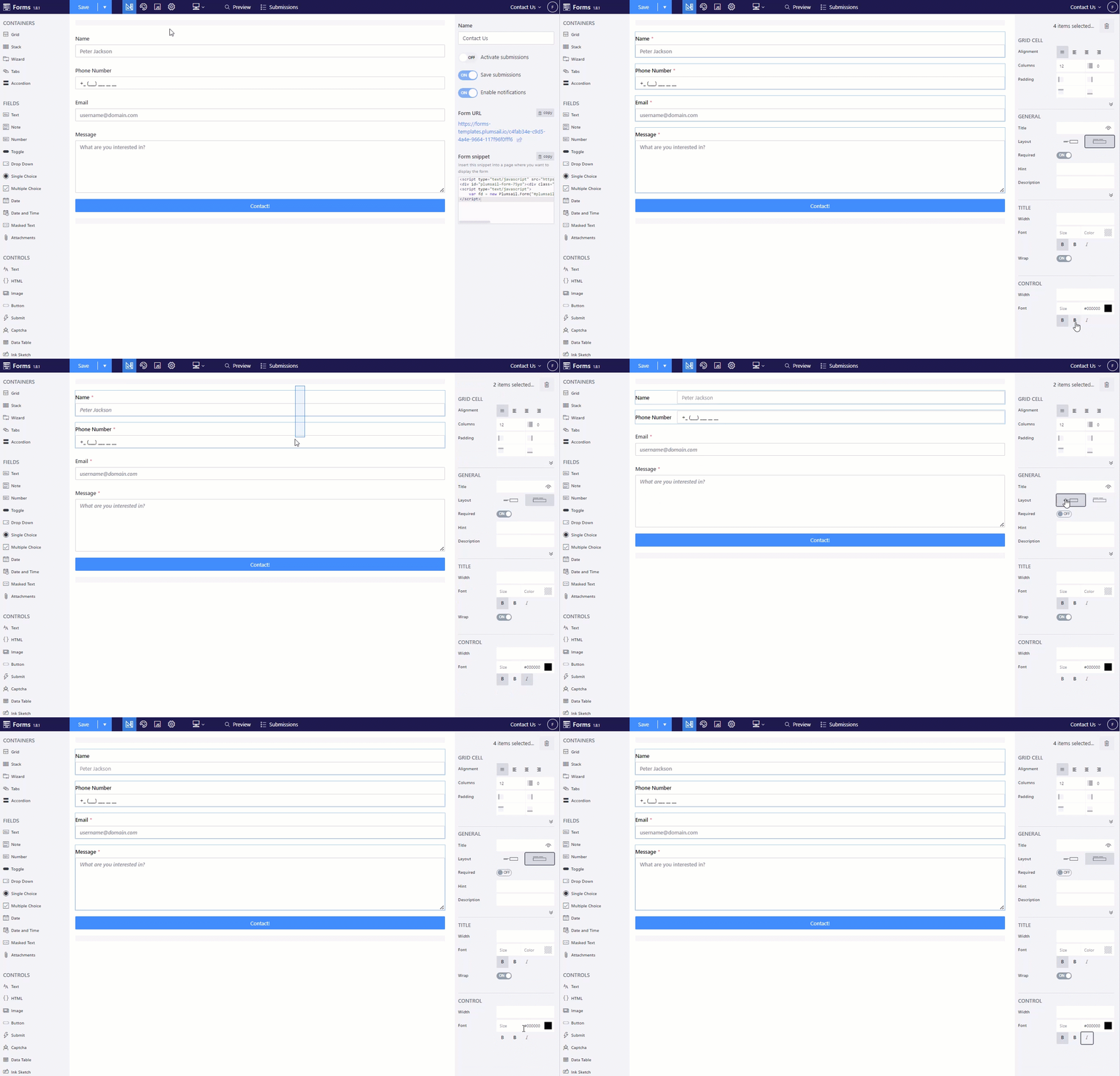
Apply settings to multiple fields at once on the form by selecting several fields:
While customizing layout of your form, you can still keep forms responsive and mobile-friendly, making sure that the form adjusts automatically to each screen size:
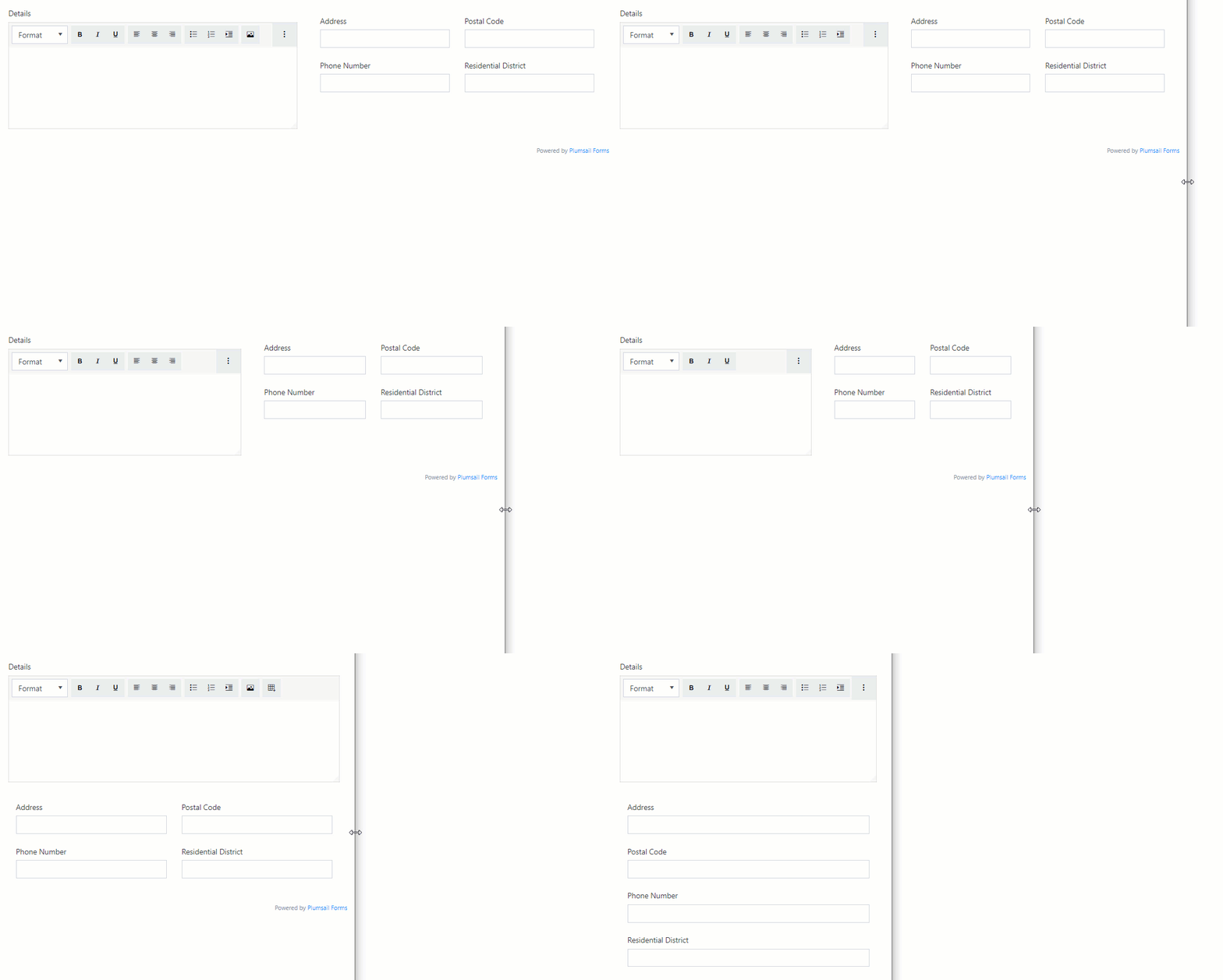
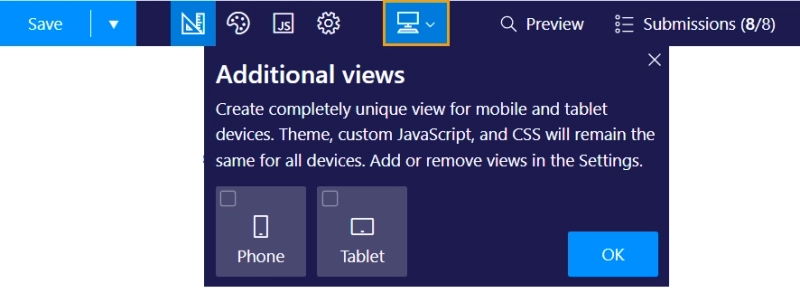
You can further customize unique layouts for mobile and/or tablet devices by creating separate views:
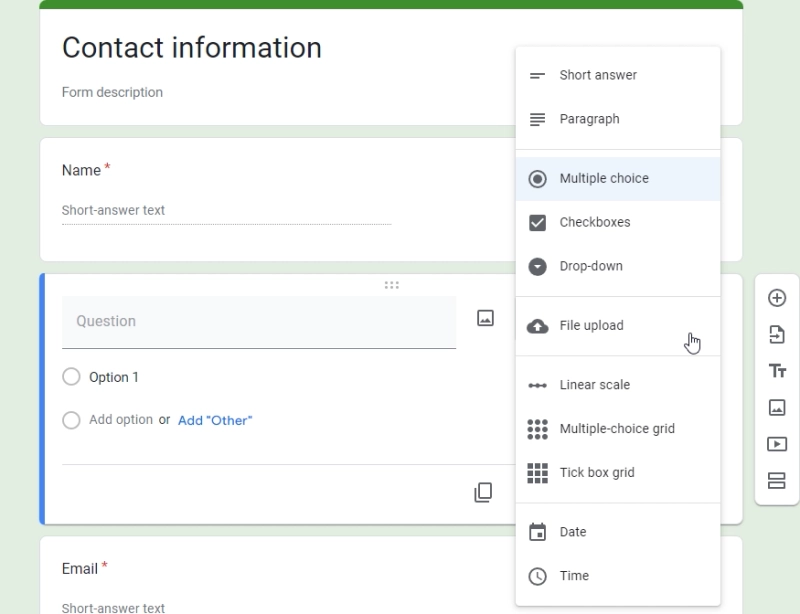
While there are many options in Google Forms:
There are definitely more options in Plumsail Forms:
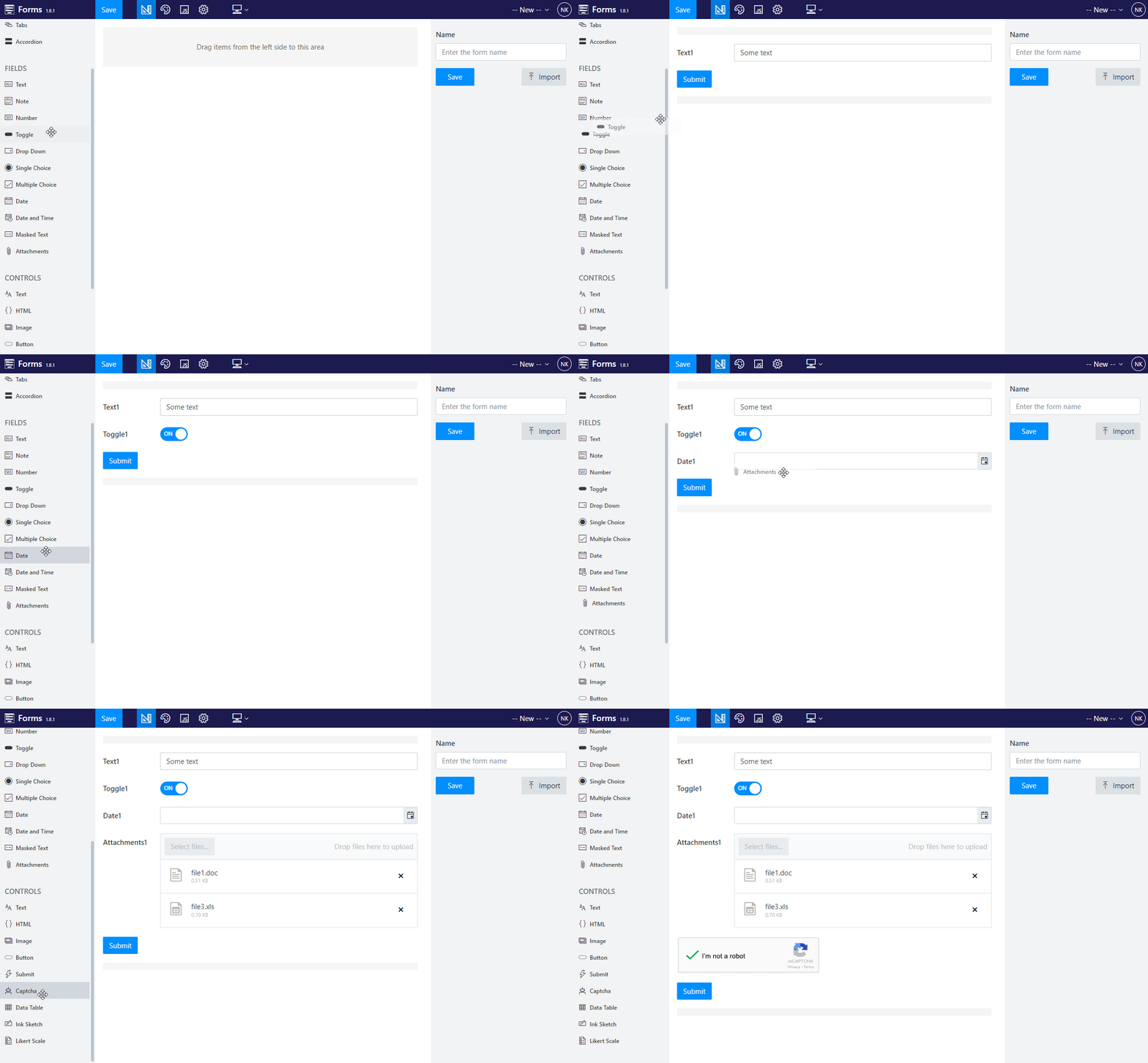
We'll showcase some of them: most notable controls available are Ink Sketch, Captcha, and Data Table.
Ink Sketch can be used to collect both signatures and sketches, for instance, made over an uploaded image:

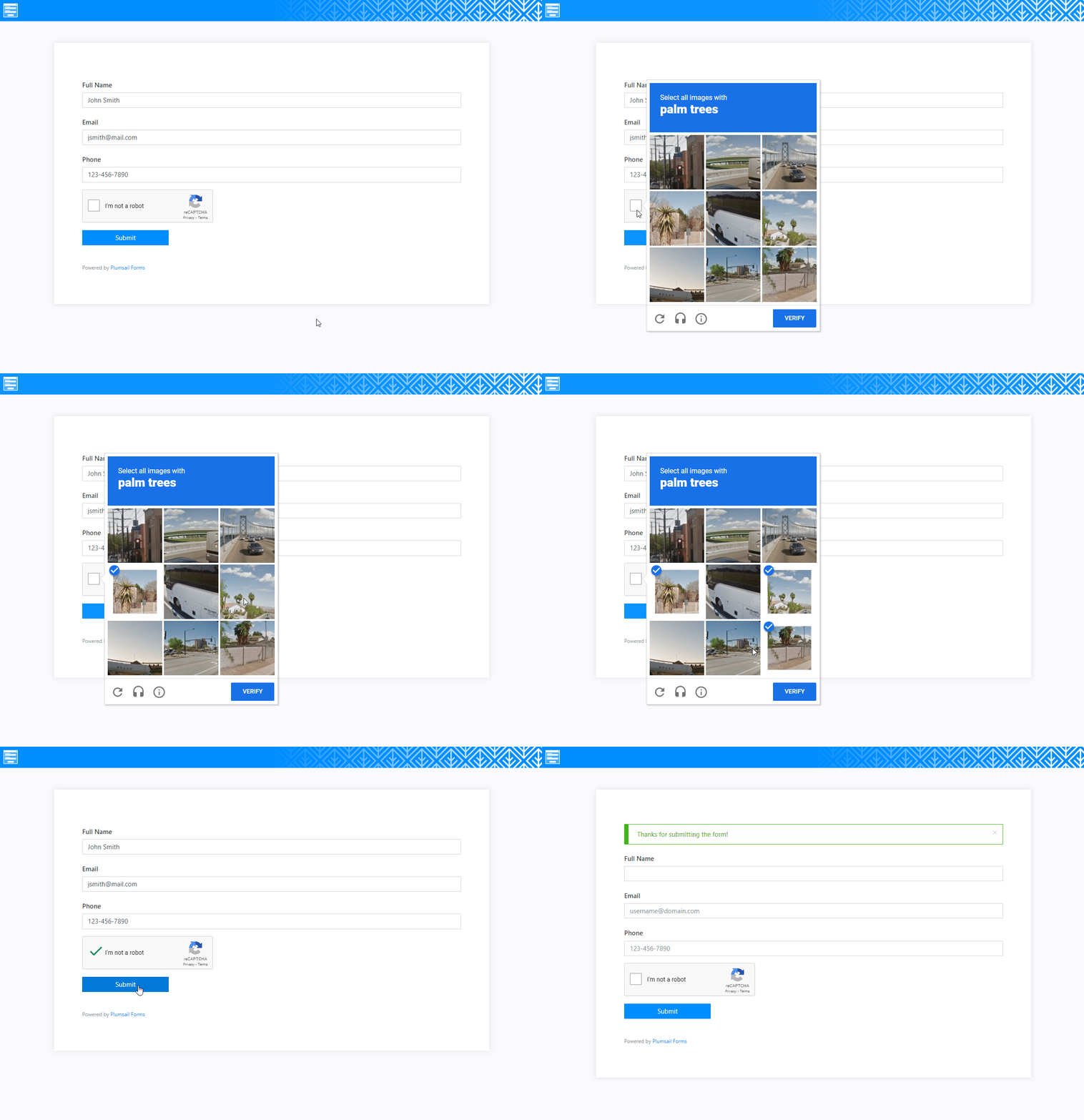
Captcha uses Google reCAPTCHA and allows you to block spam submissions from the form:
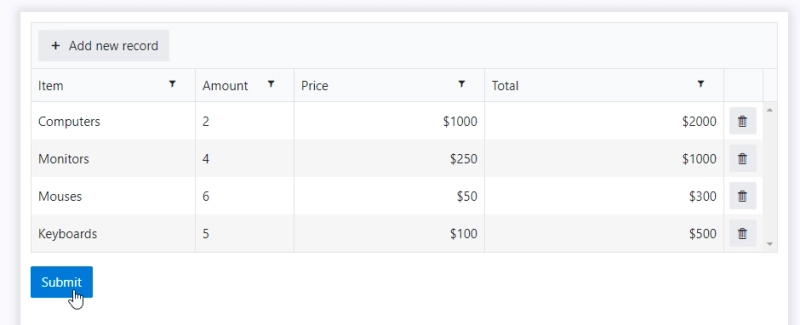
Data Table is very versatile, and allows you to collect data in table form, similar to Google Sheets or Excel:
Plumsail Forms supports conditional logic — and you don't need to write any code for it. Add a rule to any field, control, or container to show, hide, enable, or disable it based on another field's value, directly in the designer.
For example, you can:
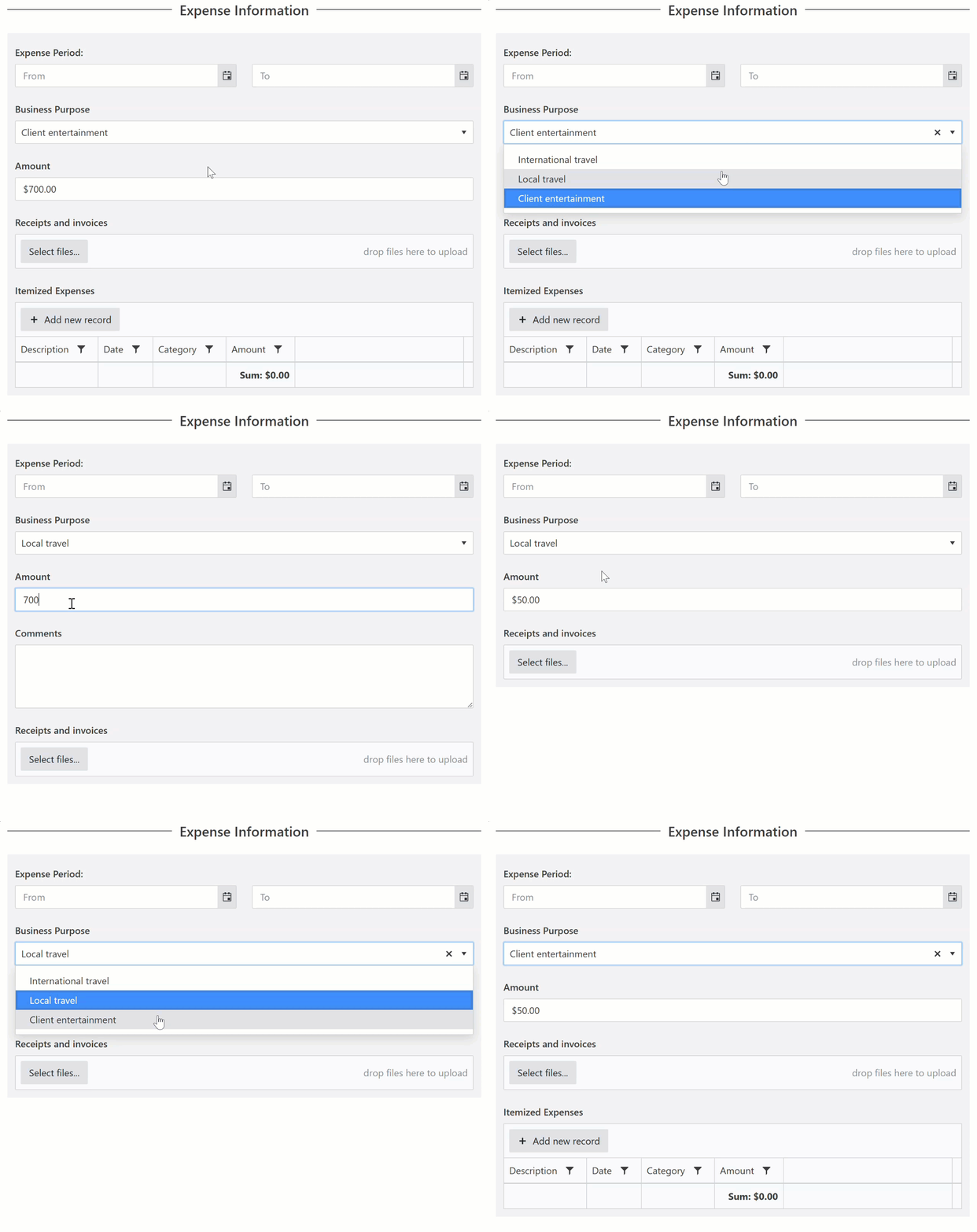
For more examples, see our guide on no-code conditional logic in Plumsail Forms.
For logic beyond what rules cover — custom validation, calculations, external APIs — you can add JavaScript.
There are so many more things you can do to further customize your form.
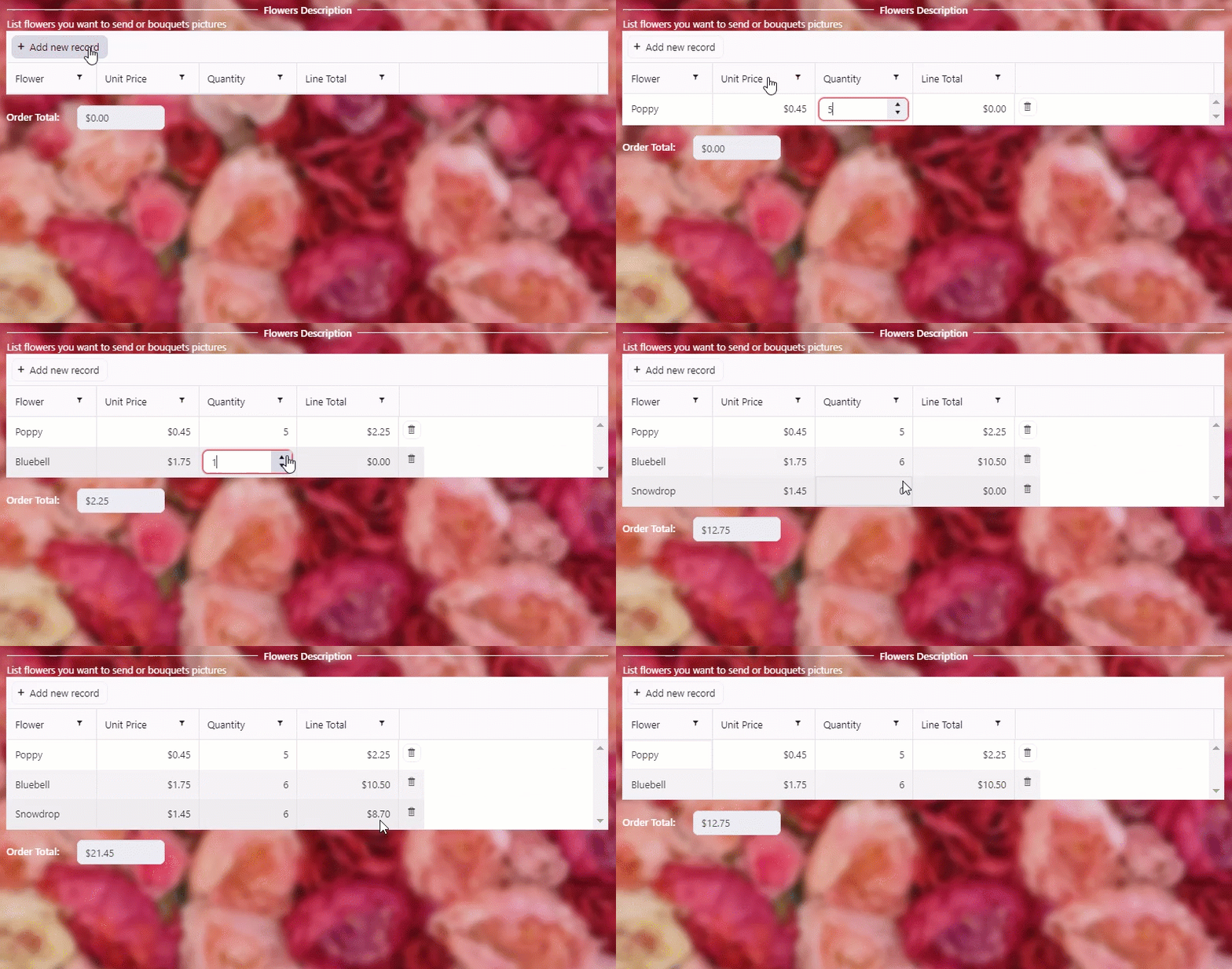
One of the most powerful ways to do so is to use JavaScript. For example, you can:
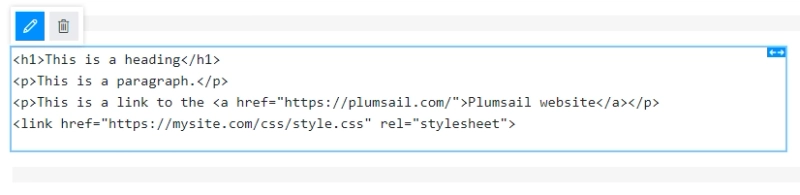
Add HTML block to a form and write pure HTML code to add whatever you might need:
You can use HTML blocks together with JavaScript to add content, which is not available by default, such as a payment processor:
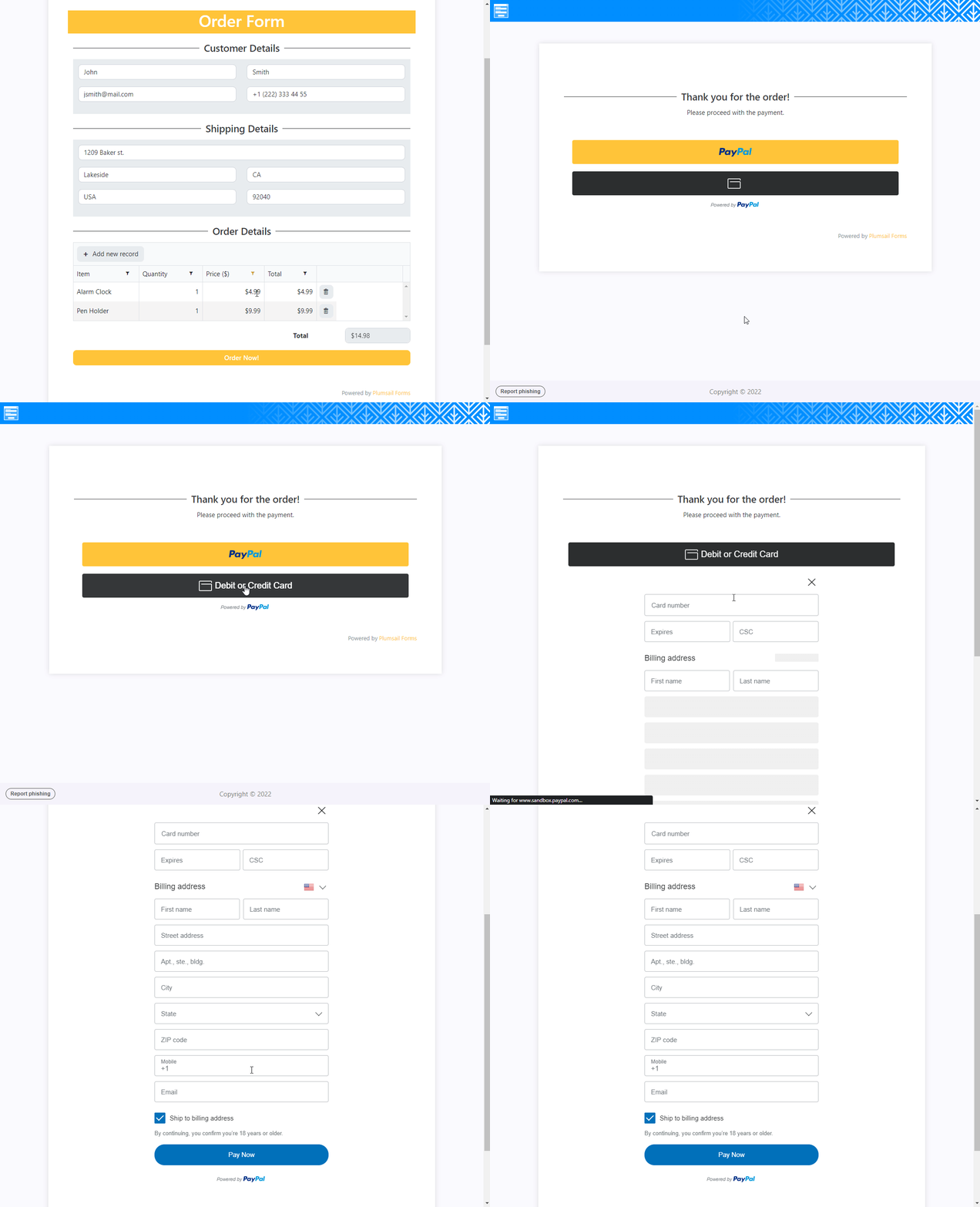
Find this Online Order Form in our form templates section.
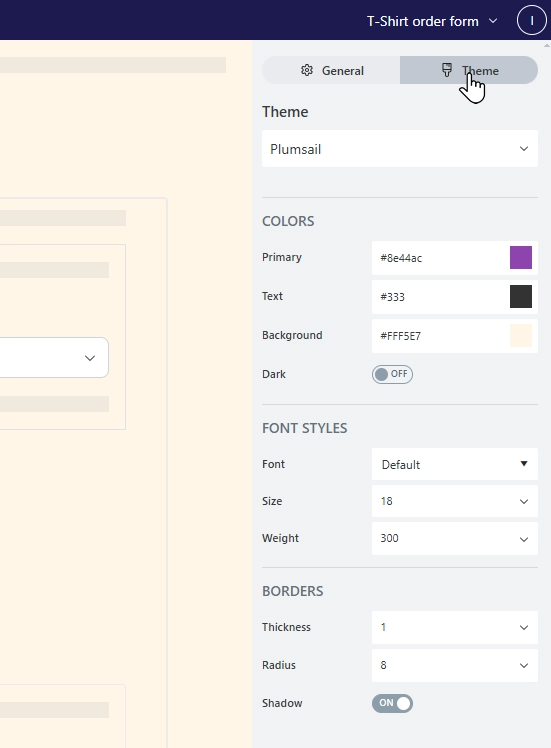
Use Themes to make your form look as you want it to - following corporate brand book or just personal preferences:
Additionally, CSS code for the form can be fully customized, granting you access to the most minute aspects of the form's presentation:
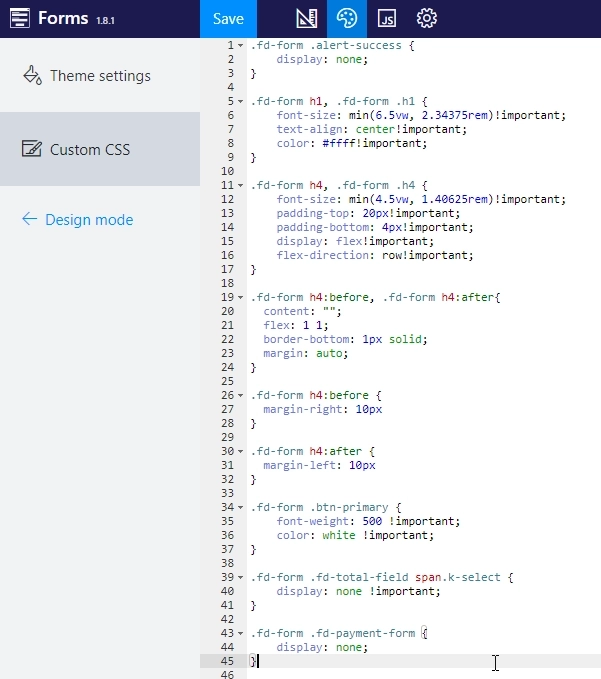
As you see, almost every aspect of the form can be customized - custom logic with the help of JavaScript, new elements with the help of HTML, styles with Themes and CSS code.
You don't need to be an expert in JavaScript, CSS or HTML to get started - your forms can work perfectly fine as they are. If you want to add something extra to the form, we already have lots of examples in our documentation, and if you're struggling with some specific configuration, you can always ask for help in our community.
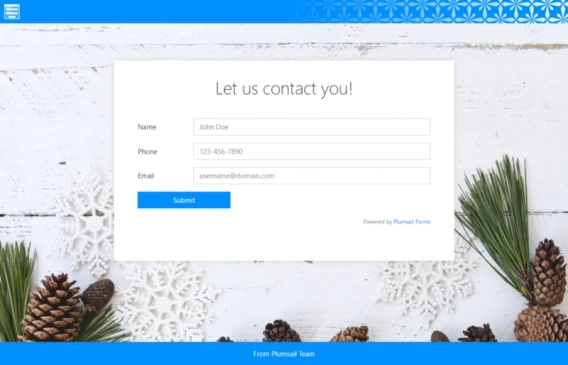
Default Plumsail Forms sharing page looks like this:
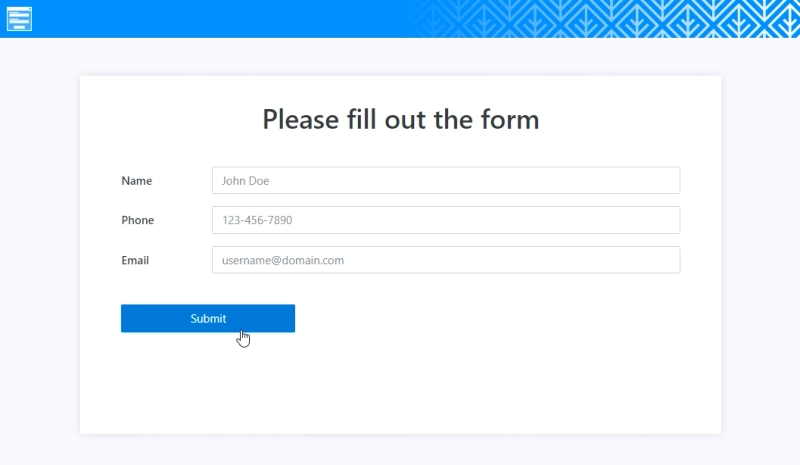
While it does look nice, it might not work for your forms - add more style and branding details by full customizing the sharing page:
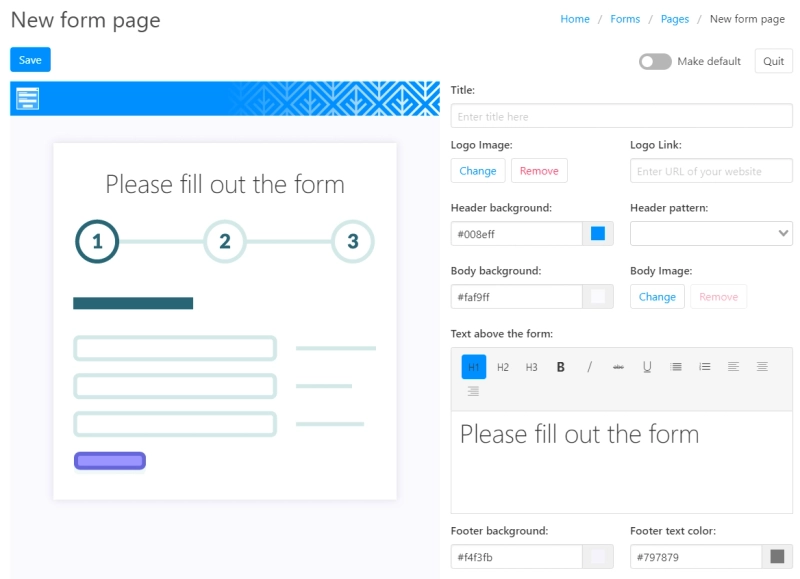
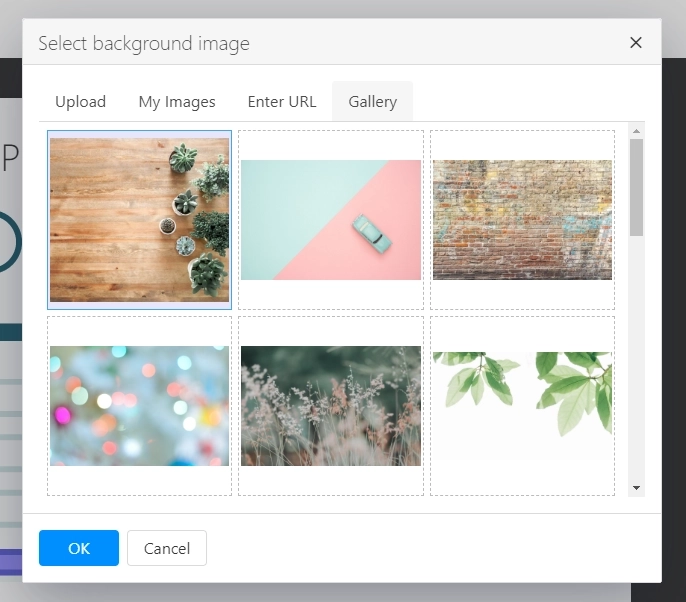
Everything can be changed - colors, header pattern and logo, text above form, background image which can be selected from the gallery, pasted from a URL or uploaded from your PC:
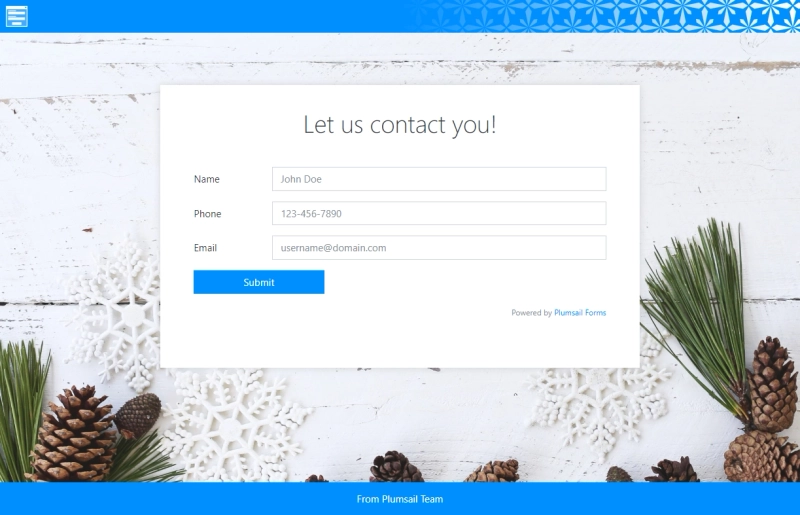
In the end, you can get the result you need for your form:
Let's say you want to restrict access to the form - it is possible with Google Forms, but only with Google Account, you can do different types of authentication with Plumsail Forms.
Just turn on the authentication in the settings:
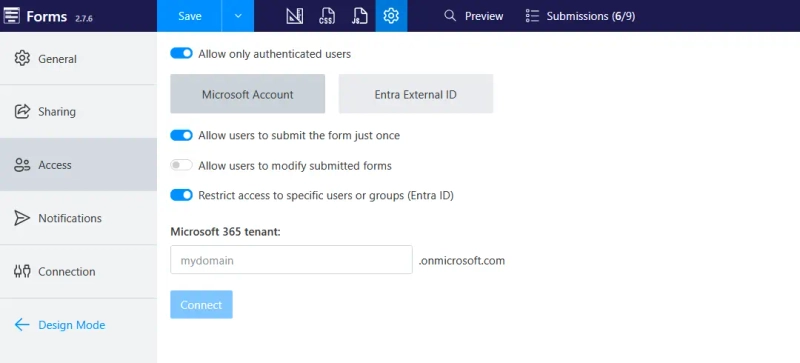
Microsoft Account option requires users to authenticate first:

You can restrict access only to specific Microsoft 365 tenant users, or even specific Microsoft Entra ID groups/users:
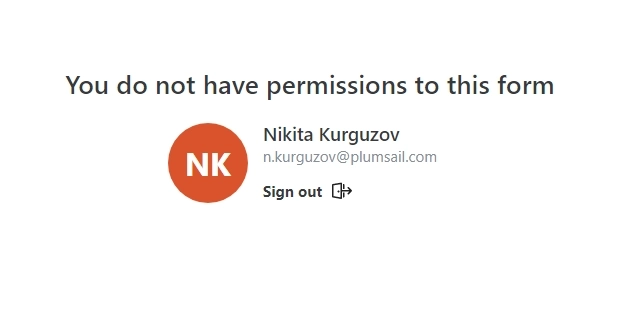
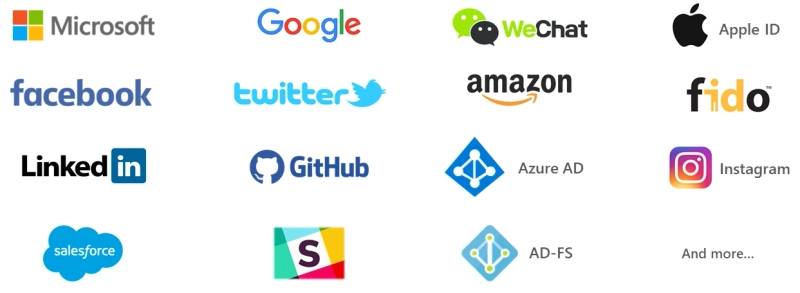
Alternatively, Microsoft Entra External ID allows you to set up sign-in and sign-up with accounts from Google, Facebook, X, LinkedIn, and other popular platforms:
Whatever authorization option you choose, after the form is submitted, you'll know who submitted what form.
After a form is submitted, you can:
Data collected in the account is stored until you delete it. You can also export it to CSV to make a copy of all or some form submissions.
If storing form submissions in the account and getting an email notification is not enough for your case, you can connect a public web form with Power Automate using our Plumsail Forms connector:
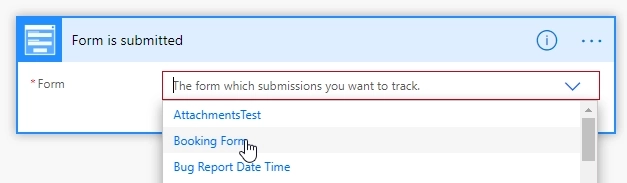
It will trigger each time the form is submitted, and you'll be able to get data from the form and store it in any other app:
This can be done with Google Forms as well, but Plumsail Forms has features specifically built for Power Automate integrations. For example, you can delete items and attachments from the account after the flow successfully runs.
Check out this article on how to get started with Power Automate flows, and you might also want to check our Documents product to automate document generation from submitted forms.
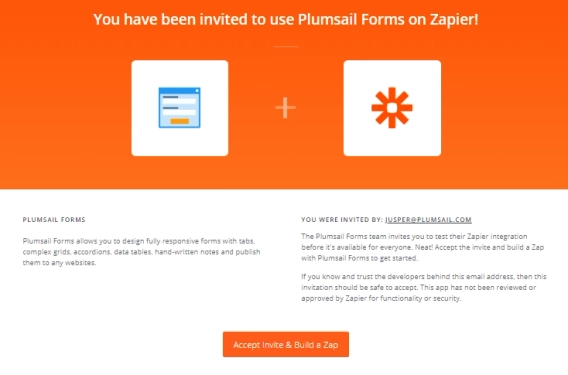
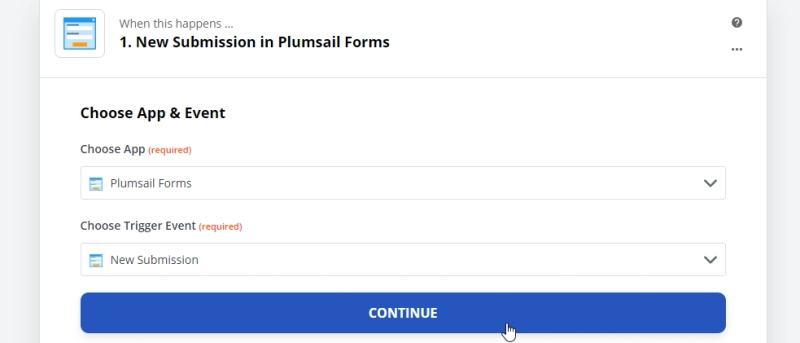
Alternatively, you can use Zapier platform or Make for the same purpose of automation:
Plumsail Forms is a similar app to Google Forms that allows you to easily create web forms, which can be shared with users via a link or published on your website.
Unlike Google Forms, you get total control over your form's layout and field types. For advanced customization, you can leverage JavaScript, CSS, and HTML, or style the visual presentation using Themes and Sharing Pages editor. Plus, you can secure your forms with robust authentication options, including Microsoft Accounts and Entra External ID (supporting Google, Facebook, X, AD-FS, and more).
Power Automate flow or Zapier integration can be configured with either of the apps, though there are some extra options, especially when combined with Plumsail Documents to generate Word, PDF or other types of documents from submitted forms.
| Google Forms | Plumsail Forms | |
|---|---|---|
| Free or has a free plan |

|
|
| User friendly |
|
|
| Branding and custom themes | Limited |
|
| Various fields and controls | Limited |
|
| Advanced layouts |

|
|
| No-code conditional logic | Limited |
|
| JavaScript, CSS, HTML |
|
|
| Authorization & authentication | Only Google account |
|
| Power Automate flow |
|
|
You can check out the Plumsail Forms product here, it includes a free plan with a limited amount of submissions. And we’ll be glad to answer any of your questions in our community forum.
FormsPower AutomateZapierFormsZapierPublic Web Forms - Zapier Integration
FormsPublic web forms for all your needs built quickly online
FormsEmbed a form? Why not just share it?