 FormsZapier
Aug 15, 2018
Public Web Forms - Zapier Integration
Public Web Forms - Zapier Integration
 Forms
Forms Power Automate
In this article, we're going to take a look at Microsoft Forms alternatives, their advantages and limitations. We're also going to compare Microsoft Forms to several online form builders like Jotform and Plumsail Forms, looking at available features and customization options.
Like Microsoft Forms, Plumsail Forms is free to use with the Scooter plan which is available to everyone after creating an account. You can start designing your forms right away, trying all the features described in the article.
In this article:
Microsoft Forms are used to create surveys, quizzes, and polls, and to invite others to complete them. These forms are free to create and share for anyone with a Microsoft account, with premium features such as an expanded number of respondents and more templates available only to Microsoft 365 subscribers.
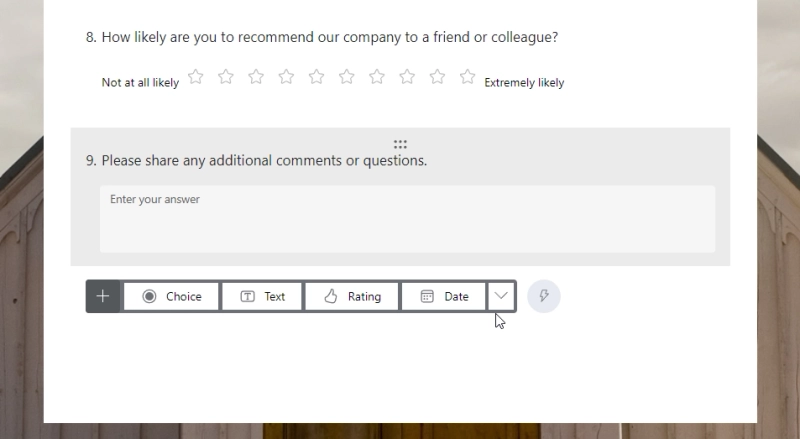
Out of all the limitations of Microsoft Forms, the most glaring is the lack of field types. The only way to collect numeric data is with a specially configured Text field, collecting repeated data like lists or tables is not supported at all, and the only way to get the respondent's signature is with complex workarounds.
It does have limits like being unable to capture e-signatures natively (I think there is a separate integration for this).
The software is very simple to use, the downside of this is that it lacks customisation options beyond choosing a colour scheme and adding a logo.
Even though branching is nominally supported, it only works with single-choice fields and doesn't allow for any complex behaviors. Other applications of conditional logic like value calculation and field validation are not a thing at all.
Branching and logic aren't as powerful as with other survey softwares. The branching can get confusing and tedious to create with Microsoft Forms.
Another disadvantage is the requirement to have a Microsoft Account.
Although the Microsoft Forms is free, I could not send or share a form without an active business or education subscription.
Let's summarize all the shortcomings of Microsoft Forms:
There are many alternatives to Microsoft Forms on the market today. Most of them aren't free, but they often offer much more functionality.
Here is a comparison table of the most popular Microsoft Forms alternatives:
| Jotform | Google Forms | Paperform | Typeform | Plumsail Forms | |
|---|---|---|---|---|---|
| Free or has a free plan |

|
|

|
|
|
| Responsive forms |
|
|
|
|
|
| User friendly |
|
|
|
|
|
| Various fields and controls |
| Limited | Limited |
|
|
| Highly customizable |
| Limited | Limited | Limited |
|
| Unlimited forms/views |
|
|
|
|
|
| Separate layouts for mobile devices |
|
|
|
|
|
| JavaScript, CSS, HTML |
|
| on paid plans |
|
|
| Authorization & authentication | Enterprise only | Google account only |
|
|
|
| Power Automate flow |
|
|
|
|
|
| Zapier |
|
|
|
|
|
Google Forms is a safe bet if you need to make a couple of forms quickly and for free. It's very similar to Microsoft Forms, the main difference being that MS Forms supports branching and Google Forms doesn't.
Jotform offers you more than Microsoft Forms and is just as easy to use.
The editor is very similar to MS Forms, with the fields arranged into a single vertical column. Conditional logic is miles ahead of MS Forms (it even has a built-in workflow tool), but overall it's still somewhat limited.
Typeform gives you even less freedom when it comes to form layout: it only allows for one field per screen. On the one hand, this ensures clarity and a clean look. On the other, this might not be ideal for longer forms.
Visual customization is better than in MS Forms, but otherwise it's very limited.
Another big downside of Typeform is the "10 responses a month" limit on a free plan. If you want to use the tool in any meaningful way, get ready to pay.
Paperform allows users to create visually appealing forms with ease. The forms look like landing pages out of the box, and customization options are plentiful.
It also features conditional logic, calculations, and processing payments.
However, Paperform's pricing starts at $24 per month and it can cost you a pretty penny if you need the advanced features.
Like all alternatives listed above, Plumsail Forms will allow you to easily design web forms and share them, but you'll also have:
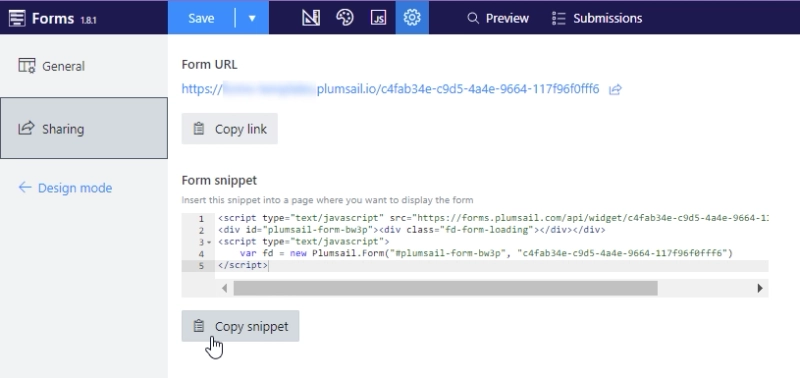
Moreover, the Plumsail Forms app has a widget that allows you to publish your form to any webpage or site:
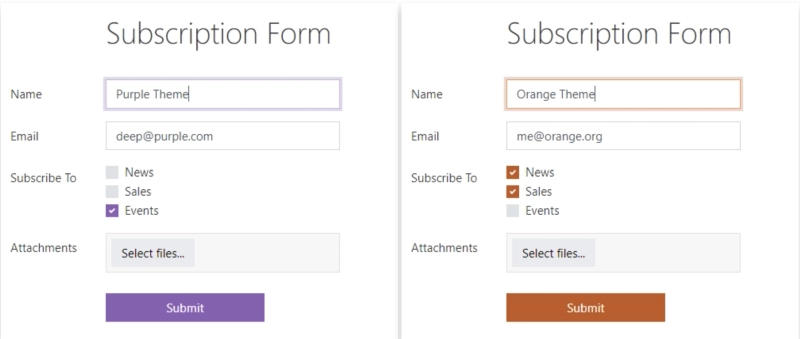
While branding is very limited in Microsoft Forms, there are lots of things you can customize with Plumsail Forms, starting from the form's theme, where you can edit form colors, font style, and field borders:
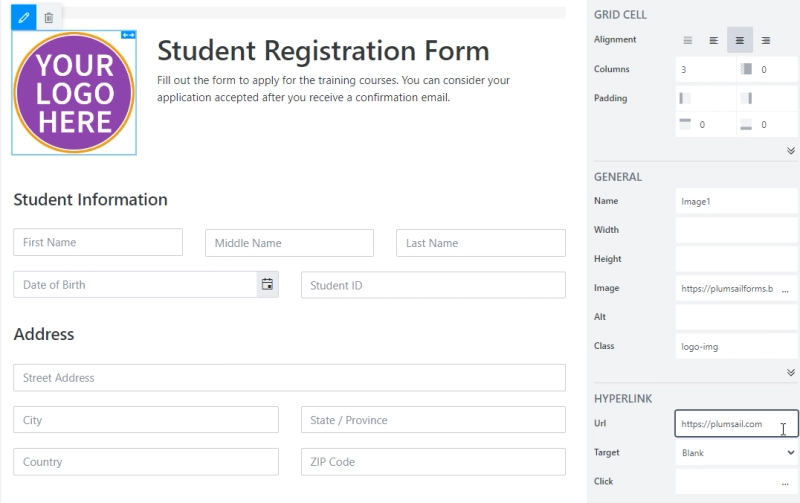
You can place images on the form, such as your logo, and make it clickable:
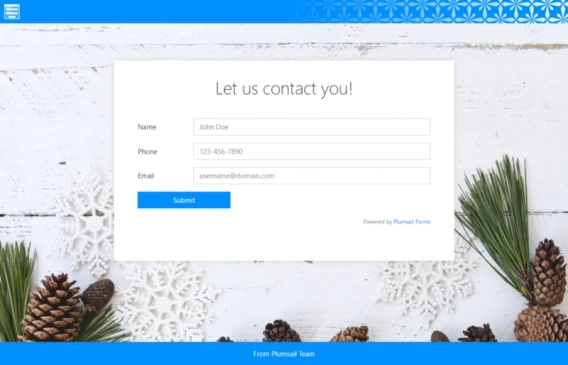
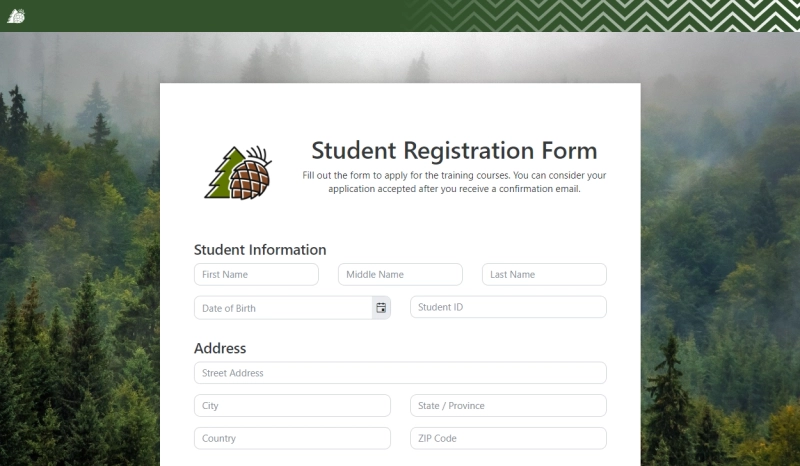
You can also customize a sharing page, adding not only a custom background but also changing the text above form, header color, pattern, and logo, which can include your link:
When designing a form in the Plumsail Forms web editor, you'll have a large number of fields and controls to choose from—unlike the limited selection in Microsoft Forms.

You'll have a Text field for a single-line reply, and a Note field for a multi-line reply. Number field for all numeric answers, where you can format the number as you see fit:
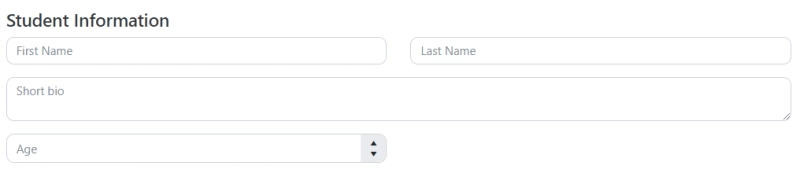
Toggle field for Yes/No type of answers, and Drop Down, Single Choice, and Multiple Choice fields to allow a user to select one or multiple options:

Answers for Drop Down, Single Choice, and Multiple Choice fields can be pulled from an Excel file in OneDrive:
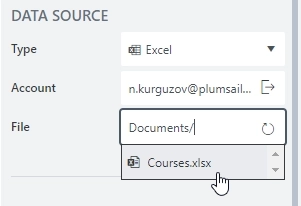
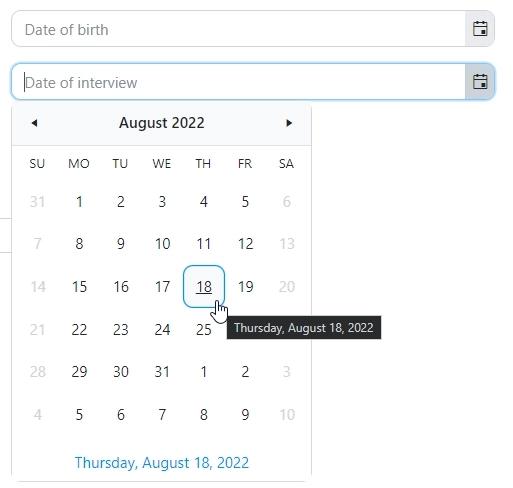
Date and Date Time fields let users easily select specific days and times. While you can easily configure min/max date limits right within the designer interface, you can also use JavaScript to enforce advanced rules, such as disabling specific weekdays or holidays.
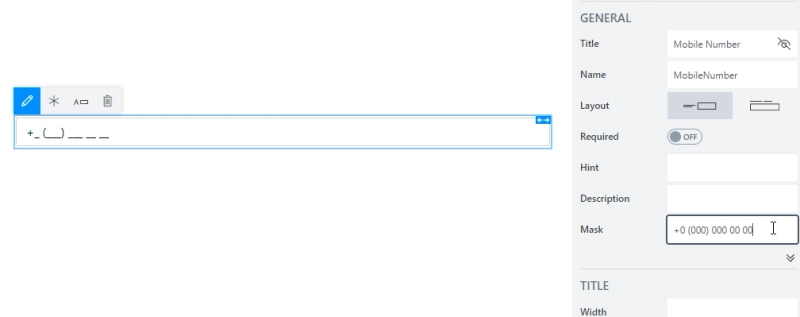
Masked Text lets you restrict input so users can't enter just anything—you can require only numbers, or a specific combination of numbers and letters in a set order.
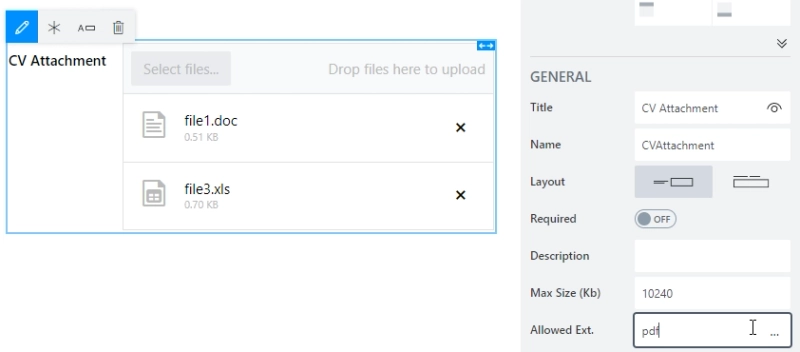
Attachments field will allow external users to upload files, and you can restrict the max size of the uploads and what file extensions are possible to upload:
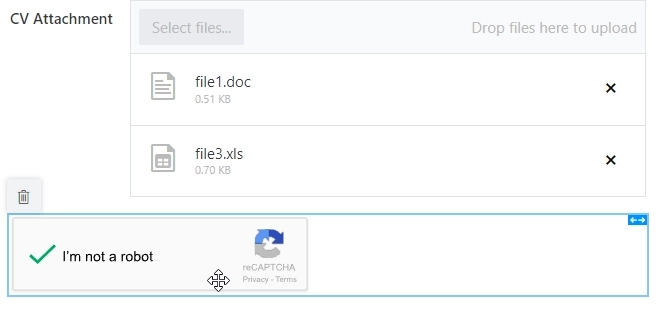
In controls, you'll find Captcha based on Google's reCAPTCHA v2, to prevent spam submissions:
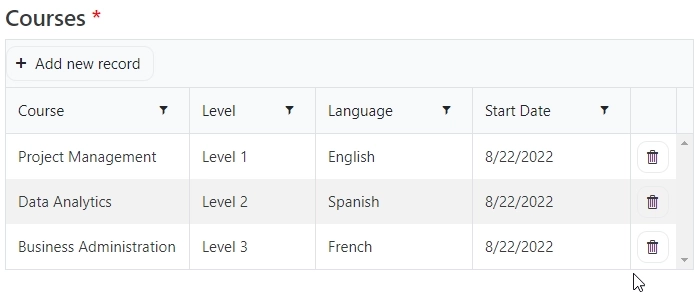
You'll also find Data Table control, to allow users to input data in columns and rows, adding multiple records at once — these are highly customizable, can then be used to populate any spreadsheet, and you can have any number of columns, rows and Data Table controls on the form:
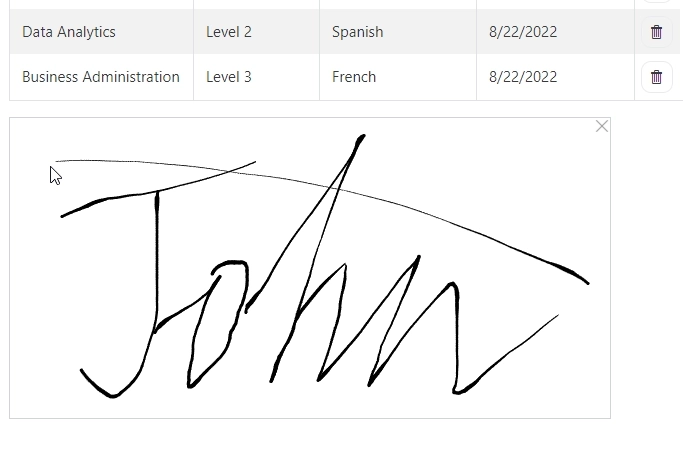
An Ink Sketch control will allow you to collect signatures or drawings submitted by the users:
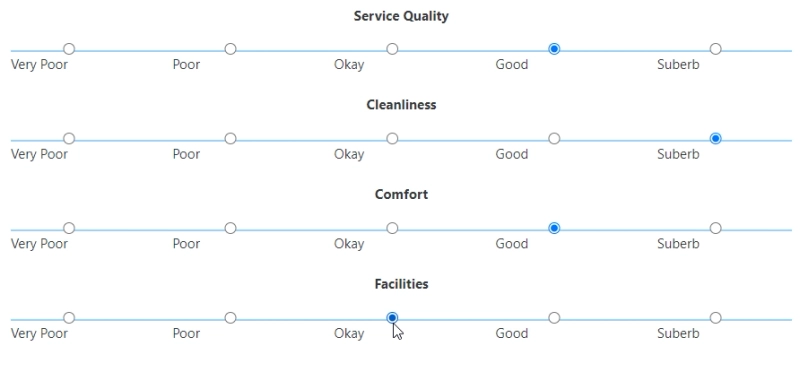
Finally, you will also get highly customizable Likert Scale control:
The same is true for the layout of the form — you'll have many options when it comes to the layout of a form. If you want, you can always just place fields one after the other like in Microsoft Forms, but there are other options as well.
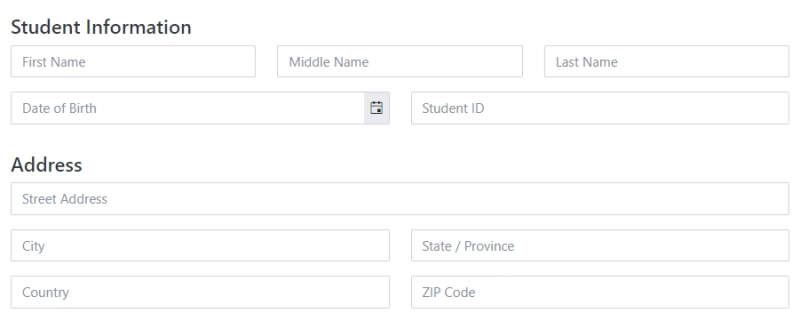
Fields can be placed side by side, using the default Grid container:
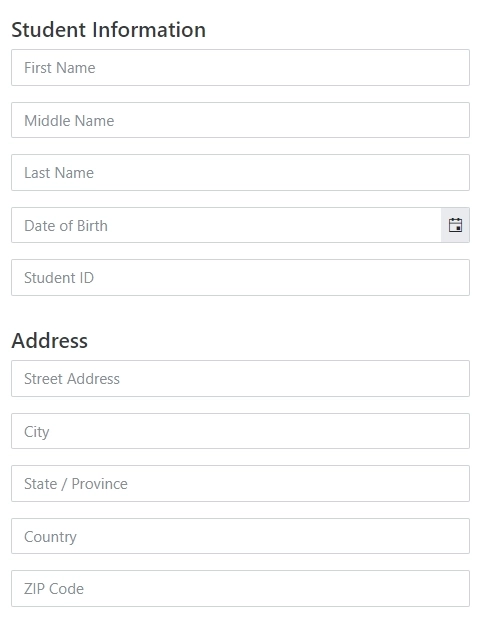
They'll also automatically stack on smaller screens:
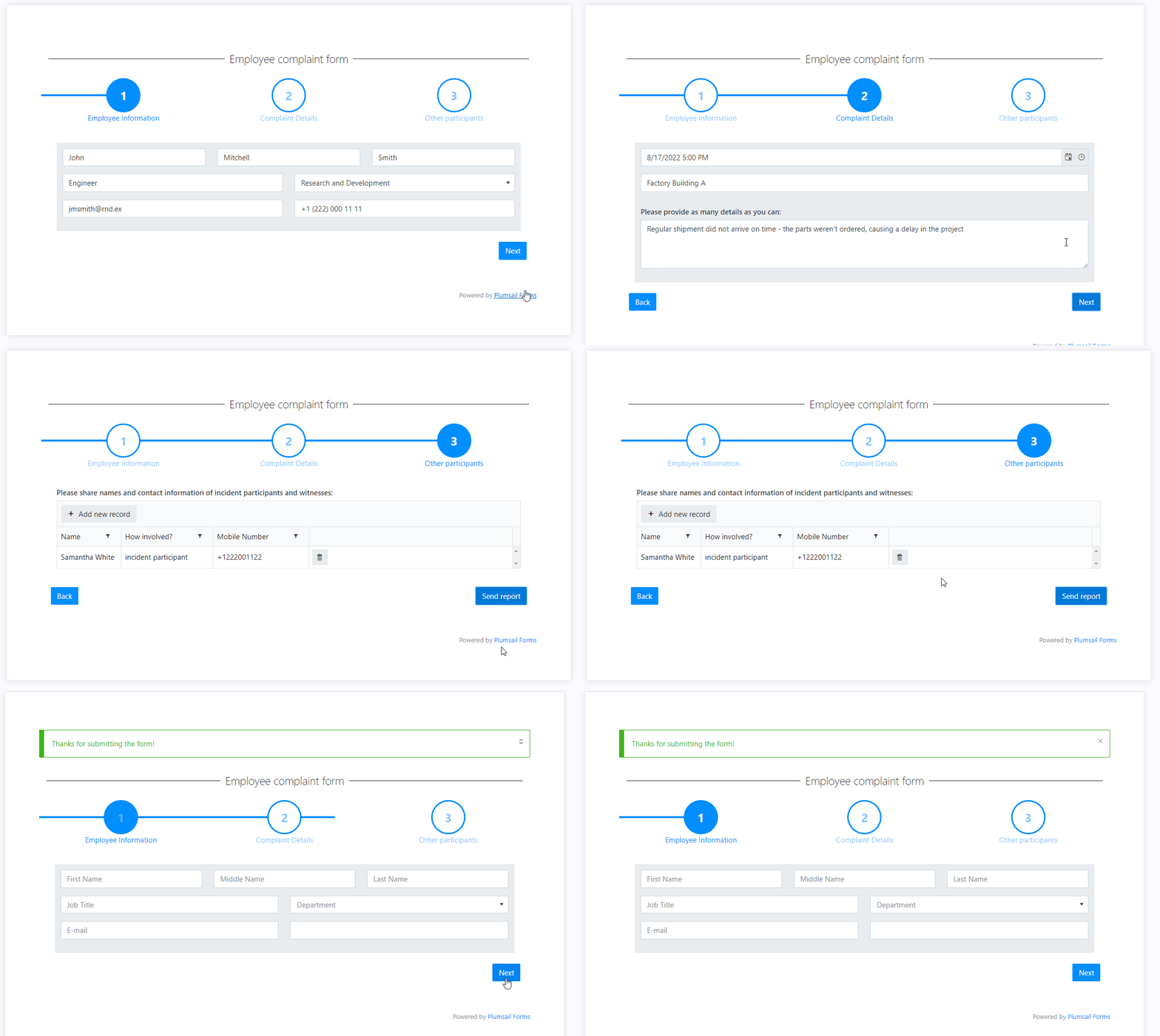
Wizard container will allow you to split your forms into sections similar to Microsoft Forms sections, each one has to be completed before the next one can be accessed:
Tabs container will allow you to add various tabs and split your fields between them:
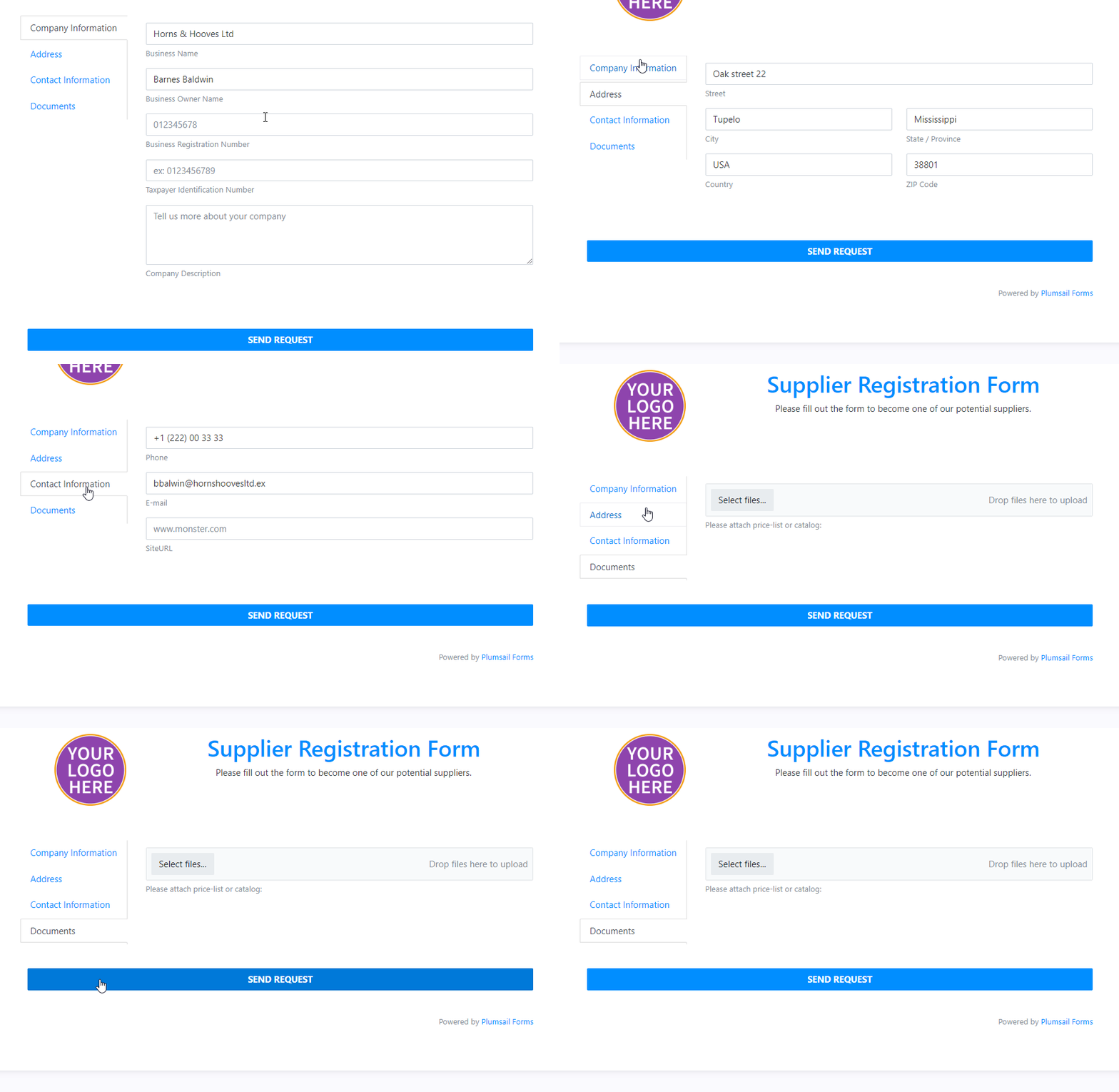
Accordion offers similar functionality, but instead splits form into collapsible sections:
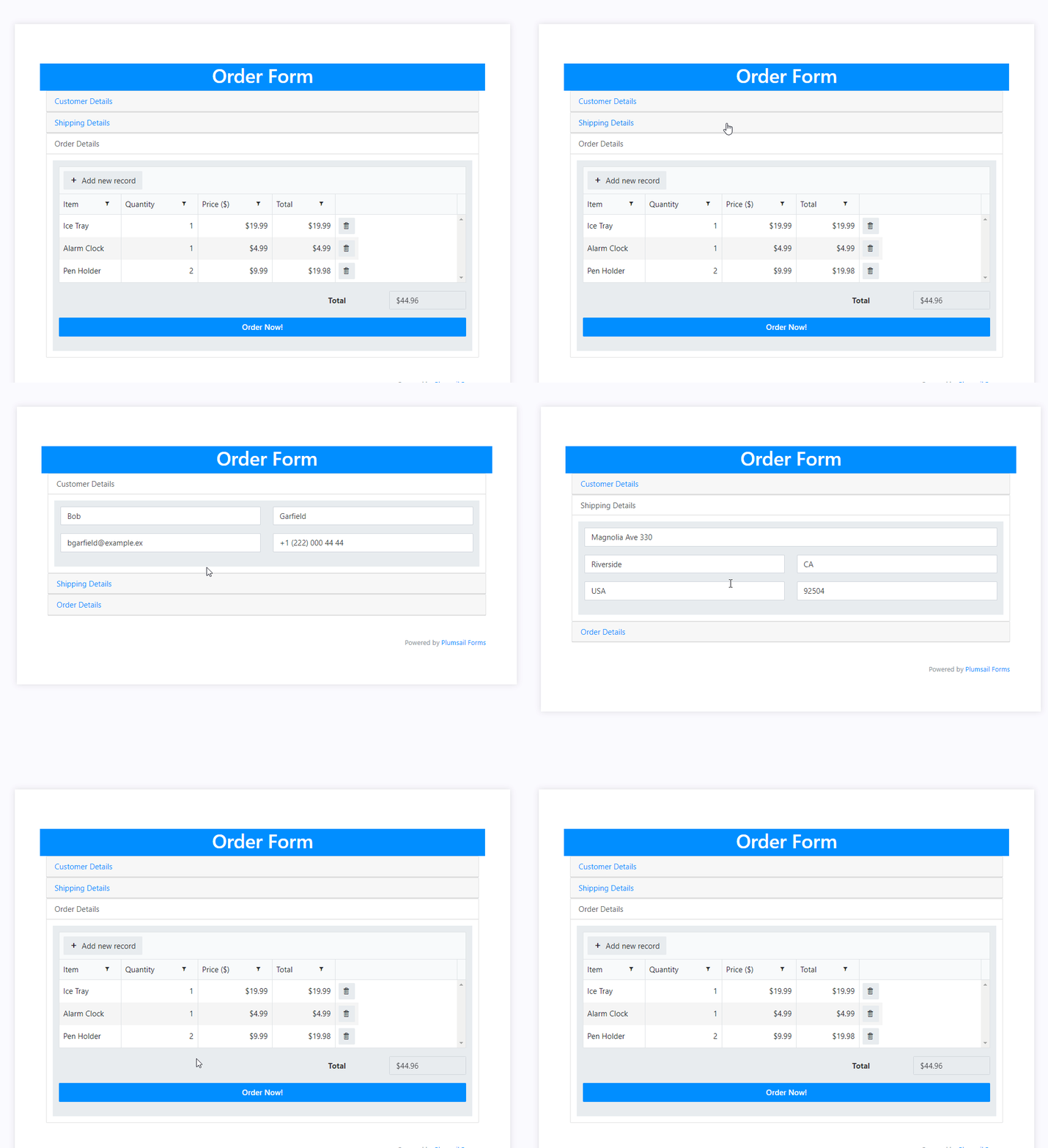
Finally, you're not limited to just one type of container—you can have Tabs inside of a Wizard, or a Wizard inside of Accordion, the placement of containers depends on your needs.
Here's an article on how to handle most cases working with fields, and here's more info about the Wizard container.
Microsoft Forms only supports basic branching on single-choice questions. Plumsail Forms lets you show, hide, enable, or disable any field, control, or container using no-code conditional rules.
Add a rule to a field or container directly in the designer, and set the condition that triggers it. For example, you can:
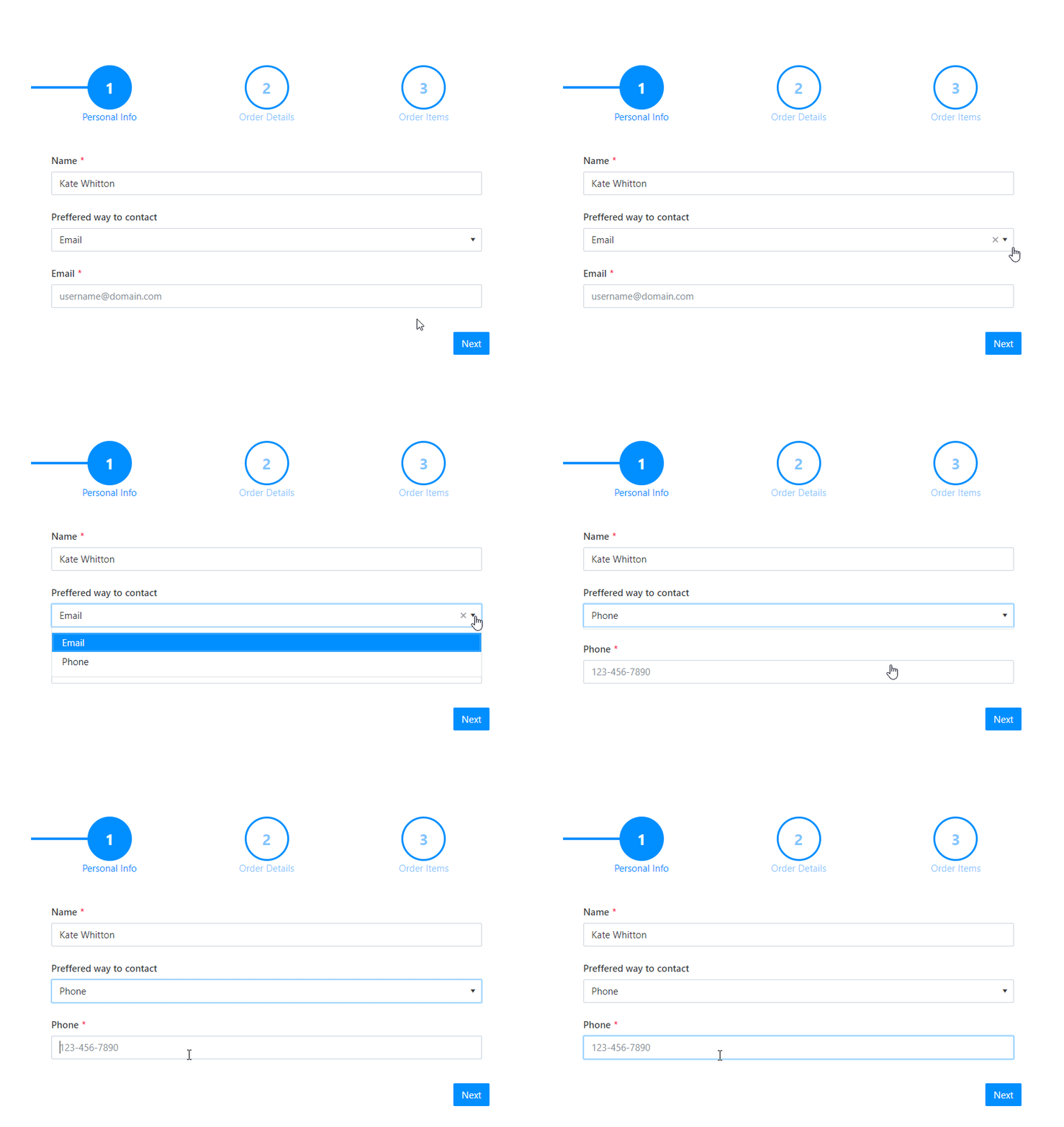
For more examples, see our guide on no-code conditional logic in Plumsail Forms.
Beyond what no-code rules cover, Plumsail Forms lets you add custom JavaScript to extend the functionality of your forms.
For instance, you can:
And much more! You don't need to be an expert in JavaScript to get started. Ask built-in AI in the Plumsail Forms designer or browse lots of examples in our documentation, and if you're struggling with some specific configuration, you can always ask for help in our community.
Let's say you want to restrict access to the form—while not possible with Microsoft Forms, you can do it in one single step with Plumsail web forms.
Just turn on the authentication in the settings:
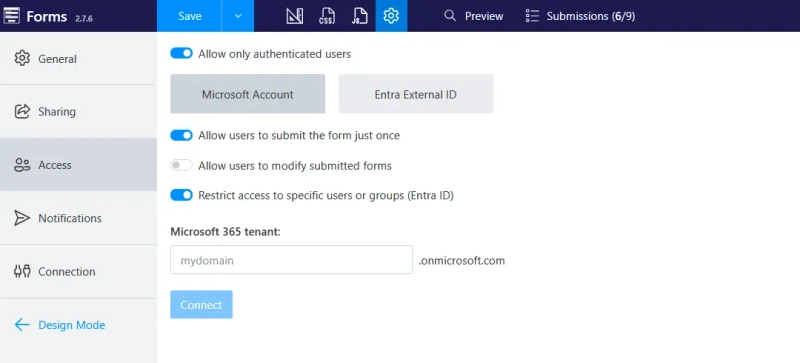
Microsoft Account option requires users to authenticate first:

You can restrict access only to specific Microsoft 365 tenant users, or even specific Microsoft Entra ID groups/users:
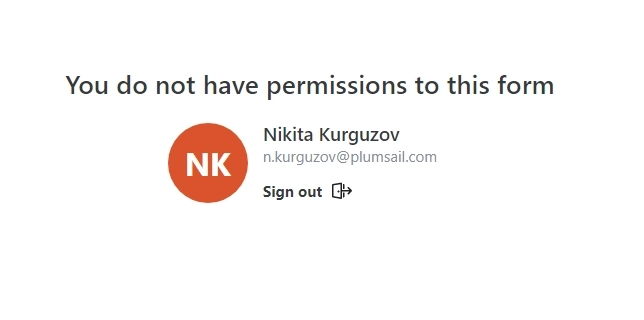
Alternatively, Microsoft Entra External ID allows you to set up sign-in and sign-up with accounts from Google, Facebook, X, LinkedIn, and other popular platforms.
Whatever authorization option you choose, after the form is submitted, you'll know who submitted what form.
After a form is submitted, you can:
Data collected in the account is stored indefinitely until you delete it. You can also export it to CSV to make a copy of all or some form submits.
If storing form submissions in the account and getting an email notification is not enough for your case, you can connect a public web form with Power Automate using our Plumsail Forms connector:
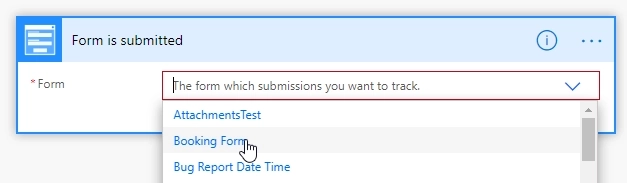
It will trigger each time the form is submitted, and you'll be able to get data from the form and store it in any other app:
Check out this article on how to get started with Power Automate flows, and you might also want to check our Documents product to automate document generation from submitted forms.
If you just need a quick survey or poll to share among Microsoft 365 users, Microsoft Forms is free, familiar, and perfectly sufficient. Plumsail Forms is the better fit when you need public web forms, branding, advanced fields, layout control, conditional logic, or restricted access.
Here is a comparison table of Microsoft Forms and Plumsail Forms features:
| Microsoft Forms | Plumsail Forms | |
|---|---|---|
| Getting started | ||
| User friendly |
|
|
| Free plan available |
|
|
| Included with Microsoft 365 |
|
|
| Power Automate integration |
|
|
| Fields and controls | ||
| Repeating data |
|
|
| Signature |
|
|
| Likert Scale |
|
|
| Masked input |
|
|
| Phone field |
|
|
| File uploads from external users |
|
|
| Dynamic data sources |
|
|
| Spam protection (CAPTCHA) |
|
|
| Layout and appearance | ||
| Custom theme | Limited |
|
| Logo and images on the form | Limited |
|
| Multi-column layout |
|
|
| Tabs, Accordion, and Wizard containers |
|
|
| Multi-step forms |
|
|
| Logic | ||
| Branching | Single-choice only |
|
| Calculations |
| with JavaScript |
You can check out the Plumsail Forms product here, it includes a free plan with all features unlocked. And we'll be glad to answer any of your questions in our community forum.
FormsPower AutomateFormsZapierPublic Web Forms - Zapier Integration
FormsPublic web forms for all your needs built quickly online
FormsEmbed a form? Why not just share it?