The easiest and most basic way to add an Airtable form to your website is to create a form with Airtable and publish it, then add a link to the site. Unfortunately, this is only a half-solution, since there is no native embedding functionality in Airtable.
While tools like Zapier or Make allow you to set up an automation that processes submission data from your website and saves it to Airtable, a direct integration is always simpler, faster, and cheaper.
In this article:
The easiest way to connect a website form to Airtable
Plumsail Forms allows you to build forms with a free plan and embed them on any site in a couple of clicks. Using the direct integration with Airtable allows you to instantly create or update Airtable records when the embedded form is submitted.
Even the more advanced features of Plumsail, such as collecting user signatures or attaching files to the form are supported with Airtable.
How to connect a website form to Airtable using Plumsail Forms
-
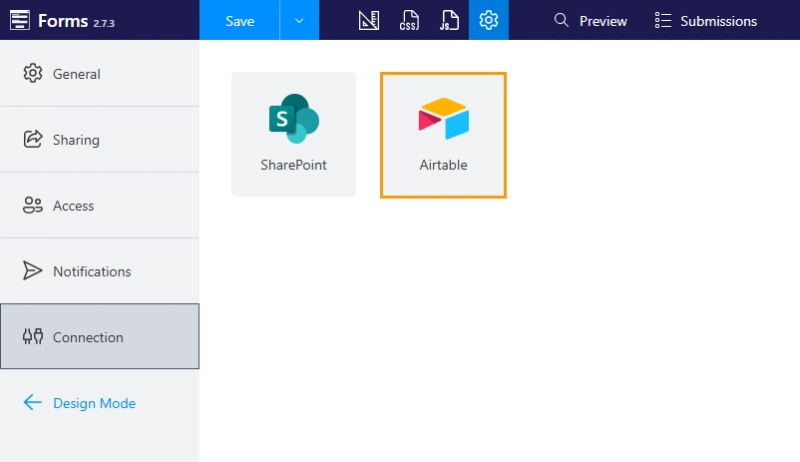
Open the Plumsail Forms designer and navigate to form's settings:
-
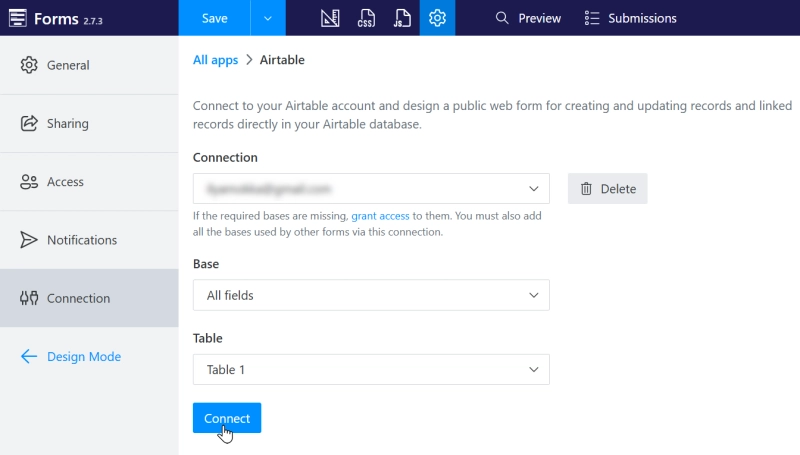
Connect to the Airtable workspace you'd like to edit with Plumsail. Make sure you select the right base for your form, and connect to the Table that you want to populate:
-
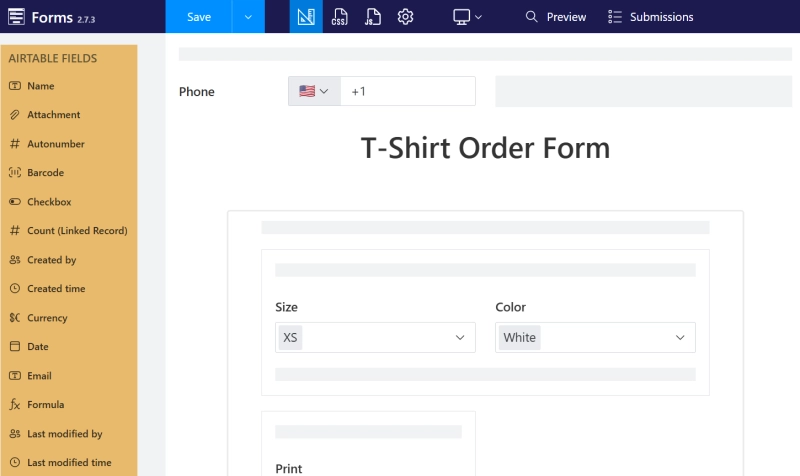
Build the form, adding the Airtable fields you need.
-
When the form is completed, you can share it with others to fill out:

-
Once the fields are filled in and the form is submitted, data will automatically populate in Airtable.
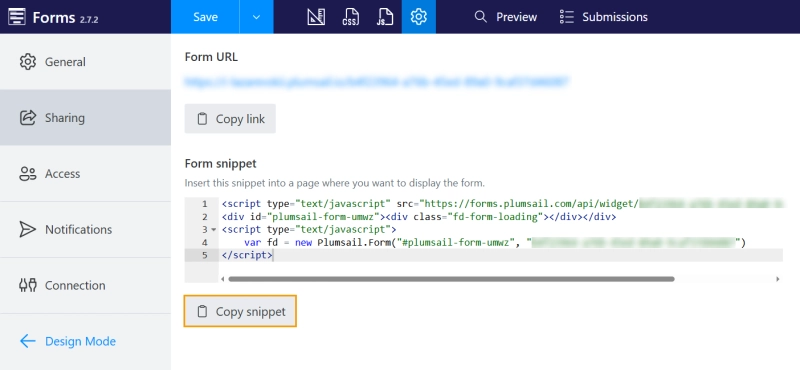
The rest is simple: embed your Plumsail form on any site by clicking the Copy snippet button in the Sharing section of the form's settings and adding it to your site as custom HTML:
Alternatively, you can follow our guides for embedding forms into Wix, Wordpress, Squarespace, SharePoint, and dozens more.
Benefits of using direct Airtable integration
Unlike using external tools to update data in Airtable, a direct integration with Plumsail processes user's submissions within seconds. There is no waiting for the flow to finish and no risk of submission being lost. You can access submission logs through your Plumsail account to check every step of the process:
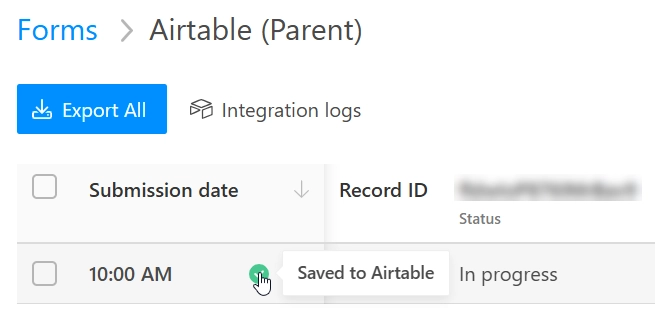
The data flow can't be interrupted by external factors, everything is logged, and no data is lost.
The appearance of the form can be customized to better fit the target page using themes.
You can use the free plan of Plumsail without a time limit to check if it's the right fit for you.
FAQ
Can I connect multiple forms to one Airtable base?
Yes, you can connect any number of Plumsail forms to an Airtable base.
Can I update existing Airtable records with form?
Yes. You can edit existing Airtable records with Plumsail by adding a record ID to the form link and enabling the corresponding option in the Connection settings of your form like this.
Does direct form integration support file upload?
Yes, the integration between Plumsail Forms and Airtable supports file uploads.
Can I directly collect signatures to Airtable from website form?
Yes, the Plumsail Forms allow you to collect user signatures and save them to Airtable text fields.
Conclusion
Sign up for a free plan with Plumsail and follow this guide to create your first Airtable form.
Happy automation!