 Forms
FormsNov 24, 2025
Digital new employee onboarding with modern forms
Learn how to create a smooth onboarding process for new employees using online forms, from job applications to access request web form templates.

 DocumentsFormsSharePoint
Onboarding a new supplier usually means chasing them for the same information over email, then copying it into SharePoint by hand. It gets worse when the supplier isn't part of your organization — they have no account, no access, and no reason to learn your systems.
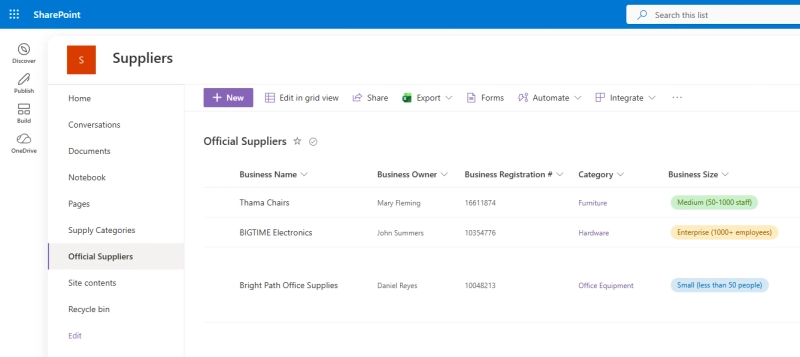
Suppliers list in SharePoint
Public web forms solve this: suppliers fill out a form on the open web with no Microsoft 365 login required. Their answers land directly in your SharePoint list, including file attachments.
Here's how to set up your supplier onboarding process.
In this article:
Open the form designer, connect it to your SharePoint tenant, and pick the list and content type you want suppliers to populate — for example, a Suppliers list:
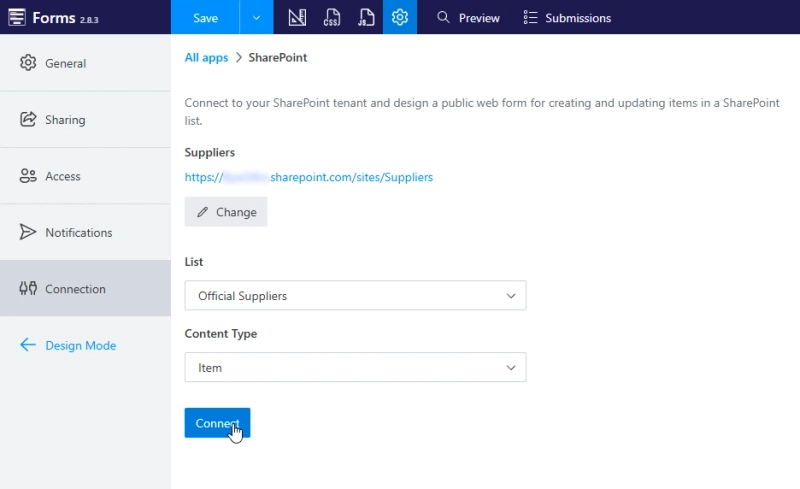
Connect to SharePoint
Once connected, the list's columns appear as SharePoint fields you can drag onto the form. Only fields bound to actual SharePoint columns are saved back to your list, so make sure you use only these fields on your form:
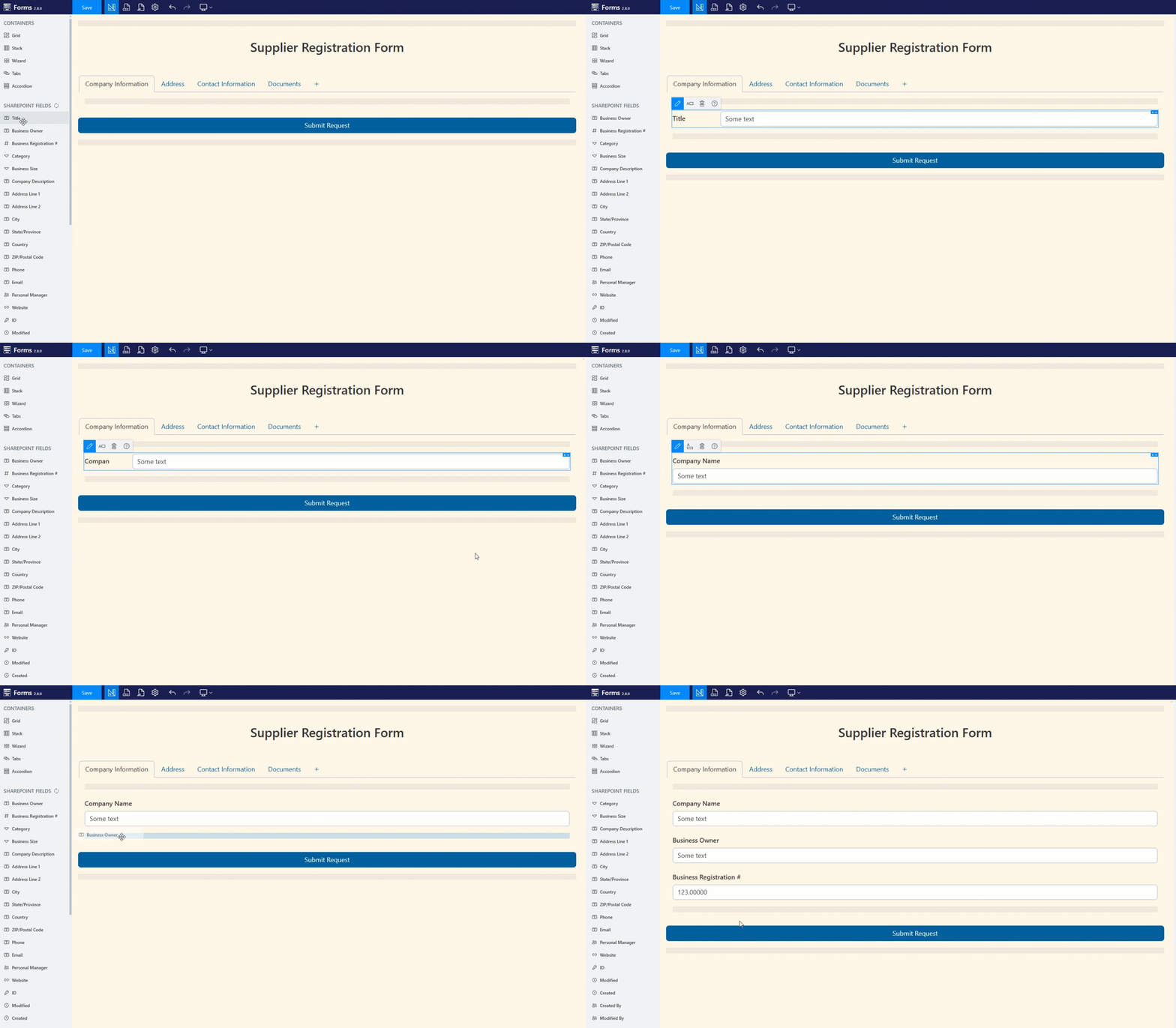
Drag and drop fields onto the form
From there you have full control over the form: freedom to arrange fields, group related information, apply a theme that matches your brand, or use custom CSS. Field types like person/group, choice, phone, and email are all respected on both ends — including choice colors carried over from SharePoint:
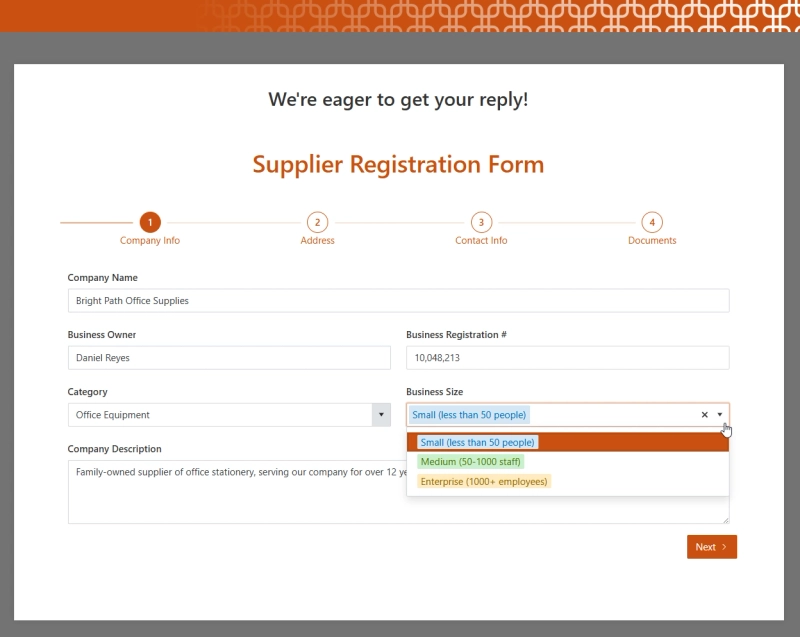
Full control over the form look and feel
The Attachments field is also fully supported, so suppliers can upload any relevant documents:
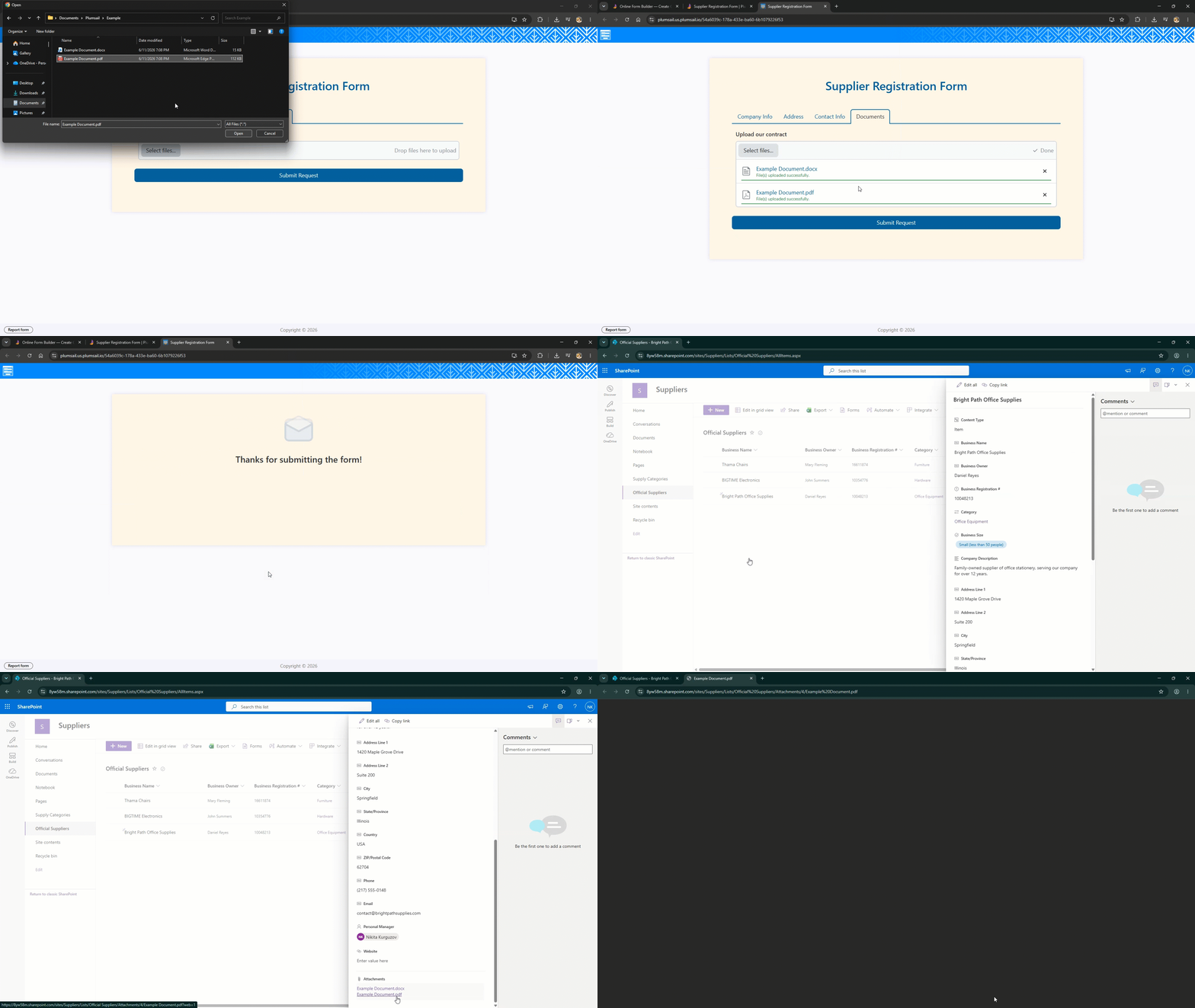
Uploading files using the attachments field
For the full connection setup guide, see Connect Plumsail Web Form to SharePoint Online.
A supplier form rarely needs every field visible all the time. Rules let you show or hide fields based on other answers with no code:
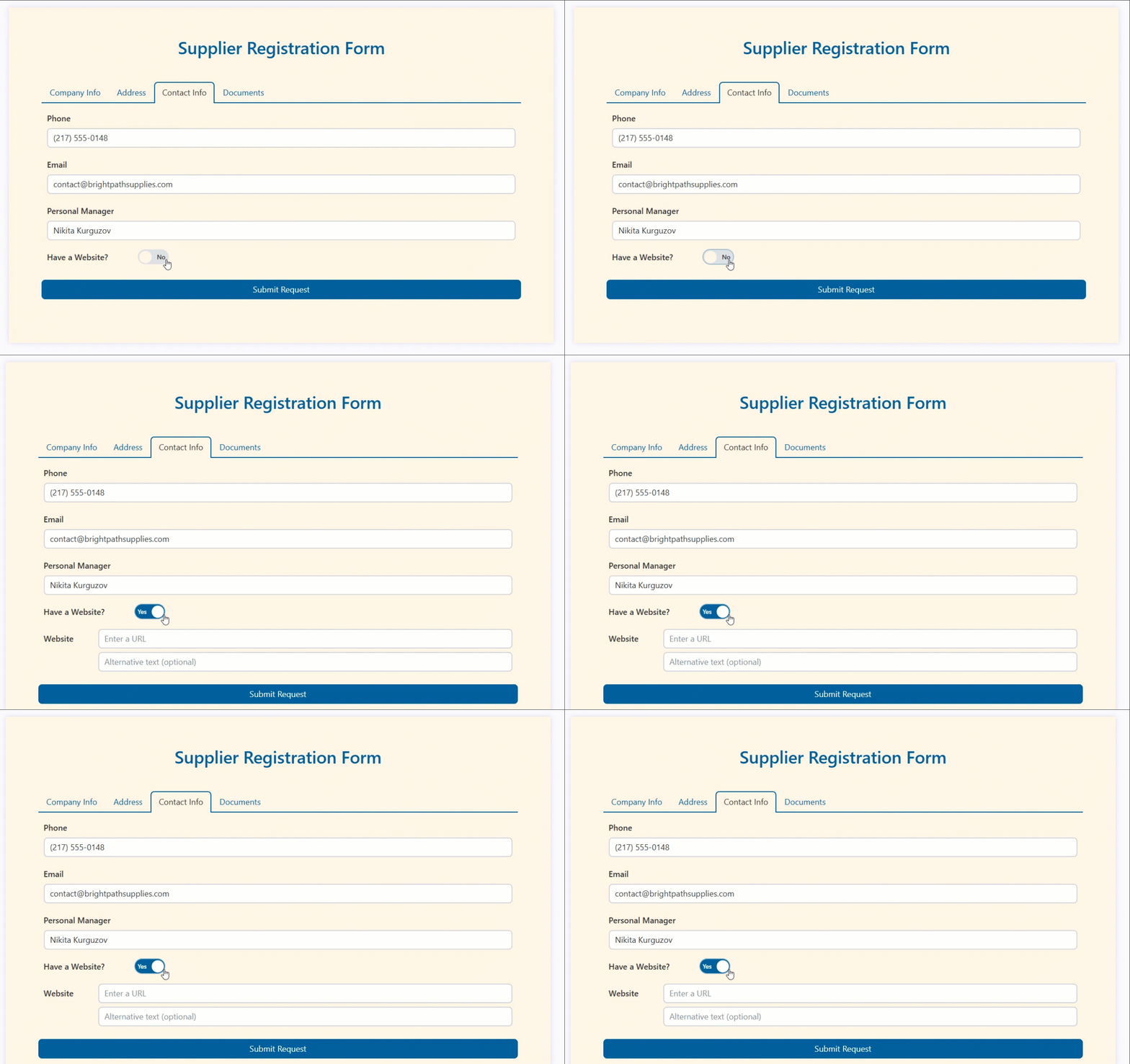
Conditional visibility on a form
Plumsail Forms provides a variety of advanced controls. Lookups can pull from other sites in your tenant, not just the connected list. If your countries and offices live on another site, a Lookup control can reference them directly:
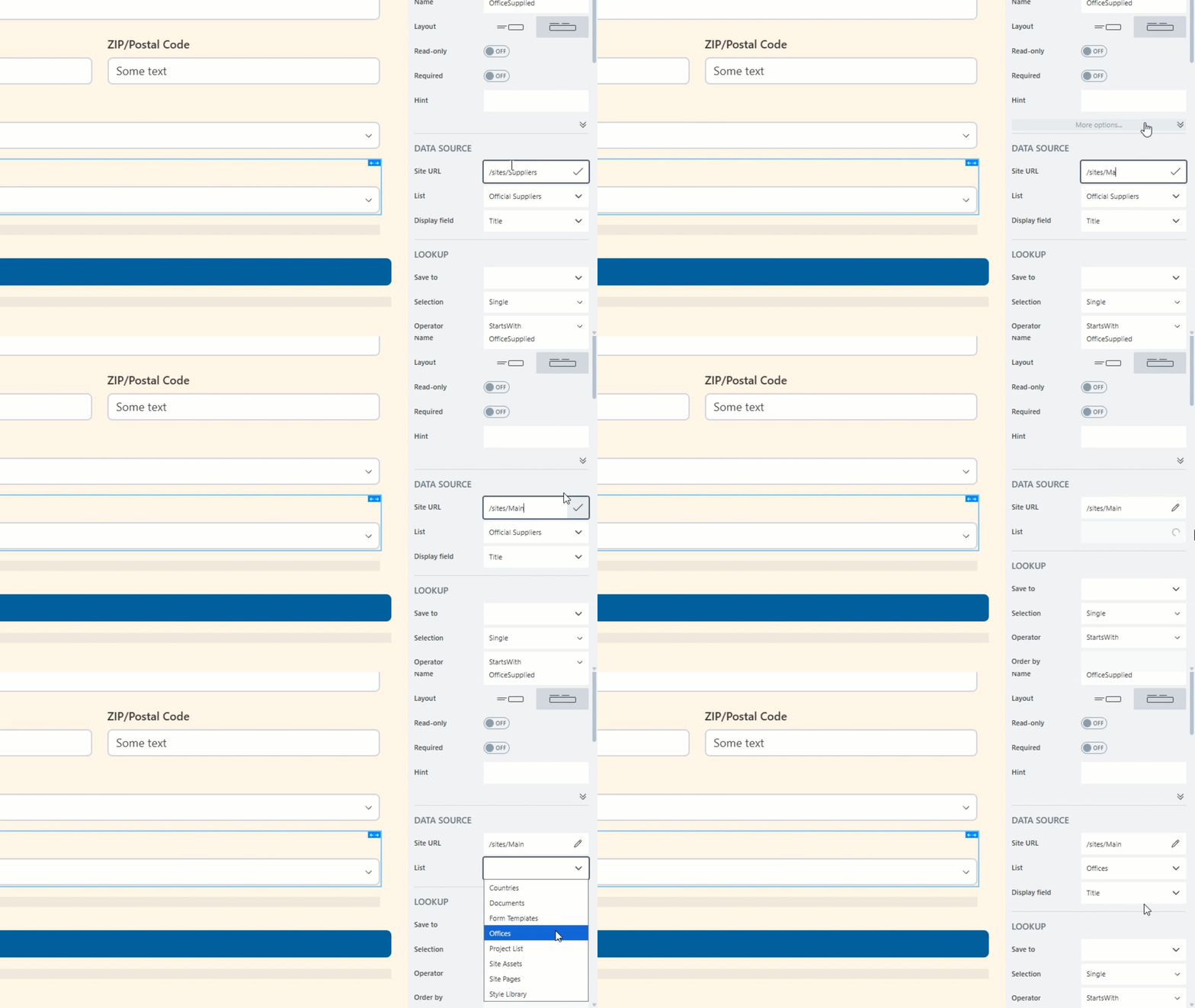
Connect Lookup controls to any site
And you can filter one lookup by another field — showing only the offices that belong to the country a supplier already selected:
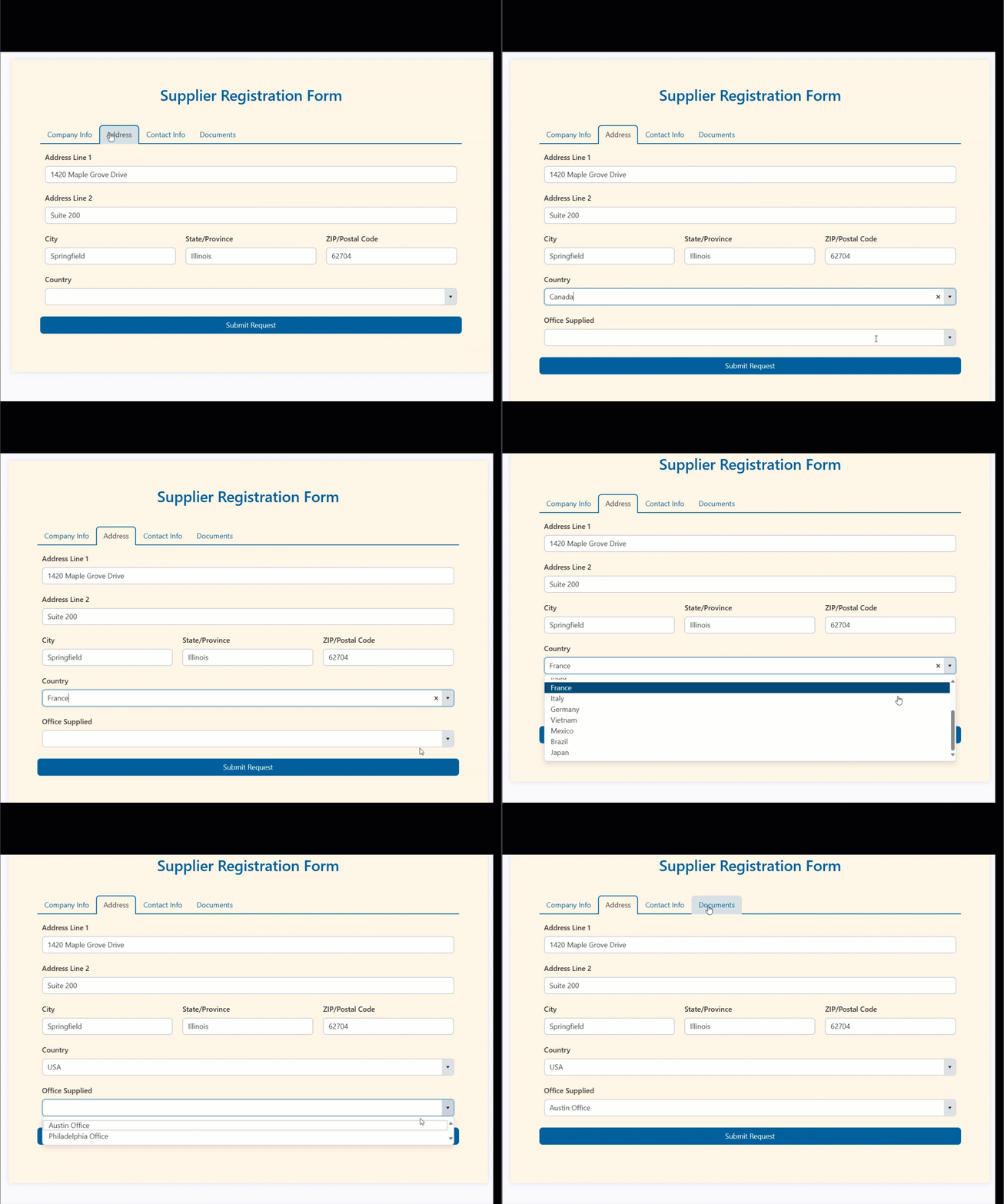
Cascading lookup controls on a form
Likert Scale control can be used to collect information about the supplier in the form of a questionnaire:
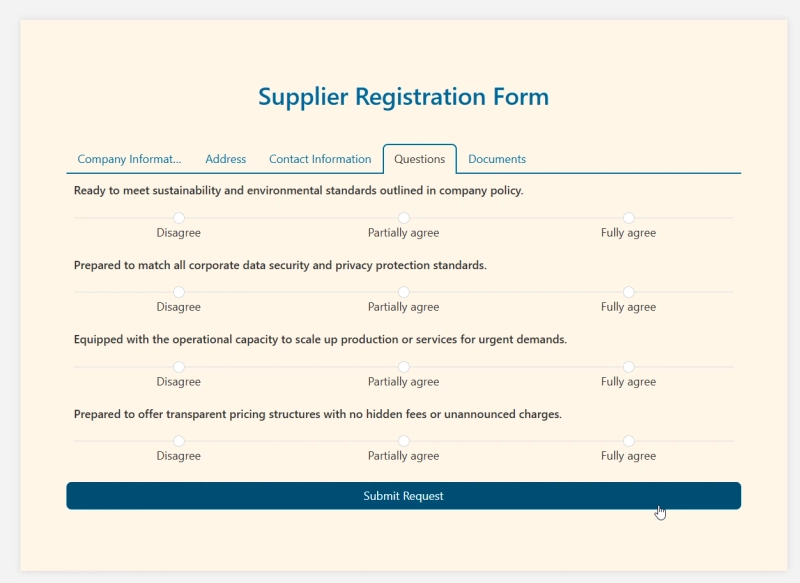
Streamline questions with Likert Scale
You can also add an Ink Sketch control to capture handwritten signatures and save them to a SharePoint column — useful for a supplier agreement acknowledgment right inside the registration form:
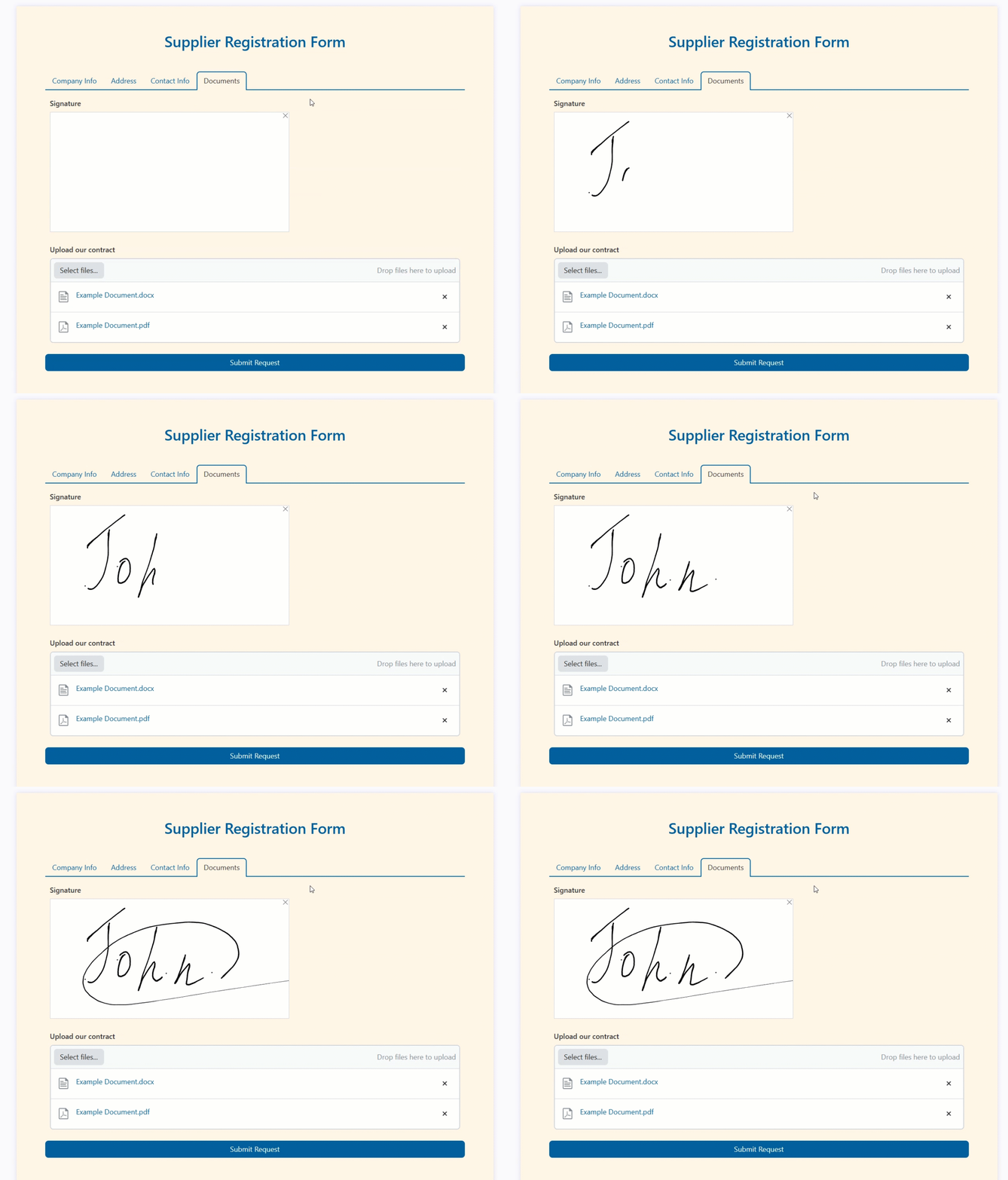
Use Ink Sketch to grab signatures
Suppliers might not get everything right the first time, either. Turn on Allow editing records in the form settings, and the same form (or a different one just for editing) can load an existing item by ID and save changes back:
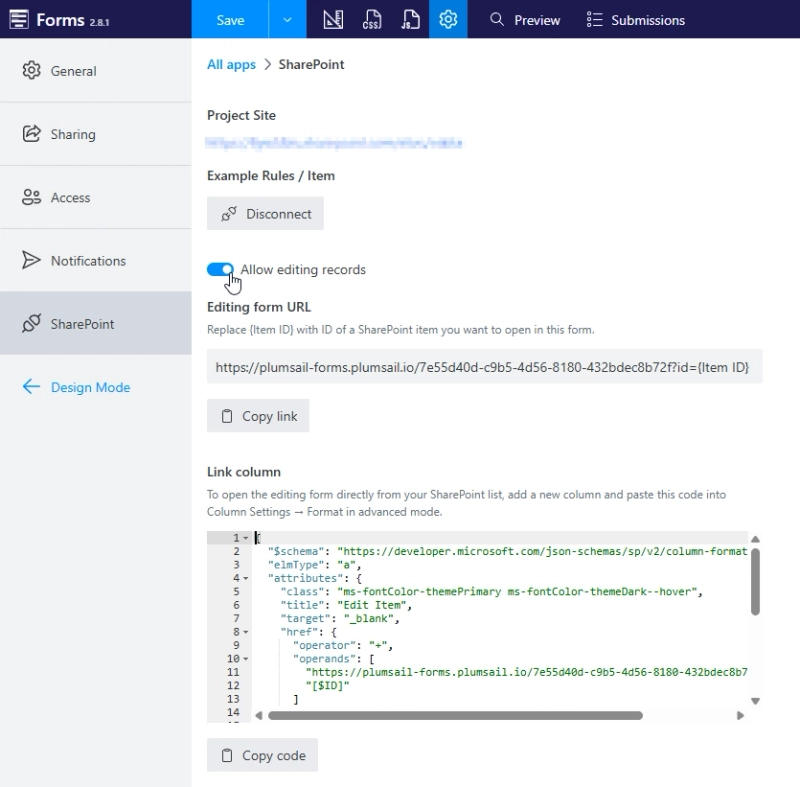
Allow editing records from SharePoint
Share that link and a supplier can come back later to add missing details or correct any issues that you discover in the review process:
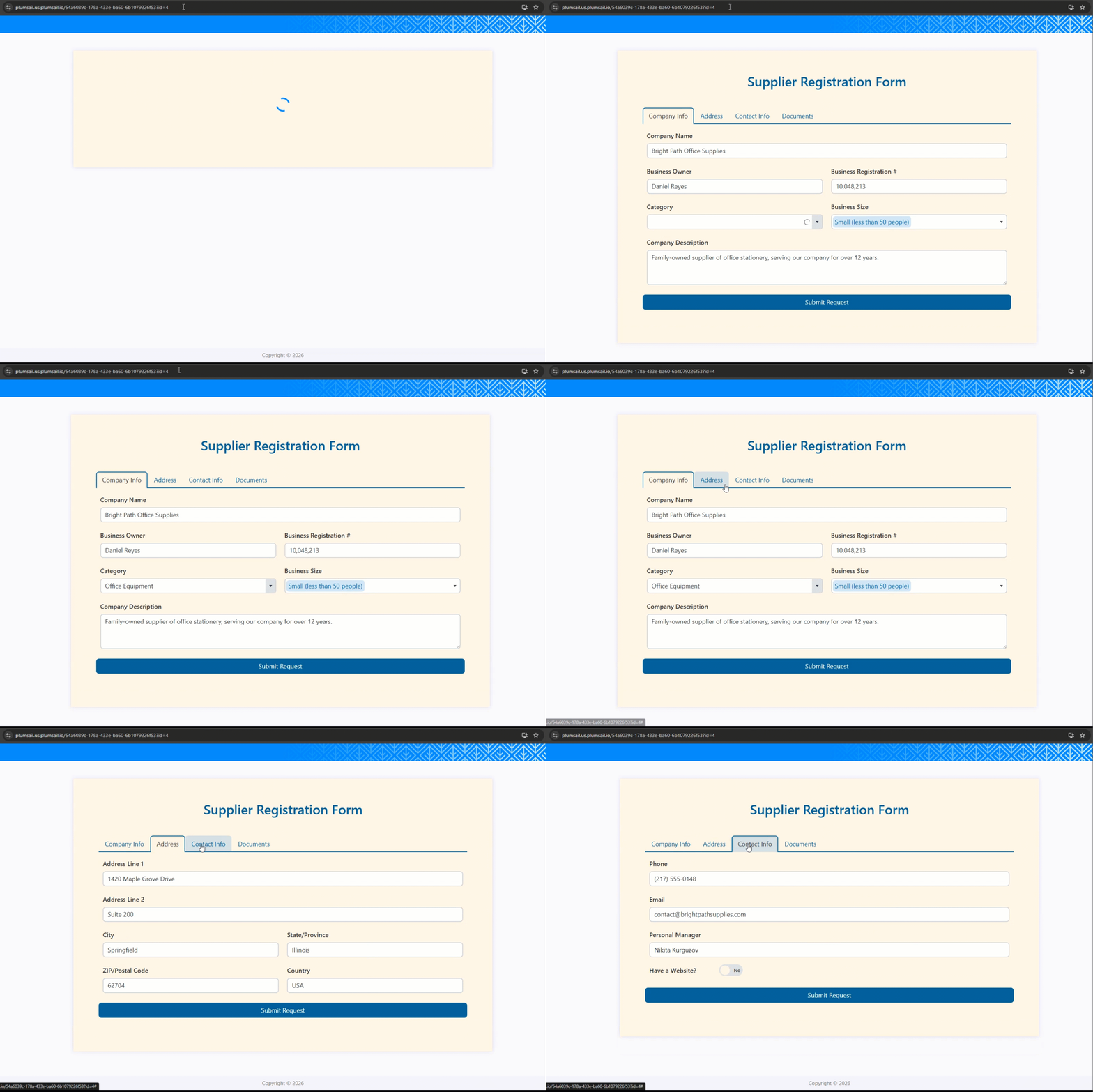
Load data from SharePoint to a web form for editing
Pair the form with Plumsail Documents and every submission can generate a ready-to-sign file — a supplier agreement, for instance, built from a DOCX template with tokens that pull from the form fields:
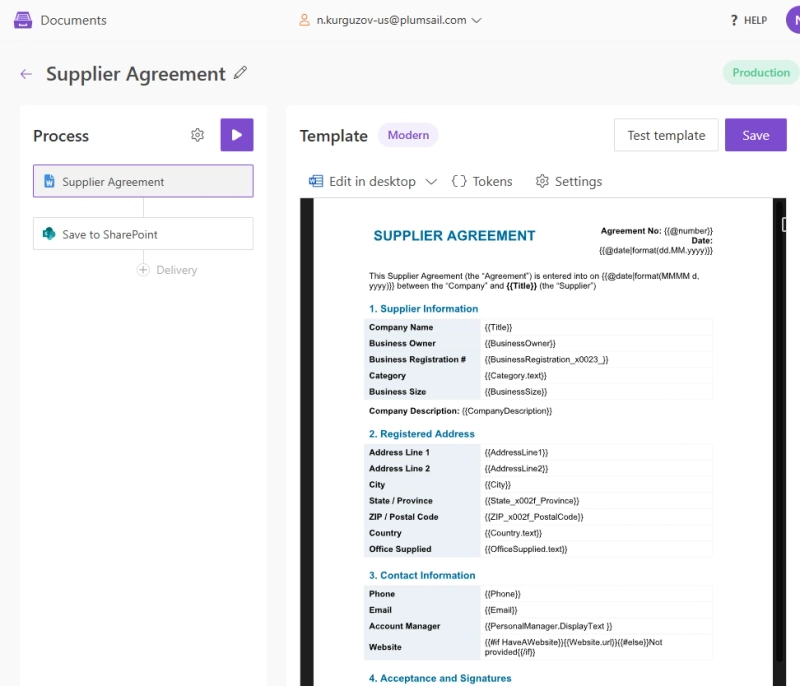
Supplier agreement process built with Plumsail Documents
Create a process, bind it to your supplier registration form as a delivery, and set the destination to your SharePoint document library:
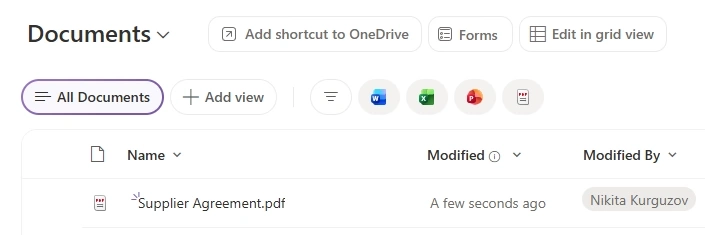
Result PDF uploaded to SharePoint
Once it's in production mode, every submission automatically produces a document in PDF format and uploads it to SharePoint — no manual steps required:
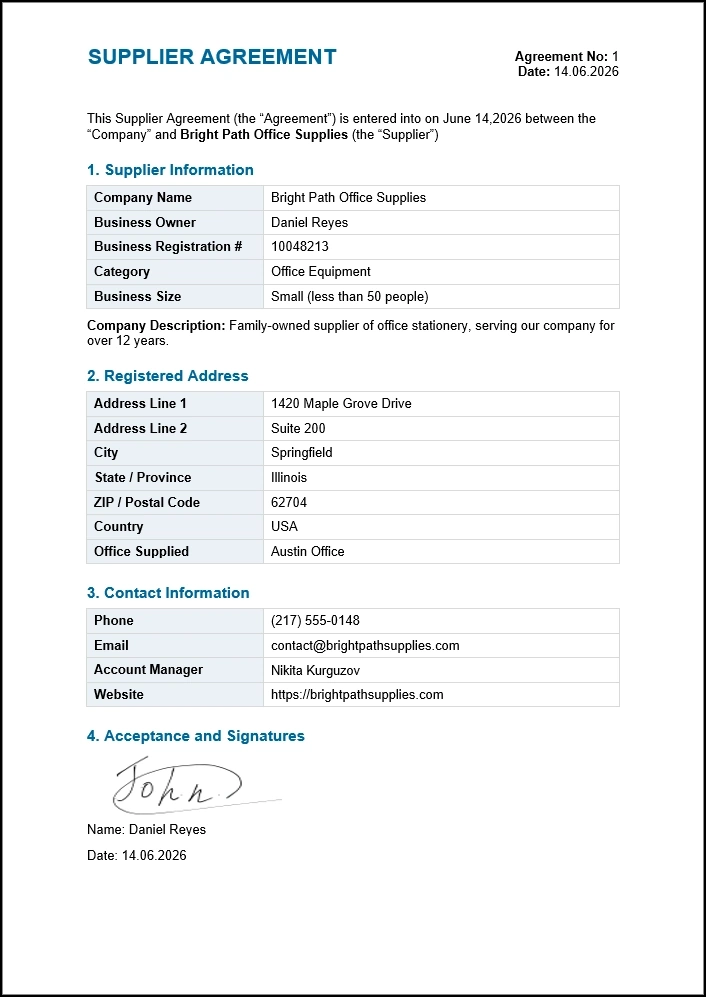
Final PDF supplier agreement document
The same building blocks — SharePoint-connected forms, conditional logic, and automatic document generation — can also power multi-step approval processes elsewhere in the organization.

The customization options are excellent — from conditional logic and dynamic fields to seamless integrations with SharePoint. Customer support has also been outstanding — responsive, knowledgeable, and genuinely committed to helping resolve issues quickly.
See how FileBank Inc. built a four-stage timesheet approval workflow that calculates hours automatically and produces a signed PDF at the end — the same pattern works for supplier agreements, purchase orders, or any process that needs sign-off.
The University of Manchester Innovation Factory uses Plumsail Forms for another common scenario: collecting data from external users, including academics, consultants, and partners, with public forms integrated directly with SharePoint lists and libraries.

We chose Plumsail Forms for its simplicity yet powerful capabilities. The key factor was the combination of internal and public forms, as well as the ability to go way beyond basic forms and create secure, custom apps within SharePoint.
Try Plumsail Public Forms and build your first supplier onboarding form today. Everything above — the direct connection, e-signatures, and document generation — works the same way if your data lives in Airtable instead.
You can also try all the features of Plumsail Documents with a 30-day free trial.
If you have any questions, feel free to book a free call with our team.
DocumentsFormsSharePointFormsLearn how to create a smooth onboarding process for new employees using online forms, from job applications to access request web form templates.
FormsSharePoint Power Automate
Learn how to create approval workflows in Power Automate for SharePoint lists, with sequential approvals, multiple approvers, and submissions from external users.
FormsSharePoint Power Apps
Learn how to populate a Microsoft Forms dropdown from SharePoint — and three alternatives that update automatically.