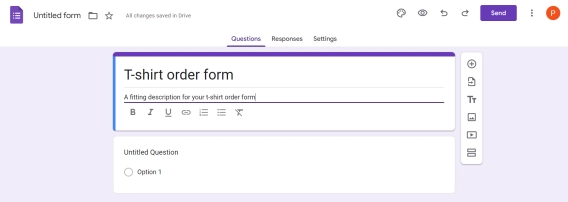
Google Forms has no built-in QR code feature.
To share a Google Form as a scannable QR code, you copy a form link and run it through an online QR code generator.
In this guide, we'll walk through how to create a QR code for a Google Form. Plus, we'll show how Plumsail Forms, a more advanced form designer, does the same thing out of the box.
Contents:
Why do you need a QR code for a Google Form?
It's worth the effort, because a QR code is often the fastest way to collect responses. Anyone with a phone camera opens the form in one scan, with no URL to type. That makes an online form QR code useful for:
-
Customer Feedback & Reviews: Placed on restaurant tables, hotel desks, or receipt slips for instant satisfaction surveys and service ratings while the experience is fresh.
-
Lead Generation & Event Sign-ups: Printed on event badges, exhibition banners, or storefront windows to quickly capture emails, loyalty club registrations, or contest entries.
-
Product Warranty & Support: Included on product packaging or inserts, allowing customers to instantly submit warranty registrations or open IT troubleshooting tickets.
-
Contactless Check-In & Intake: Displayed at office reception desks, clinics, or real estate open houses so visitors can fill out digital check-in logs or medical history forms on their own devices.
-
Workplace Logs & Safety Reporting: Affixed directly to warehouse machinery or breakroom boards for quick asset maintenance logs, hazard reporting, or anonymous employee feedback.
This is just a short list of examples. QR codes are a great way to make your forms more accessible and increase response rates.
How to create a QR code for a Google Form?
Since Google Forms won't generate the code itself, you need to convert your Google Forms link to a QR code with a QR code generator.
- After publishing your Google Form, click Copy responder link.
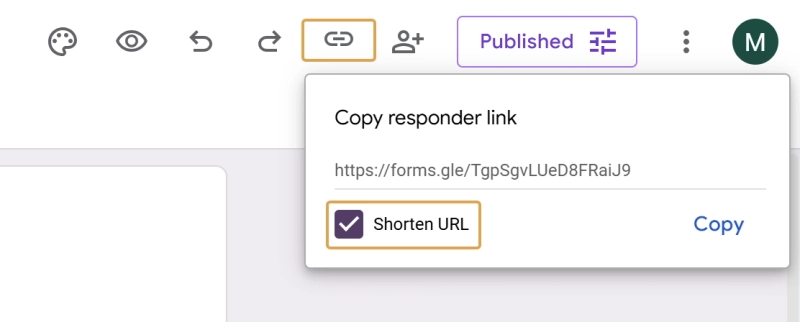
Tip: Tick the Shorten URL checkbox to make the link shorter. Fewer characters to encode, resulting in a cleaner, less dense QR code.
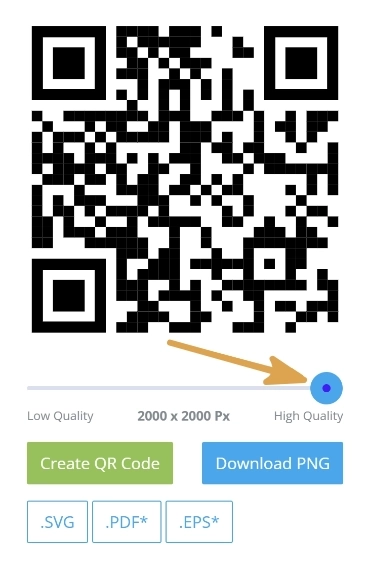
- Scan it with your phone to confirm it opens the right form, then add it to your printed materials.
How to share a Plumsail Form by QR code?
Plumsail Forms generates the QR code for you, so there's no third-party generator in the loop:
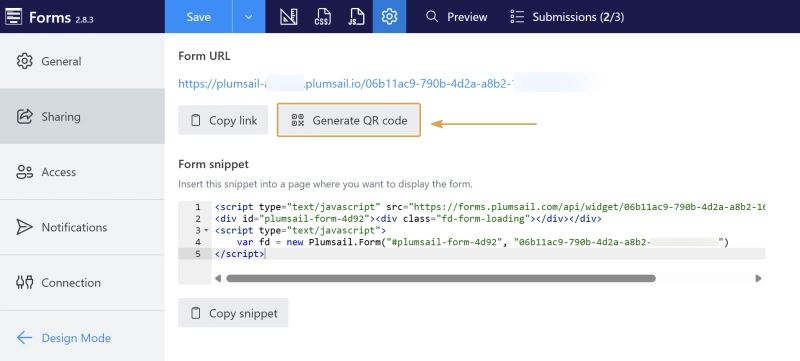
- A dialog opens with the QR code, which you can download in PNG or SVG format.
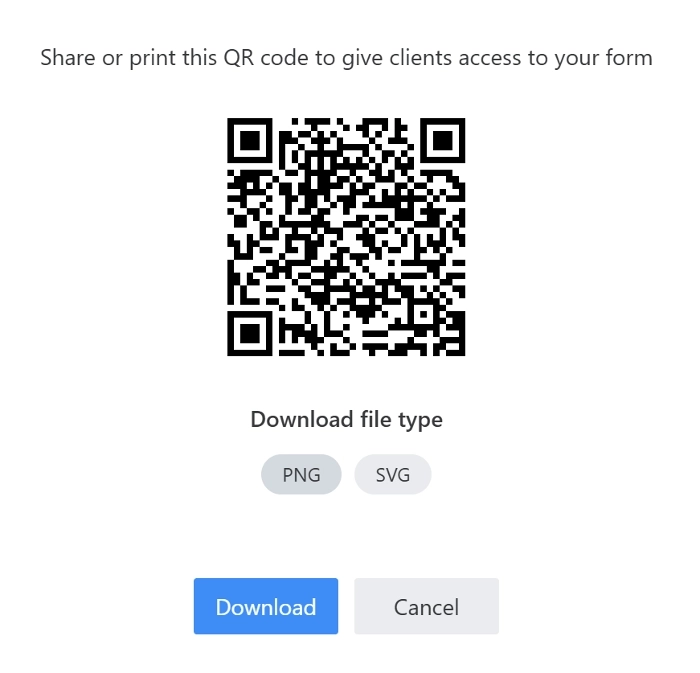
- Test it, then add it to your printed materials.
Why it is worth trying Plumsail Forms?
Google Forms is hard to beat for a quick, free survey. But the moment you need something more, Plumsail Forms is the better fit. It lets you build forms with more complex logic, custom branding, and advanced features like signature capture or repeated data rows.
As a simple example, here are two versions of a feedback form built in Google Forms and in Plumsail Forms:
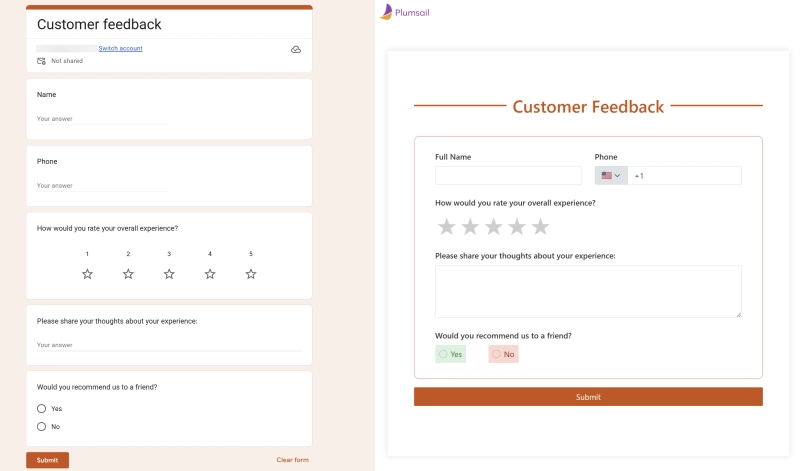
The difference in layout and branding is obvious at a glance. More importantly, the Plumsail version validates the phone number and can block spam submissions with a CAPTCHA control.
Here's a brief list of the Plumsail Forms features that make it a better choice for more complex forms:
Conclusion
To share a Google Form by QR code, you copy the form link, paste it into a QR code generator, and download the image. It's quick — but it isn't native, and it means keeping track of a second tool.
Plumsail Forms, on top of more layout flexibility and advanced features like CAPTCHA, phone and email fields, and signature and data table controls, gives you customizable sharing pages with your own domain and a built-in QR code generator. Start with the free Scooter plan you can use to test it out.


 Forms
Forms Power AutomateZapier