 Forms
FormsApr 08, 2020
Web designer for public business forms
Public web forms for all your needs built quickly online
 Forms
FormsQR code usage is growing each year, and with their mass adoption businesses can utilize their ease-of-use for marketing campaigns and feedback collection.

The appeal is simple: accessibility and speed. Unlike traditional surveys that require typing URLs, digging through emails or installing apps, customers can scan a QR code for surveys and respond on the spot, while the experience is still fresh.
As a result, engagement improves. A study on using QR codes for registration and evaluation revealed that 58% of respondents find QR-based feedback easier to complete than traditional, paper-based methods.
But how can businesses effectively collect this feedback? This is where online forms come in — they can easily be shared by QR codes, and clients' submissions will be structured and automatically stored for further processing.
Here's what you'll know:
First we need to make the form itself, and we'll use Plumsail Forms for that.
Plumsail Forms has hundreds of ready to go templates, so let's start with one:
It's a nice start already, but with Plumsail Forms you can do much more:
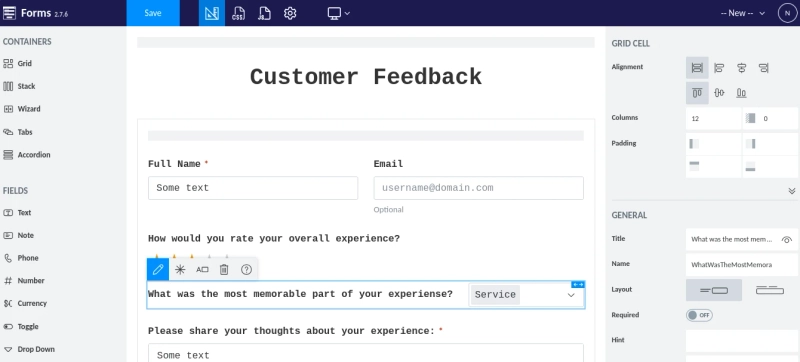
Interface of Plumsail Forms designer
It has everything you need for feedback collection as well:
Once you are happy with your form, generating a QR code takes just three steps:
Move to "Sharing" tab in settings
Click "Generate QR Code"
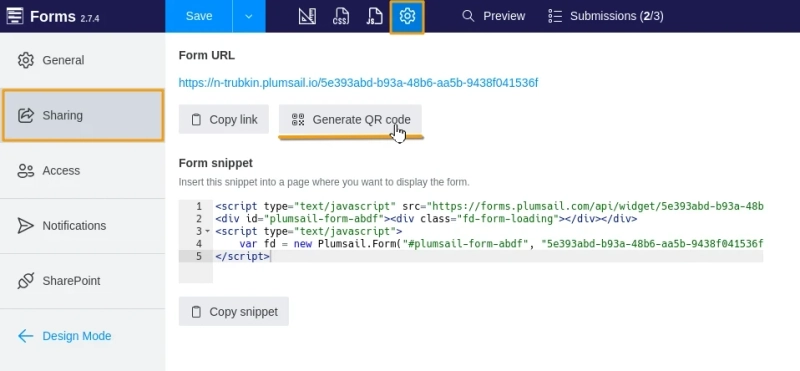
Click "Download" in the opened dialog. That's it, you have a QR ready for use!
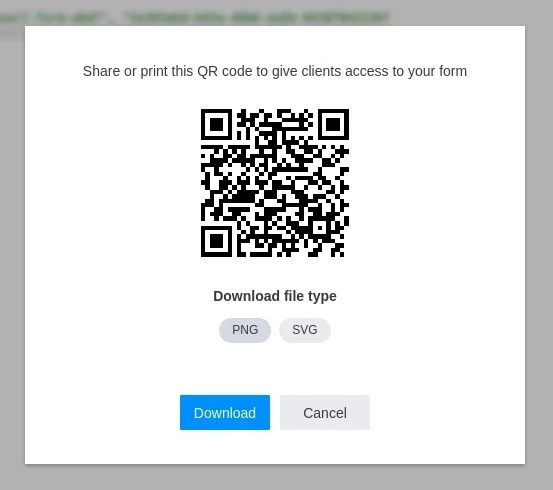
You can download QR in two formats — PNG and SVG:
QRs are very versatile in terms of display surfaces. Posters, stands and table tents are universal options for all kinds of scenarios — you can put one on a counter in a cafe or hotel, or place them in your store's return section, like IKEA did.
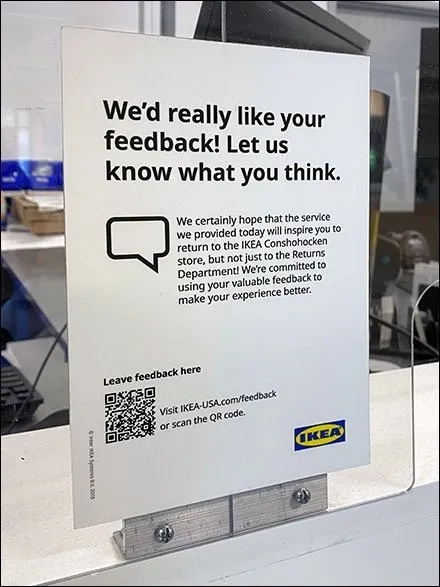
Taken from Fixtures Close Up
In some cases more specific options can be used:
While this post focuses mainly on customer feedback, QR codes can also be useful for internal and operational forms.
Note: Remember, the code you generated will always point to the newest version of your feedback form, so a lot of times you only need to print your QR code once!
QR-code based survey is versatile, accessible, and simple, so make one for free using Plumsail Forms! Have any questions? Contact us — we will be happy to help you!
FormsFormsPublic web forms for all your needs built quickly online
FormsElevate your web forms for mobile era! Follow these 7 simple tips to create mobile-friendly online forms that are responsive and easy to complete.
FormsEmbed a form? Why not just share it?