This business case was shared by Elizabeth Bagwell Studios and Elizabeth Bagwell, Owner of the studio, who used Airtable and Plumsail Documents to create one document from Airtable records and generate multi-page reports with images for fine art and decorative arts appraisal work.
I am the owner of Elizabeth Bagwell Studios LLC and a personal property appraiser specializing in fine arts and decorative arts, an antique and vintage dealer, and an artist myself.
That combination of roles shapes the work I do through my business. My work brings together art, antiques, vintage items, appraisal services, and brokerage. As both an artist and an appraiser, I approach these areas from multiple perspectives and draw on experience across fine arts, decorative arts, and antique research.
In addition to creating artwork and running my studio, I prepare appraisal reports for a variety of uses, including insurance coverage, insurance claims, division of assets, and sale of property. I also run EB & Co. Vintage, an online antique and vintage shop featuring a curated selection of items for the home, and assist other personal property appraisers with appraisal research.
Challenge: compiling large art appraisal reports from Airtable data
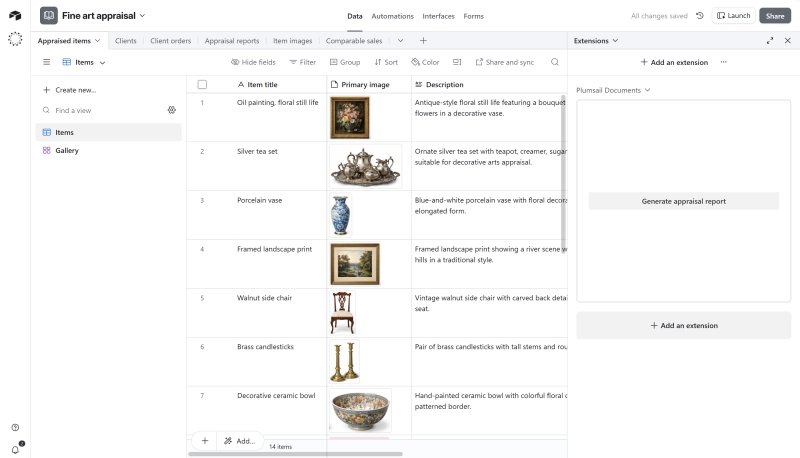
I use Airtable to organize nearly every aspect of my appraisal research, from written descriptions of the items being appraised to multiple images of each item.
I was looking for a way to pull information from select columns in Airtable into a Word or Google Docs document that I could continue editing. I wanted to create one document from Airtable records instead of rebuilding the report manually.
The information and images pulled from Airtable make up the body of the appraisal report, but I still have additional parts of the appraisal, such as the transmittal letter, to write and compile with the body of the report to create the final version.
I looked at other solutions, but chose Plumsail Documents for this report because I needed the ability to add pages to the generated document.
Solution: generating multi-page documents with images from Airtable
I used Plumsail for a recent appraisal report that included 100s of pages and 100s of images.
It was nice to have multiple columns from Airtable generated into one document, especially since those columns were both text-heavy and image-heavy.
That gave me a way to create image-rich documents from Airtable data and bring together the main body of the appraisal report from the research I already had, instead of rebuilding everything manually in a separate document.
Airtable base used to organize appraisal data and generate image-rich documents
If this business case inspired you, go ahead and test all the features of Plumsail Documents with a 30-day free trial.
If you have any questions, feel free to book a free call with our team.
Related posts
DocumentsAirtable
Last updated: Aug 19
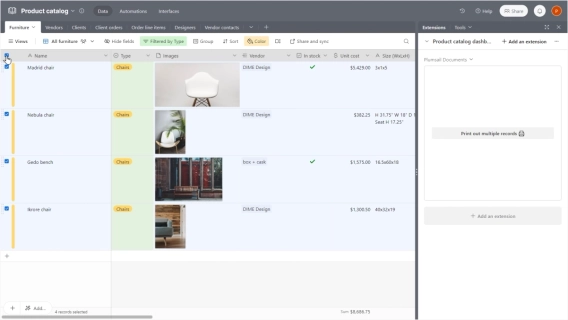
How to print multiple Airtable records on one page and include them in one document
Learn how to include multiple Airtable records on one page and fit them into one document. This guide will help you overcome the limitations of Airtable Page Designer.
Angelika Cherina
Lead Marketing Specialist
Customer storyDocumentsAirtable
Dec 18, 2024
Automated service planning at St. Andrew’s with Airtable and Plumsail Documents
Learn how St. Andrew’s Anglican Church combines Airtable data with Plumsail Documents to create dynamic PowerPoint and PDF documents, complete with images and other customizable features.
Christine Anderson
Information & Communication Manager at St. Andrew’s Anglican Church
Customer storyDocumentsFormsAirtable
Last updated: Sep 20
Airtable forms and document generation for proposals and site reports at Northern GeoSeptic
Learn how Northern GeoSeptic reduced manual data entry by using Airtable, Make, and Plumsail for proposals and site reports.




 DocumentsAirtable