Collecting patient information has never been just a matter of convenience. In healthcare, every field a patient fills out touches safety, compliance, and operational efficiency. That’s why more healthcare organizations are moving away from paper and ad‑hoc digital tools, and toward HIPAA‑compliant, security‑first web forms that integrate seamlessly with their systems.
In this article, we'll look at how healthcare teams use web forms to collect patient data securely, reduce operational risks, and connect data collection to automation and internal systems, using real-world workflows and practical examples built with Plumsail Forms.
Prefer a quick walkthrough? Watch the short video first, then use the sections below as a checklist.
In healthcare, security isn't just about formal certifications. It's about how data is handled in everyday workflows. Where information is collected, how it's stored, who can access it, and how it moves between systems define real data safety.
Plumsail Forms is SOC 2 certified and HIPAA compliant. The platform has undergone independent audits to ensure protected health information (PHI) is handled securely and in accordance with regulatory requirements. Compliance here is not treated as a checkbox. It is built into how data is collected, processed, and managed within real workflows.
SOC 2 certified and HIPAA compliant
Healthcare organizations can review the full security documentation, including SOC 2 reports and HIPAA compliance details, at security.plumsail.com to understand how security controls, access management, and data protection are implemented in practice.
How HIPAA-compliant forms are used in real workflows
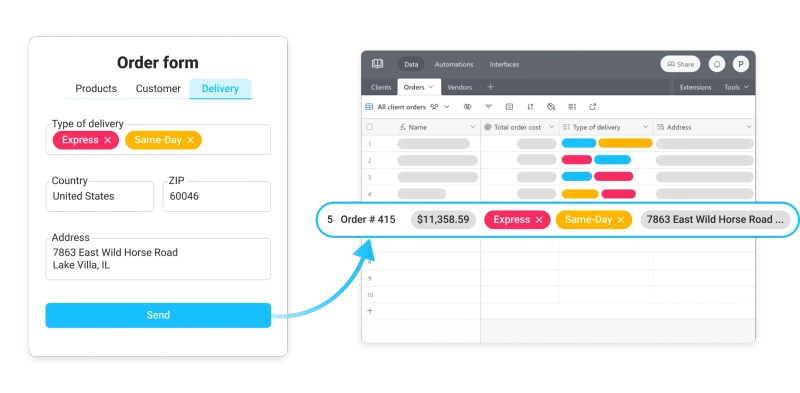
Medical organizations are already leveraging Plumsail Forms to streamline their operations. Patients can complete forms on any device—smartphones, tablets, or desktop computers. The data flows seamlessly to systems like SharePoint or Airtable, reducing manual data entry and the errors that come with it.
The benefits are tangible: reduced error rates through built-in validation, less time spent on paperwork, and significant reduction in paper waste. For many practices, this translates to:

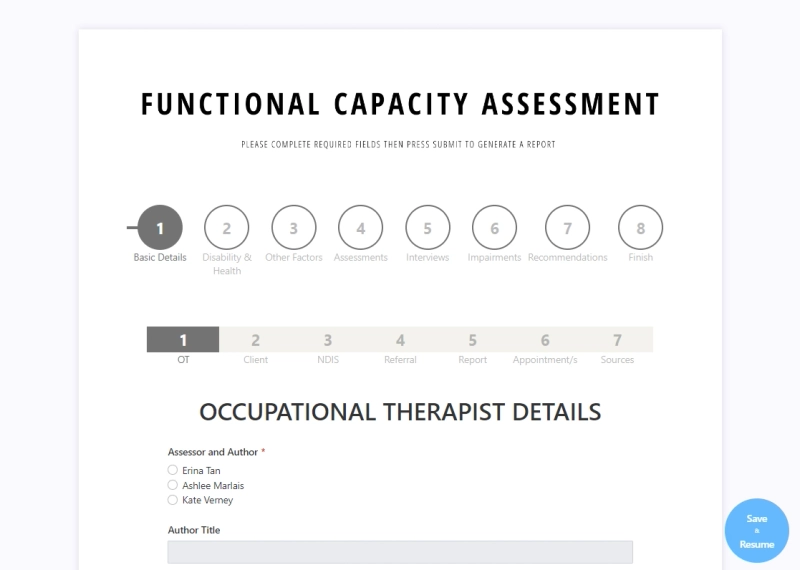
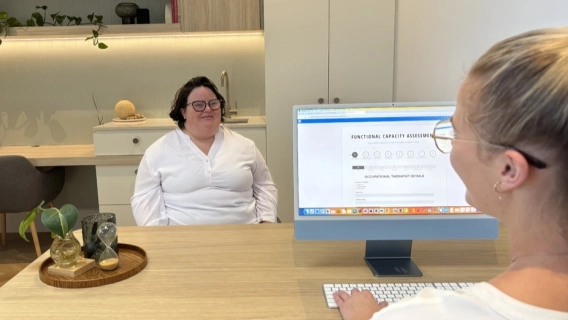
Therapy practices and specialty clinics have particularly complex requirements. They need comprehensive patient assessment questionnaires that can capture detailed evaluation data.
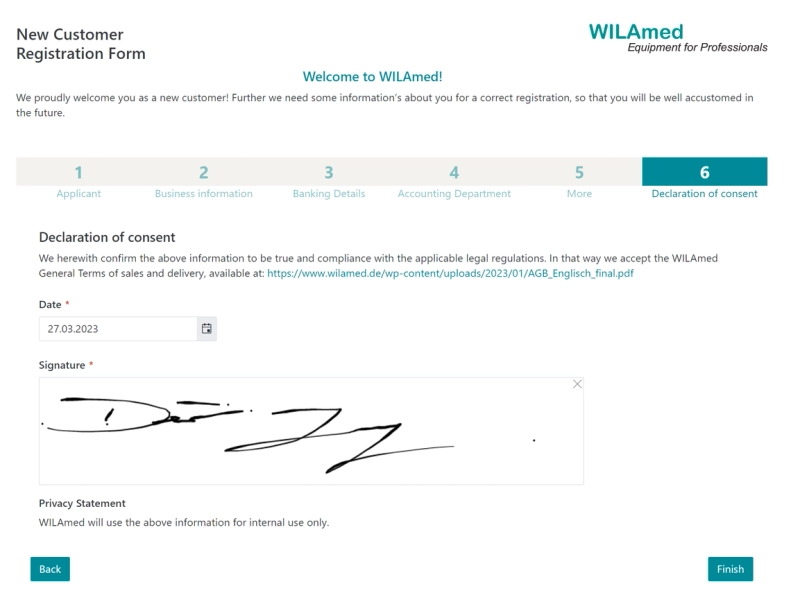
Screenshot of an actual form in use
Plumsail Forms delivers with features designed for healthcare workflows:
Multi-step wizards within wizards allow you to create layered, multi-step forms that guide patients through complex intake processes without overwhelming them.
Multiple file upload capabilities let patients submit medical documents, insurance cards, and other required materials directly through the form.
Conditional logic shows or hides fields based on patient responses, creating a personalized experience while ensuring you collect all necessary information.
Integration with practice management systems means data flows directly, eliminating duplicate entry.
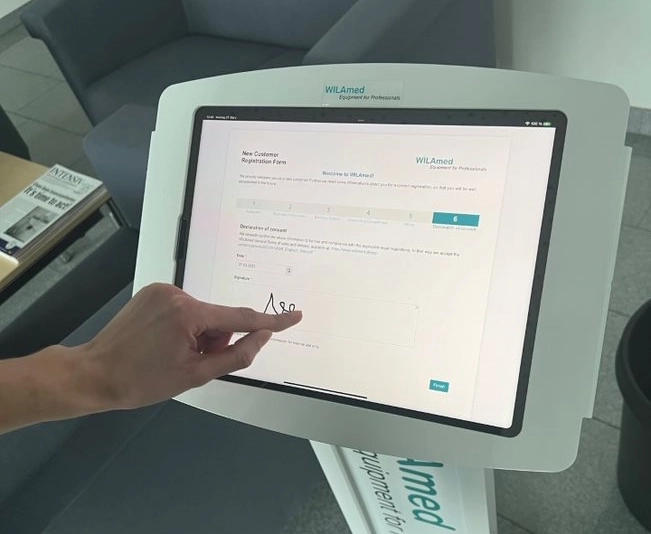
Ink sketch signatures provide legally valid consent documentation without requiring printed forms.
Draft support ensures patients never lose their progress, even if they need to step away and return later.
Signing of a form
Customization meets compliance
Healthcare providers can leverage full JavaScript customization to validate field values, perform calculations, compare dates, limit date ranges, and connect to external APIs. This flexibility allows you to build exactly the forms your practice needs while maintaining HIPAA compliance throughout.
Conditional logic on a form
The platform supports custom branding, allowing you to match your organization's style, colors, and brand identity through countless theme options and full CSS customization, ability to customize sharing pages or publish a form to your site. Your forms can look and feel like a natural extension of your practice.
Full control over branding and style
Advanced form controls include ink sketch fields, Likert scales, and data tables to capture precisely the information you need. Container options like wizards, tabs, and accordions make even the longest forms navigable and user-friendly, and you can even place containers inside of containers:
Layered containers on a form
Seamless integration with your existing systems
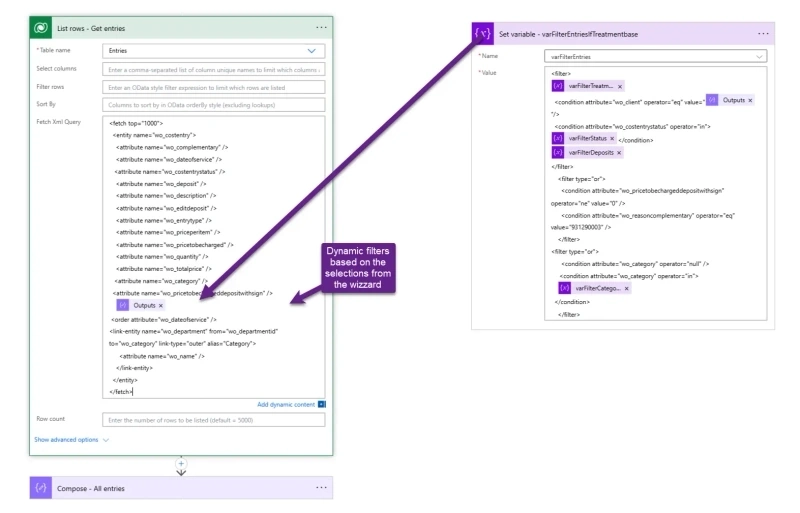
Forms don't exist in isolation, and Plumsail Forms recognizes this. The platform offers direct integration with SharePoint and Airtable, allowing you to create and edit items directly in these systems. It also connects with automation platforms like Power Automate, Zapier, and Make.
Integration with platforms like Airtable
This means when a patient submits a form, you can automatically:
Create appointments in your scheduling system
Send notification emails to relevant staff
Update your EHR system
Notify the appropriate departments
Create follow-up tasks
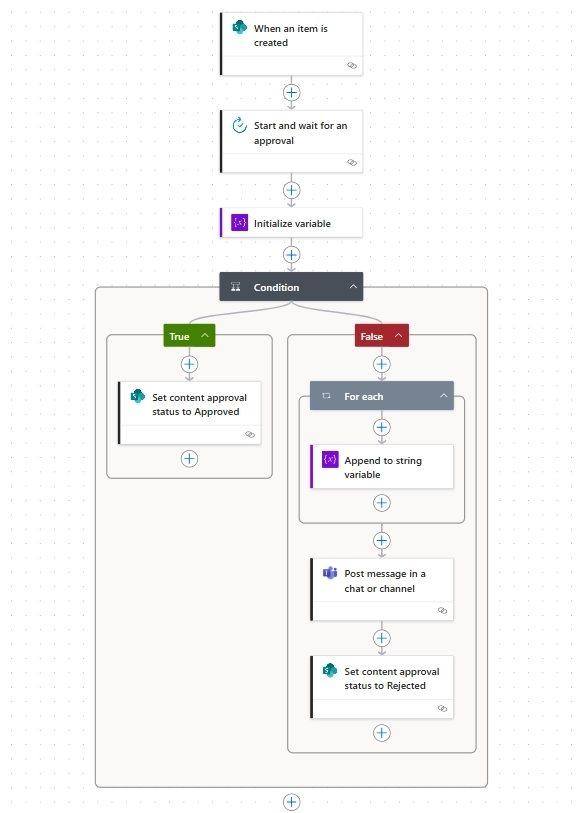
Set up approval processes
Full approval flow in Power Automate
All of this happens while maintaining HIPAA compliance throughout the entire workflow.
Beyond Forms: complete document automation
For organizations looking to go even further, Plumsail Documents complements the forms platform by fully automating document generation processes.
Documents flow in Power Automate
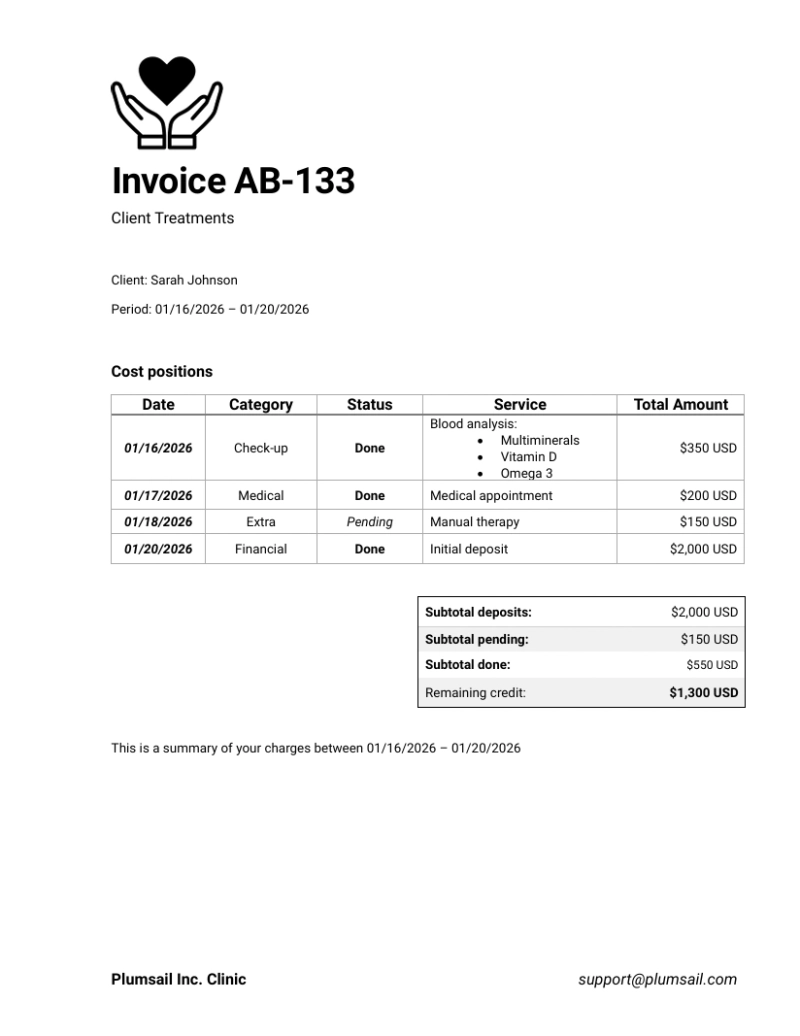
You can create patient cards, reports, invoices, and any other documents from form submissions or data in your existing systems.
Invoice created with Documents
Get started with HIPAA-compliant forms using Plumsail
Whether you're a small private practice, medium-sized clinic, or large healthcare organization, Plumsail Forms provides enterprise-grade security with the flexibility to achieve your specific goals.
Evaluation forms and automated assessment reports for occupational therapy
Functional capacity assessment and other crucial therapy procedures automated by Laneway OT, occupational therapists from South Australia, to eliminate human error, reduce time and paper waste.
Erina Tan
Director, and Occupational Therapist at Laneway OT
Forms
Customer Story
Apr 07, 2023
Vendor application and customer registration forms for a medical manufacturer and distributor, WILAmed GmbH
Learn how the healthcare industry uses Plumsail Forms to streamline the collection of data from suppliers and customers.
Dennis Jung
Head of Digital Transformation & Sustainability at WILAmed GmbH
Forms
Customer Story
Dec 09, 2024
Improve data collection and referral processes for health services with Dataverse and web forms
See how Thrive Tribe, a UK wellness provider, improved referral collection with web forms connected to Dynamics 365, including field validation and conditional logic.