HelpDesk
Oct 24, 2025
Create a SharePoint self-service portal with a Knowledge base
Learn how to set up a SharePoint self-service portal with a Knowledge base to improve IT support, reduce tickets, and provide 24/7 access to information.

In this article InterMaritime Shipmanagement shares their experience of building a reliable global IT helpdesk on Microsoft 365 with Plumsail HelpDesk.
In this article:
InterMaritime Shipmanagement is a leading global ship management company, providing comprehensive services including technical management, crew management, procurement, catering, marine insurance, chartering, commercial operations, newbuilding supervision, decarbonisation advisory, and more.
The company was formed through the recent merger of Intership Navigation, Interorient Shipmanagement, and Donnelly Tanker Management. Today, we manage a diverse fleet of over 170 vessels, including tankers, LPG carriers, bulkers, container ships, multipurpose vessels, and specialized tonnage, drawing on more than 80 years of combined maritime heritage. We are headquartered in Limassol, Cyprus, and deliver high-standard, innovative, and customer-focused solutions to clients worldwide.
Before using Plumsail HelpDesk, we worked with several mainstream helpdesk platforms. They were unnecessarily complex, feature heavy, and significantly overpriced relative to our real needs.
Most of these systems imposed rigid workflows, demanded substantial administrative effort, and required ongoing training that ultimately slowed down our teams rather than streamlining support.
In the maritime sector, where operations span global time zones, vessels at sea, and strict compliance, we needed a clean, reliable, no-frills solution that integrated seamlessly with our Microsoft 365/SharePoint ecosystem without adding complexity or excessive costs.
We've evaluated multiple popular helpdesk tools over the years. Nearly a decade ago in a previous role, I first discovered Plumsail HelpDesk and was struck by its elegant, focused design.
At the time, we were using Freshdesk, which allowed me to see both approaches side by side. Plumsail HelpDesk offered a clearer focus and a better balance between features, simplicity, and cost. That experience stayed with me.
When the time came to select a solution for InterMaritime Shipmanagement, Plumsail HelpDesk quickly emerged as the standout choice. It provided precisely the functionality we required, without bloat, offered perfect native integration with Microsoft 365 and SharePoint, and delivered outstanding value.
We didn't need extensive comparisons: its proven simplicity, reliability, and cost-effectiveness made it the obvious and best choice.

As Senior IT Director at InterMaritime Shipmanagement, I've relied on Plumsail HelpDesk for nearly a decade across multiple roles and companies. It simply outperforms everything else I've evaluated—delivering powerful, focused functionality at a fraction of the cost of bloated competitors. We've never had a compelling reason to switch.
We currently operate three distinct Plumsail HelpDesk instances to serve different areas of the business.
The primary instance, which I directly oversee, handles the majority of our internal IT and operational support tickets across the global organization.
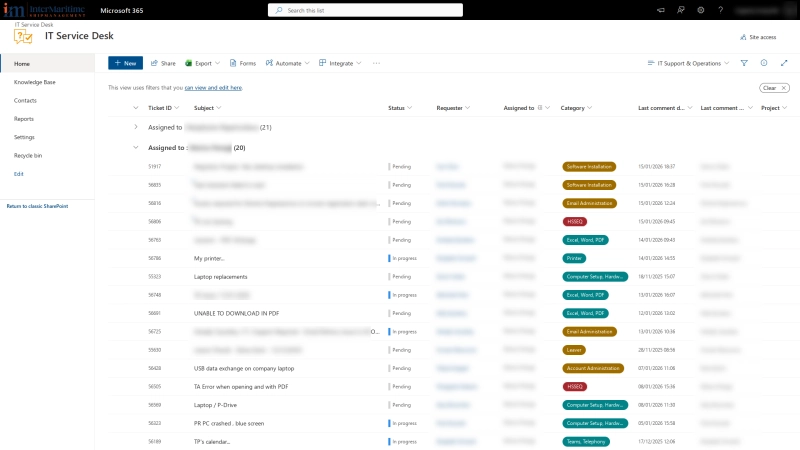
Tickets overview
Our workflow leverages Plumsail's powerful automation and structure:
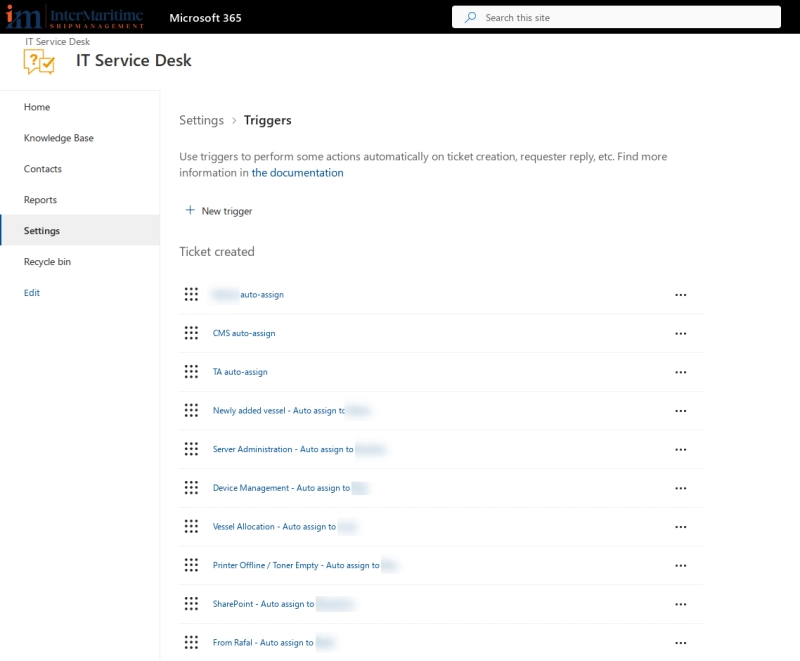
Triggers overview
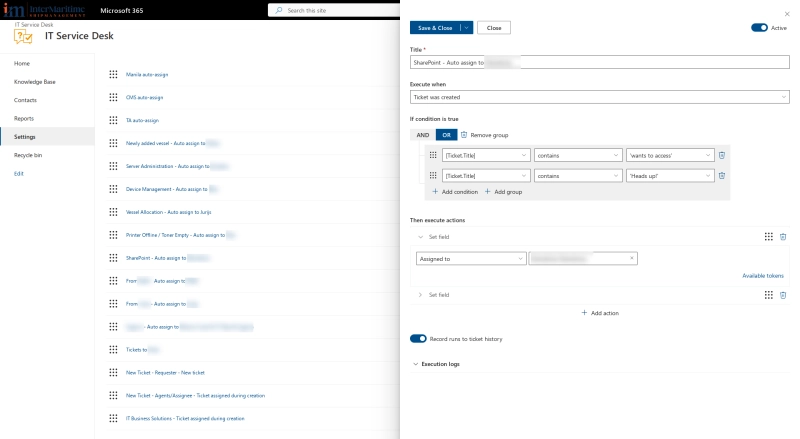
Trigger settings
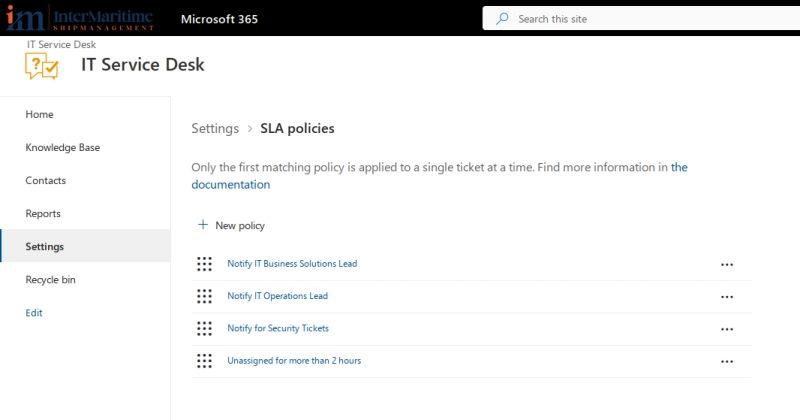
SLA policies
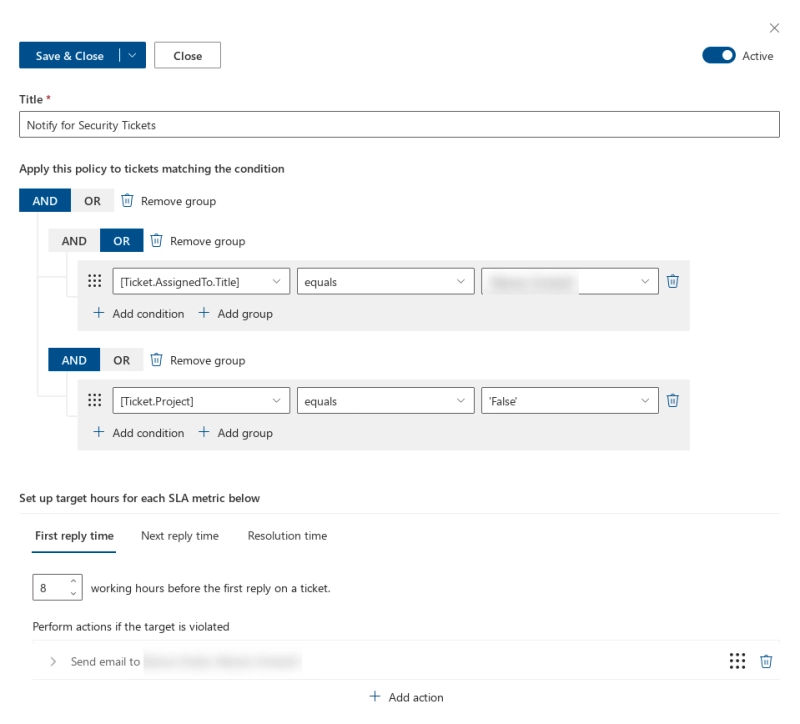
SLA settings
In a high-stakes, global maritime environment, Plumsail keeps things refreshingly simple yet highly effective. Triggers, SLAs, Knowledge Base, and canned responses handle our daily needs perfectly within our Microsoft 365 ecosystem. Support is responsive when needed (and major incidents have been extremely rare), making it a dependable cornerstone of our IT operations.
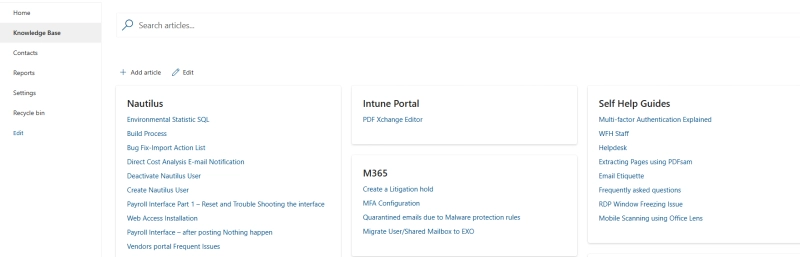
Knowledge Base
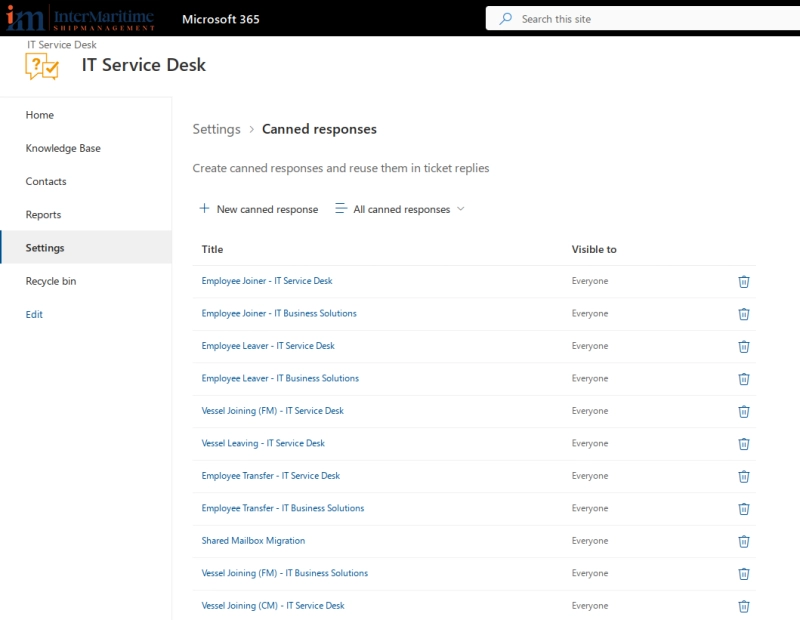
Canned responses
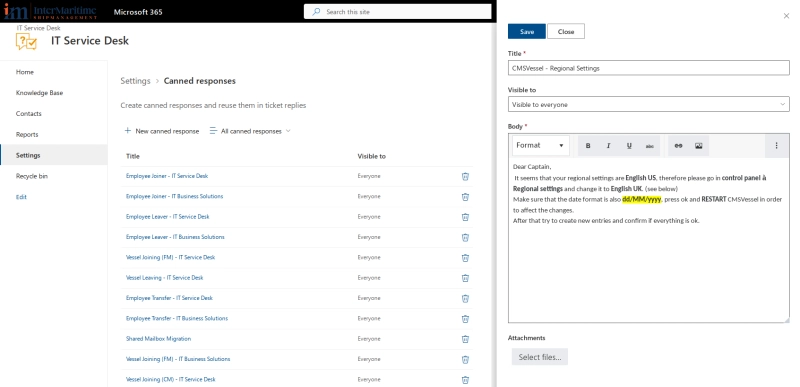
Canned response settings
All of this runs natively within our SharePoint/Microsoft 365 environment; no separate apps or logins required. Tickets arrive mainly via email, and we manage the full lifecycle (intake → assignment → resolution).
💡 If you want to build a similar HelpDesk inside your SharePoint environment check out the documentation on setting up Plumsail HelpDesk in Microsoft 365.
Plumsail HelpDesk has been exceptionally effective because it delivers exactly what we need – no more, no less.
In nearly 10 years of use, I cannot recall a single critical use-case we've encountered that it couldn't handle natively or through simple configuration.
It has fully resolved our previous pain points:
The automation via triggers and SLAs has slashed response times and improved accountability across global teams, while the Knowledge Base and canned responses have reduced repetitive work and ensured consistent, professional communication, even as our fleet and operations have grown significantly post-merger.
The net impact is a far more efficient, dependable IT support function:
It's one of those rare tools you adopt and never seriously reconsider replacing.
Recently, I proposed a modest enhancement to the Knowledge Base (adding visible fields like date created, last edited, and last edited by on articles) to make version tracking and maintenance even easier. It's encouraging to see the product remains actively developed and receptive to practical user suggestions.
Plumsail HelpDesk stands out in an industry full of over-engineered tools. It just works—reliably, affordably, and without unnecessary drama. After 10 years, it's still our clear choice for efficient, no-fuss helpdesk management.
If you want to build a reliable IT support system in your organization, start your free one-month trial of Plumsail HelpDesk for SharePoint Online: download the installation wizard and follow the setup instructions.
Feel free to book a call with our team if you have any questions or need assistance to get started.
Learn how to set up a SharePoint self-service portal with a Knowledge base to improve IT support, reduce tickets, and provide 24/7 access to information.
How Lucidica built an automated ticketing system integrated into SharePoint to improve IT support operations.
Learn how Cyberlogic integrated Plumsail's ticketing solution to facilitate incident management, complaint resolution, and request handling for a tour operator managing requests within Microsoft 365.