LT Corporation shared how their IT team automated report creation across several manufacturing companies using Microsoft 365 tools and Plumsail Documents. Their goal was simple: to keep digital processes fast and modern while still supporting Word and PDF reports where paper documentation is still required.
LT Corporation is an employee-owned company group focused on growing our corporate family by investing in existing businesses and acquiring like-minded companies. We currently own eight companies, and most of them are focused on steel-related manufacturing.
Since I joined LT Corporation in 2022, my main focus has been digital transformation across our companies and their business processes.
Challenge: digital systems still need paper documents
During digital transformation, for the most part, we'd like to focus on the electronic capture and real-time use of data, but even if you 100% achieve that goal, there are typically some pieces of a business process that require a paper or PDF document.
This generally becomes quite challenging because most platforms today don't want to focus on paper. That's too old school.
Why traditional reporting tools were not the right fit
If you've been in the digital transformation business long enough, you've probably run into Crystal Reports or similar reporting tools. In general, these typically help solve the challenges with getting data out of a system and onto paper, but most of these solutions are also starting to show their age.
For example, it may be easy to format a nice-looking report with these tools, but it often takes specialized knowledge to do that, and then once it's done, it may be an older technology such as SOAP to make a call and get a completed PDF.
In today's world, working with old technologies is typically just setting yourself up for technical debt that you'll eventually have to overcome.
Since many of our app and data solutions were focused on Microsoft products, such as Power Apps, Power Automate, and Microsoft SQL Server, we began to look for reporting solutions that would allow simple integration with our Microsoft tools.
Power BI reporting was a potential option, but although it could produce some very nice-looking reports, getting those to paper proved to be more complicated than what we wanted to support, so we began searching for an alternative.
Solution: document automation with Plumsail Documents and Microsoft 365
We found Plumsail by looking through the available connections in Microsoft Power Automate. After playing around with Plumsail Documents, it proved to be exactly what we were looking for.
We saw the following advantages:
Familiar document design with Microsoft products
Report design was done with existing Microsoft products, such as Microsoft Word or Excel. This meant we could even have end users design exactly what they were looking for, using a tool they were comfortable with (Microsoft Word), and then IT could simply add a few lines of code to allow Plumsail to produce an excellent report using what is essentially a very powerful "mail merge on steroids".
Simple automation with Microsoft workflows
Since we were already using Power Automate, automating report creation with Plumsail was a breeze.
We simply built a JSON document from our data, picked the Plumsail template we wanted to use, and that was it: we had a formatted report that could be sent by email to the user.
On top of the Plumsail features and functionality, the solution is also very cost-effective, with several tiers that allow you to scale as your Plumsail usage grows.
Real use cases across the company group
We now use Plumsail Documents in several real business workflows.
Quality non-conformance reports
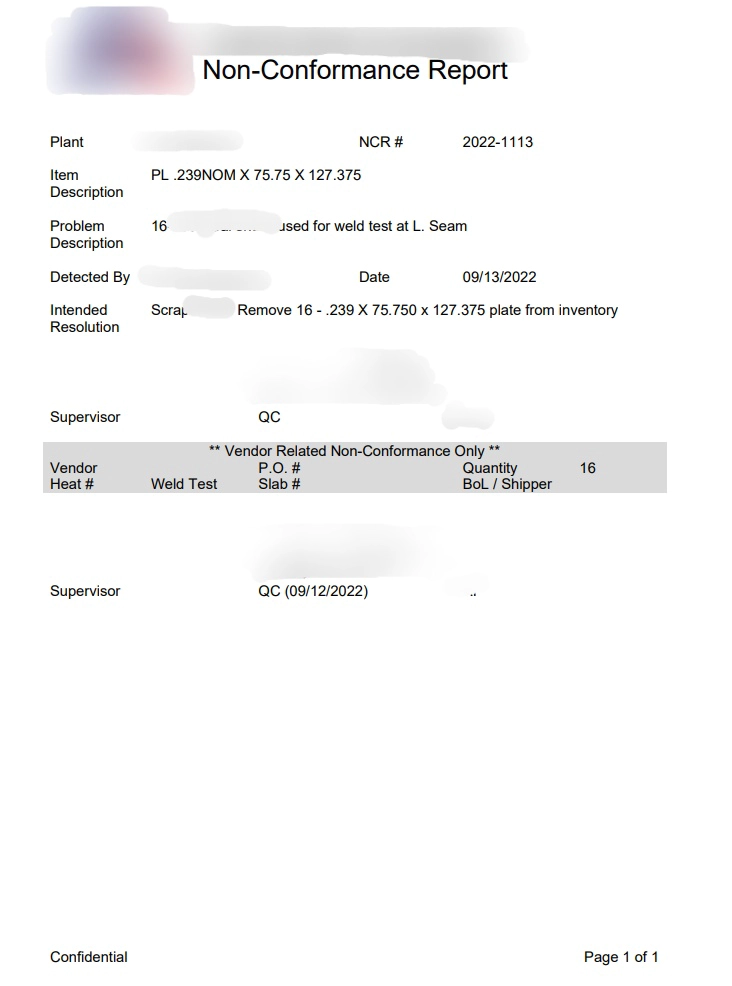
We have a Microsoft Power App that assists one of our companies’ quality teams with filling out a non-conformance report. At the end of the non-conformance process, the team wanted the ability to print out a non-conformance report, so we developed that in Microsoft Word and then used Plumsail to populate it from the non-conformance data.
Automatically generated non-conformance report
Shipping documents across multiple systems
In another case, one of our companies’ ERPs didn’t have enough flexibility for the changes we wanted to make for our Packing Slip and Bill of Lading reports.
These reports ended up needing data from 3 or 4 different systems to fully automate the process.
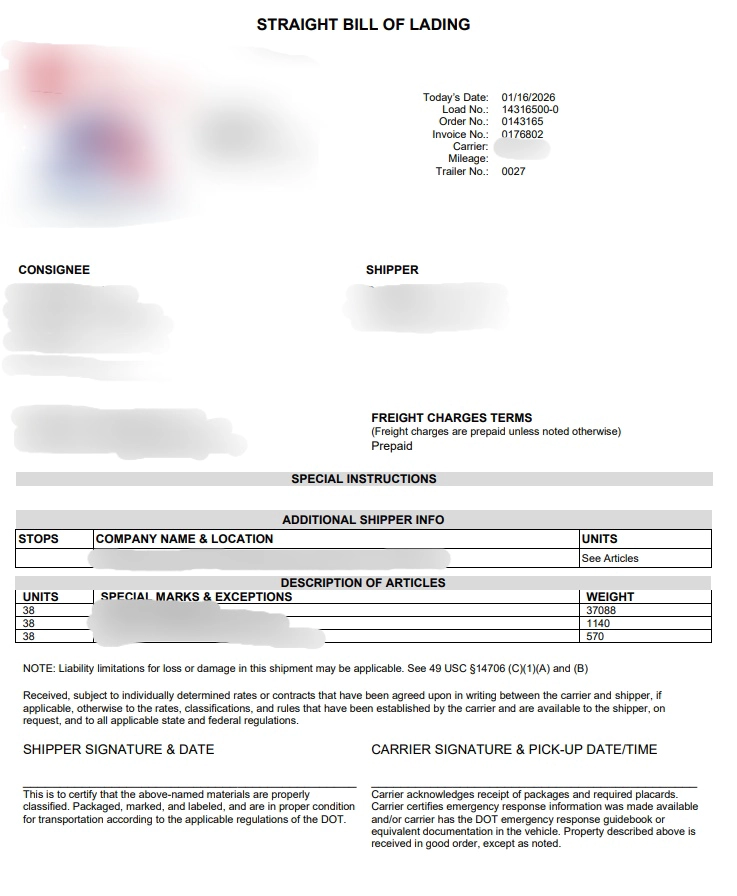
Using Power Automate, again to collect and build the JSON, and then Microsoft Word to build the formatted report and Plumsail as the glue to put it all together, we were able to fully automate the shipping process.
Straight bill of lading generated from combined system data
Reports for the order-to-cash process
Another company wanted some process improvements with their order to cash process, specifically ensuring that the operations team knew exactly what needed to be completed for each order.
We developed a Power App to capture all of the order details and then again used Microsoft Word and Plumsail to develop a work order report that could be used as a sort of checklist to ensure everything for an order was completed correctly.
Impact: modern document generation without legacy tools
LT Corporation found a way to support paper-based business processes without falling back on older reporting technologies. By combining Microsoft 365 tools with Plumsail Documents, the team could generate high-quality reports in a way that fit naturally into its existing digital workflows.
From my perspective, Plumsail has been one of the best development tools that I've identified in the last 10 years. The ability to use a common editor, such as Microsoft Word, combined with the use of newer technologies like JSON and Microsoft Power Automate provides everything necessary to produce high-quality paper-based reports to support any business process. All for a very competitive cost per document, great job Plumsail!
If your business processes still rely on manual document creation, Plumsail Documents can help you automate it. Start a 30-day free trial and try it in your own workflows.
If you have any questions, feel free to book a free call with our team.