In this guide, you'll see practical examples of intake forms, feedback forms, order forms, event registration forms, and even an Airtable form with an electronic signature.
I'll use Airtable as a backend and build custom forms with Plumsail Forms to create more flexible layouts and advanced functionality.
You can also watch the video to see how to design forms for Airtable with Plumsail:
Let me walk you through designing a simple intake form for an Airtable base. As the backend, I use slightly modified Order tracking and invoicing template and will design a publicly facing form for it with Plumsail Forms.
Step 1: Import template
As a starting point, I use the Access request form template.
Using a template helps avoid starting from scratch. I chose this template particularly because I like its look and the way it is broken into sections with tabs.
Step 2: Connect your Airtable base to Plumsail Forms
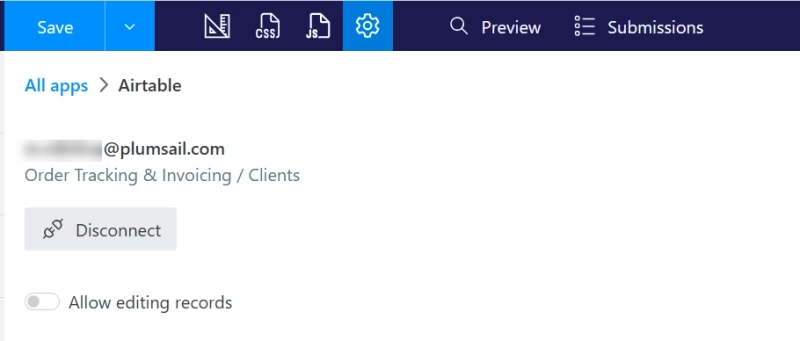
In the form settings, go to Connection tab and click Airtable. Grant access to your workspace, and select the base and table you want to use for the form.
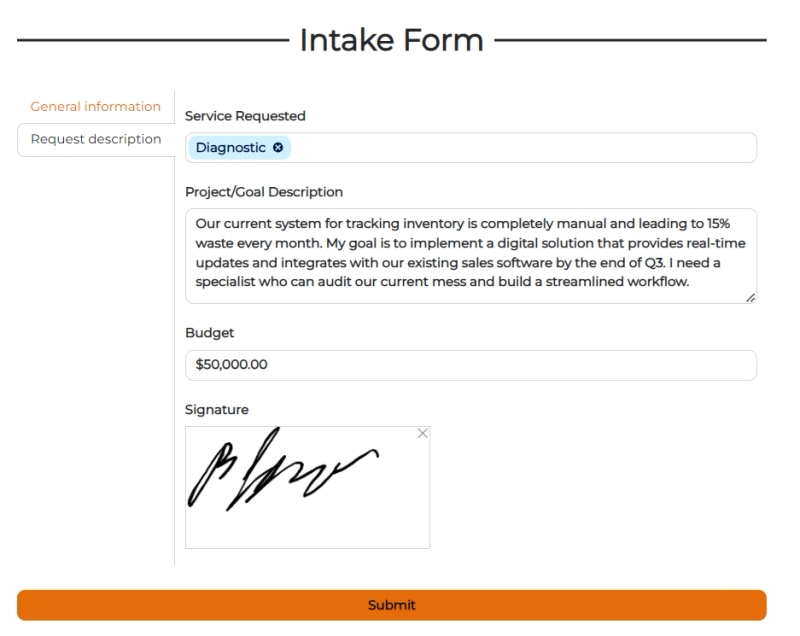
Next, I replace form fields with fields from my Airtable base and adjust the title and description:
Step 4: Add signature to the form
To verify feedback, I add a signature control and connect it to an Attachment field in Airtable.
You can do the same and create an Airtable form with an electronic signature, which is useful for approvals, confirmations, or consent-based workflows.
Here is my final Airtable form with a signature field:
Learn more about designing Airtable forms with signatures in this blog post.
Step 5: Save and publish the form
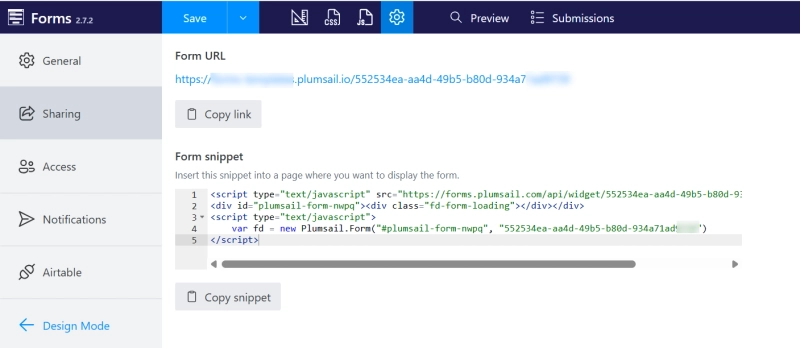
Final step! I save and publish the form. This generates a public link that I can share with my team or embed on a page using a code snippet.
All responses submitted through the form are automatically saved to the connected Airtable base:
The template is designed for Event planning Airtable base template. All fields are already mapped to the corresponding fields in the base, so you can just connect it to your Airtable and start collecting registrations for your events.
Why build custom Airtable forms instead of native forms?
There are several ways to design forms for an Airtable base—from native Airtable forms to third-party tools.
Plumsail Forms stands out when you need more control over layout and behavior. It allows you to:
Design forms with flexible layouts: columns, sections, tabs, and multistep flows
Edit existing Airtable records, not just create new ones
Create public-facing forms without paying for additional Airtable seats
Collect electronic signatures directly in an Airtable form
Add advanced functionality using JavaScript
Share clean public links or embed forms into any webpage
You can use Plumsail Forms for free, with no limit on the number of forms or Airtable bases you connect.
Start designing your Airtable forms
Using Airtable as a backend and Plumsail Forms as the form layer gives you a flexible setup for real-world data collection.
Whether you're creating a simple contact intake form or a more comprehensive order form, it's easy to start with Plumsail Forms templates and customize them to fit your needs.